


Firefox crashes

I'm running Mozilla firefox 32.0.3 (most updated version) on a desktop with Windows 8 Ultimate 32 bit. During the past few weeks, firefox has been running slow and crashing every 5-6 minutes (literally, not an exaggeration). I already reset my browser to the default settings but that did not solve the issue. What can be causing the problem?
Alla svar (2)
Vald lösning
Wow, that's bad.
If you are seeing the Mozilla Crash Reporter for these crashes, and not just the Windows crash dialog, could you try to gather some crash report data from that PC, so volunteers can take a look at what's going on. Here's how:
- Enter about:crashes in the Firefox address bar and press Enter. A Submitted Crash Reports list will appear, similar to the one shown below.
- Copy the 5 most recent Report IDs that start with bp- and then go back to your forum question and paste those IDs into the "Post a Reply" box.
Note: If a recent Report ID does not start with bp- click on it to submit the report. (Please don't take a screenshot of your crashes, just copy and paste the IDs. The below image is just an example of what your Firefox screen should look like.)
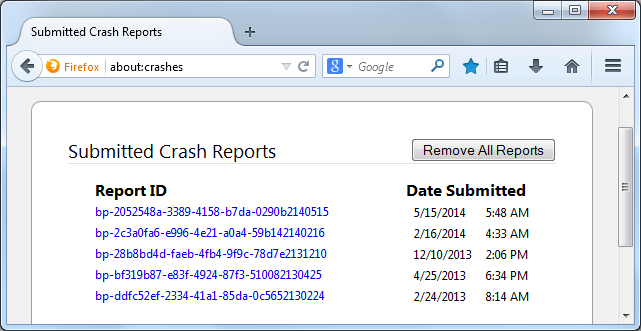
More information and further troubleshooting steps can be found in the Troubleshoot Firefox crashes (closing or quitting unexpectedly) article.
Also, why Firefox 32.0.3 on that PC instead of Firefox 34?