Windows 10 reached EOS (end of support) on October 14, 2025. If you are on Windows 10, see this article.

Sök i support

Akta dig för supportbedrägerier: Vi kommer aldrig att be dig att ringa eller skicka ett sms till ett telefonnummer eller dela personlig information. Rapportera misstänkt aktivitet med alternativet "Rapportera missbruk".

Läs mer
Denna tråd har arkiverats. Ställ en ny fråga om du behöver hjälp.
Arkiverad

"What's new" splash page links to articles that "don't apply to your version of Firefox"

DB besvarat
DB

After upgrading to Firefox 30 it displayed the following splash page: https://www.mozilla.org/en-US/firefox/30.0/whatsnew/?oldversion=29.0.1

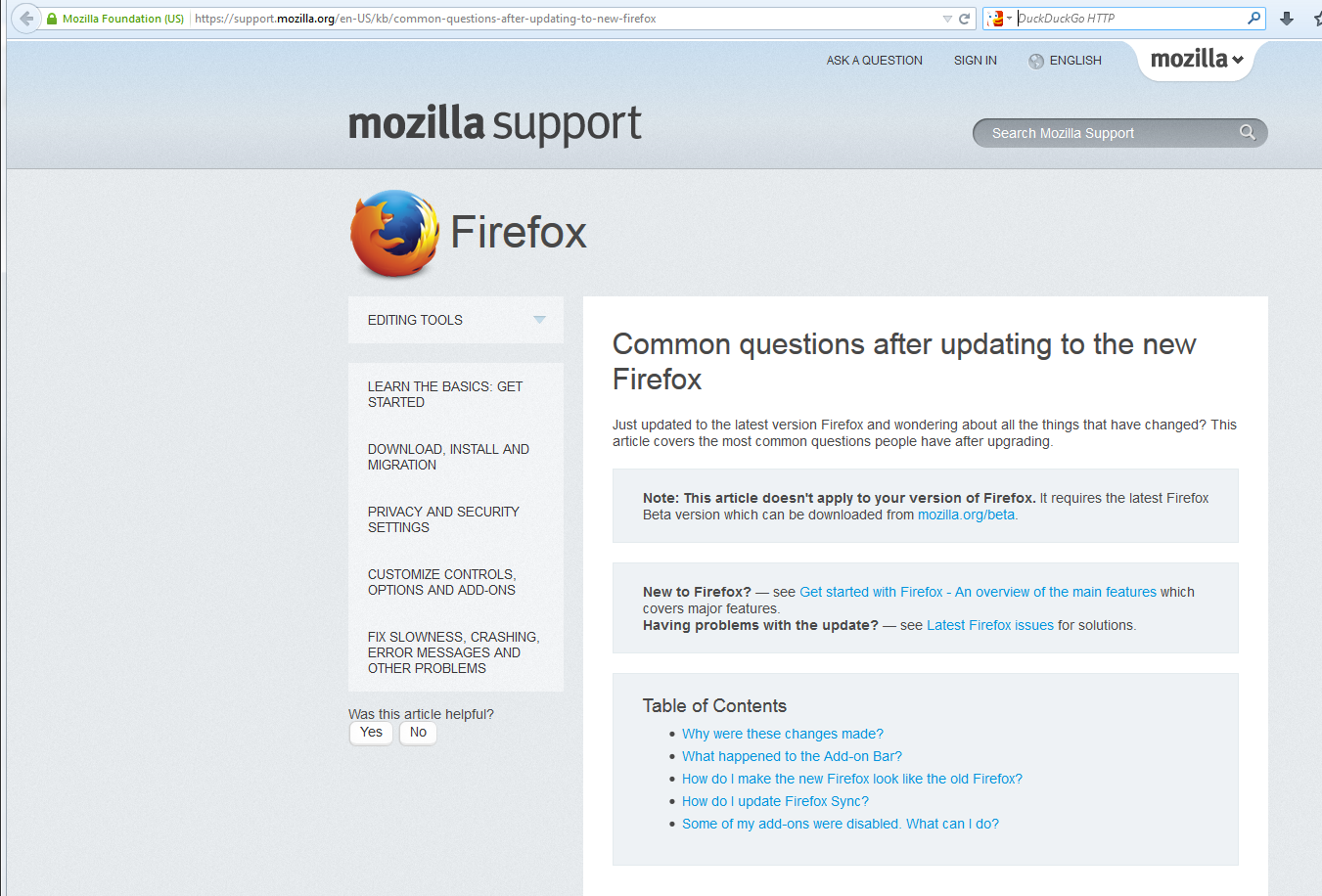
Clicking on two of the links on the splash page me warnings that the article "doesn't apply to your version of Firefox" and instructs me to download the beta version of Firefox instead. https://support.mozilla.org/en-US/kb/common-questions-after-updating-to-new-firefox https://support.mozilla.org/en-US/kb/learn-more-about-the-design-of-new-firefox

If the articles really don't apply to my version of Firefox, they shouldn't be linked to in the "What's new" splash page. If the do apply to my version of Firefox, they shouldn't have the erroneous warning.

This warning disappears if I enable Javascript for mozilla.org, so perhaps it is just a website coding error.

After upgrading to Firefox 30 it displayed the following splash page: https://www.mozilla.org/en-US/firefox/30.0/whatsnew/?oldversion=29.0.1 Clicking on two of the links on the splash page me warnings that the article "doesn't apply to your version of Firefox" and instructs me to download the beta version of Firefox instead. https://support.mozilla.org/en-US/kb/common-questions-after-updating-to-new-firefox https://support.mozilla.org/en-US/kb/learn-more-about-the-design-of-new-firefox If the articles really don't apply to my version of Firefox, they shouldn't be linked to in the "What's new" splash page. If the do apply to my version of Firefox, they shouldn't have the erroneous warning. This warning disappears if I enable Javascript for mozilla.org, so perhaps it is just a website coding error.

Alla svar (2)

Hi dbolton, It looks like this was changed over the weekend, If this if still happening, can you please add the screenshot of the page this is happening exactly, thank you.

Here's a screenshot of the "Common questions" link mentioned above.

Firefox 30.0 with NoScript (javascript disabled), Windows 7