


Taskbar is unwanted zooming, and instable

Taskbar when using the taskbar (like history, help, view etc.) the items under these menu's are directly zooming into really smal or very large characters, and it is impossible to activate one of the tasks. i have looked in the FAQ but no items can take care of the problem i am having with firefox. I upgraded from 3.x to version 4, and then the problem started.
please advise what to do, or what to change.
Zgjidhja e Zgjedhur
ok, this looks like a classic issue with hwa - please note that you'll have to restart the browser once for the setting to take effect!
Krejt Përgjigjet (7)
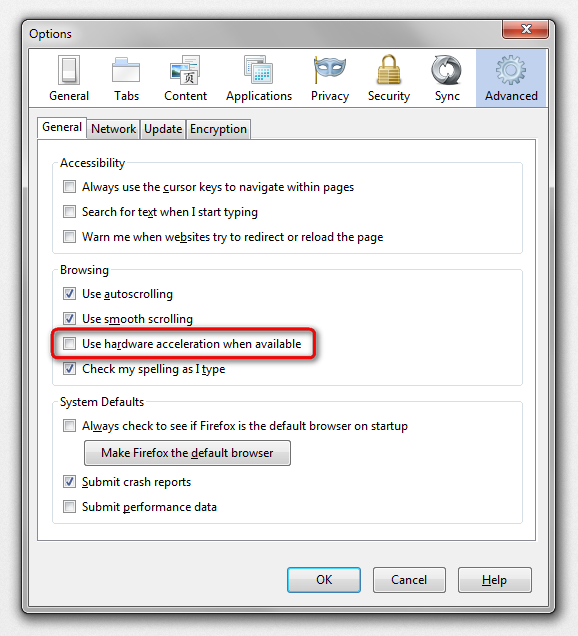
hello rams01, this might be an issue with hardware acceleration - please try updating your graphics driver, or in case this doesn't solve the issue or there is no new version available at the moment, disable hardware acceleration in firefox > options > advanced > general.
This does'nt help at all. Once i had an solution for it, but i forgot it. It had something to do with the administrator rigths.
hello, maybe a scrennshot of the issue will help us understand this problem better: How do I create a screenshot of my problem? however, as you have described it, hardware acceleration is the most probable cause of the issue as you have described it (it was also turned on the first time on the update from firefox 3.x to 4.0). please double-check that the setting is disabled as shown in the screenshot attached.
Philip here is an screenshot Ruud
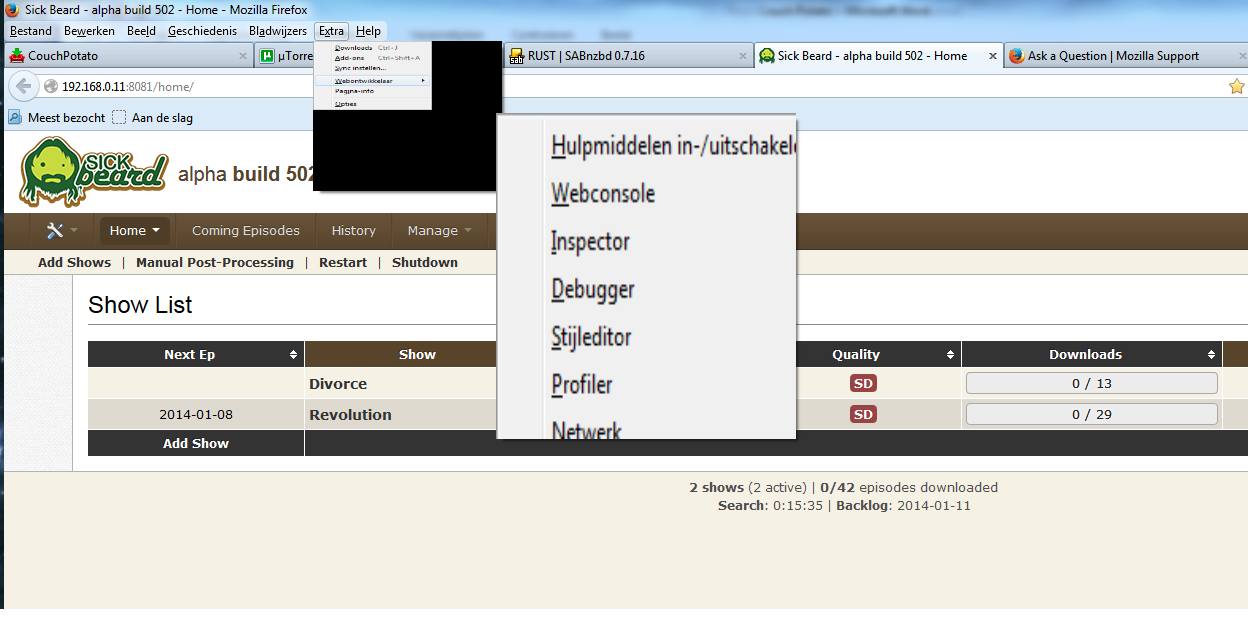
and another one

Zgjidhja e Zgjedhur
ok, this looks like a classic issue with hwa - please note that you'll have to restart the browser once for the setting to take effect!
Philipp
problem is solved i started as administratror, and closed the tab HWA. I installed the former driver of my videocard, instead of the newest driver, and then restarted firefox, left it open, and then installed the latest driver of the videocard, restarted my Laptop, and now evrything is working perfect.
Thanks for the quick responses. Have a good christmus & an happy new year