


Thunderbird emails have started to only show links and not the pictures within the email. I need to fix this.

When I replaced Outlook with Thunderbird, it was brilliant. It was so good, I chose to donate! Now it's changed. I was trying to find out why a forwarded email changed the body of the message to a HTML attachment. I stupidly followed a wrong AI help process and changed something I can't remember. Now all of my emails only show hyperlinks and not the pictures these hyperlinks point to. I would like the pictures back and the option to download these if these are safe in new emails. I've seached everywhere I thought I went but I can't find the setting that does this. Please help if you can.

Zgjidhja e Zgjedhur
Check View (menu) > Message body as. Plain text may be selected. You want original HTML.
If the menu is not showing, press the <alt> key.
Krejt Përgjigjet (8)
Maybe Thunderbird settings > Privacy & Security > Privacy > Mail content > Allow remote content in messages
Thanks Rick, When I went to this feature, it was unchecked. So I checked it and looked at the "Exceptions" where the list of URLs that I previously allowed were listed. I would have thought that this setting should operate when unchecked to block all remote content unless its URL is in the Exception list which is what I had before this problem occurred and what I want again. So I ticked this feature, looked at my emails and there was no change. I closed Thunderbird, waited a while and restarted it. Again, no change and all emails still just have links. Thus, it appears that this feature does nothing (it's setting is seemingly ignored) and is clearly overridden by this mystery feature that has obliterated all content from my emails. It's not my internet service either since Outlook on the same computer still downloads content into email. Cheers, Michael.
How messages get forwarded is controlled in Thunderbird settings > Composition > Composition.
That function not to allow remote content definitely works. I use it all the time. When it is selected, do you see a message with a yellow background at the top of messages that have remote content?
Run Thunderbird in troubleshoooting mode (under the "Help" menu) and see if the problem persists.
Thanks Rick, I have used the feature in "Settings > Composition > Composition" before, but I have yet to forward another message to test it. I have "InLine" selected in the dropdown (it previously wasn't selected) and the "add extension to filename" option selected also. This other problem of the email content only showing links persists whether "Settings > Privacy & Security > Privacy > Mail content > Allow remote content in messages" is set or not. There is no yellow-background message at the top showing anymore. When that message stopped showing, all emails changed to show only plain text with hyperlinks. P.S. This time I include a screen-shot demonstrating the problem. Cheers, Michael
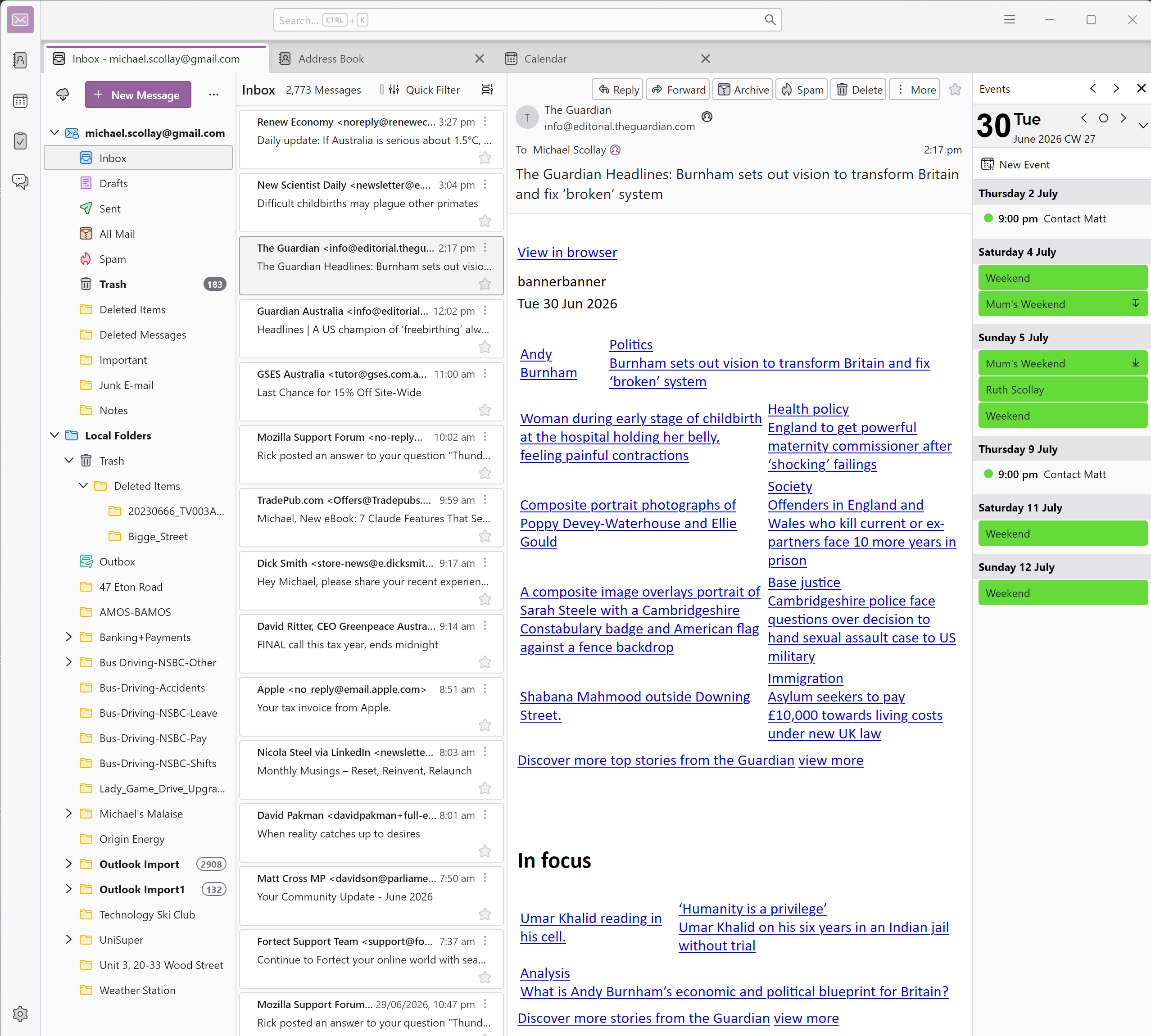
Zgjidhja e Zgjedhur
Check View (menu) > Message body as. Plain text may be selected. You want original HTML.
If the menu is not showing, press the <alt> key.
Thanks Rick, This suggestion is one that has come up before with other feedback from Reddit and now I recall with the AI help I followed blindly. Another problem in my setup is that within the "[Hamburger Icon] > View" menu, there are only three items showing whether I press and hold the <Alt> before entering the menu or press <Alt> after entering. These are (where / denotes a selected or ticked item): (1) Toolbars:
        Menu Bar              [ ]
        Quick Filter Bar  /
        Spaces Bar          /
        Status Bar           /
(2) Layout (3) Folders Then I remembered there are two "View" menus, the first and usually only one showing is under the {Hamburger Icon]. The second "View" menu is show after the "Menu Bar" item above is selected (which I dutifully selected). Looking down this new "View" menu (now at the top left of the Thunderbird window), I found the "Message Body As" selection, opened it to reveal one of 3 selections: (1) Original HTML [ ] (2) Simple HTML / (3) Plain Text [ ] "Simple Text" was selected, so I selected "Original HTML" instead and inline pictures came back! Therefore, in a roundabout way, my problem has been solved! Thanks Rick! How dumb to I feel now for not remembering this is what caused the problem in the first place.
Good.
Two menus is why I suggested the <alt> key.
<Alt> works to select the menu items with arrow keys in the "Menu Bar" provide this is selected to be displayed in the [Hamburger] > View > Toolbars menu. Making this menu show is probably the default modus operandi for seasoned Thunderbird users. It doesn't show up as a default. Thanks again for you considered help, Rick.