


How do I disable autoplay of audio & video?

When I open Facebook in Firefox 150.0.1 with no extensions then move the cursor over a video, that video automatically plays.
Preferences | Privacy and Security | Browser Privacy | Permissions | Autoplay | Default is set to Block Audio and Video yet videos still automatically play.
Zgjidhja e Zgjedhur
Double-click on the preference media.autoplay.blocking_policy enter a new value 2 click the Save button to save the change.
Krejt Përgjigjet (6)
Hello
Allow or block media autoplay in Firefox https://support.mozilla.org/en-US/kb/block-autoplay
1 - Go to configuration editor https://support.mozilla.org/en-US/kb/about-config-editor-firefox 2 - Enter a search term autoplay
media.autoplay.default 1 this correspond to the situation Block Audio media.autoplay.default 5 this correspond to the situation Block Audio and Video media.autoplay.default 0 this correspond to the situation Allow Audio and Video
About, media.autoplay.blocking_policy, you can test 2
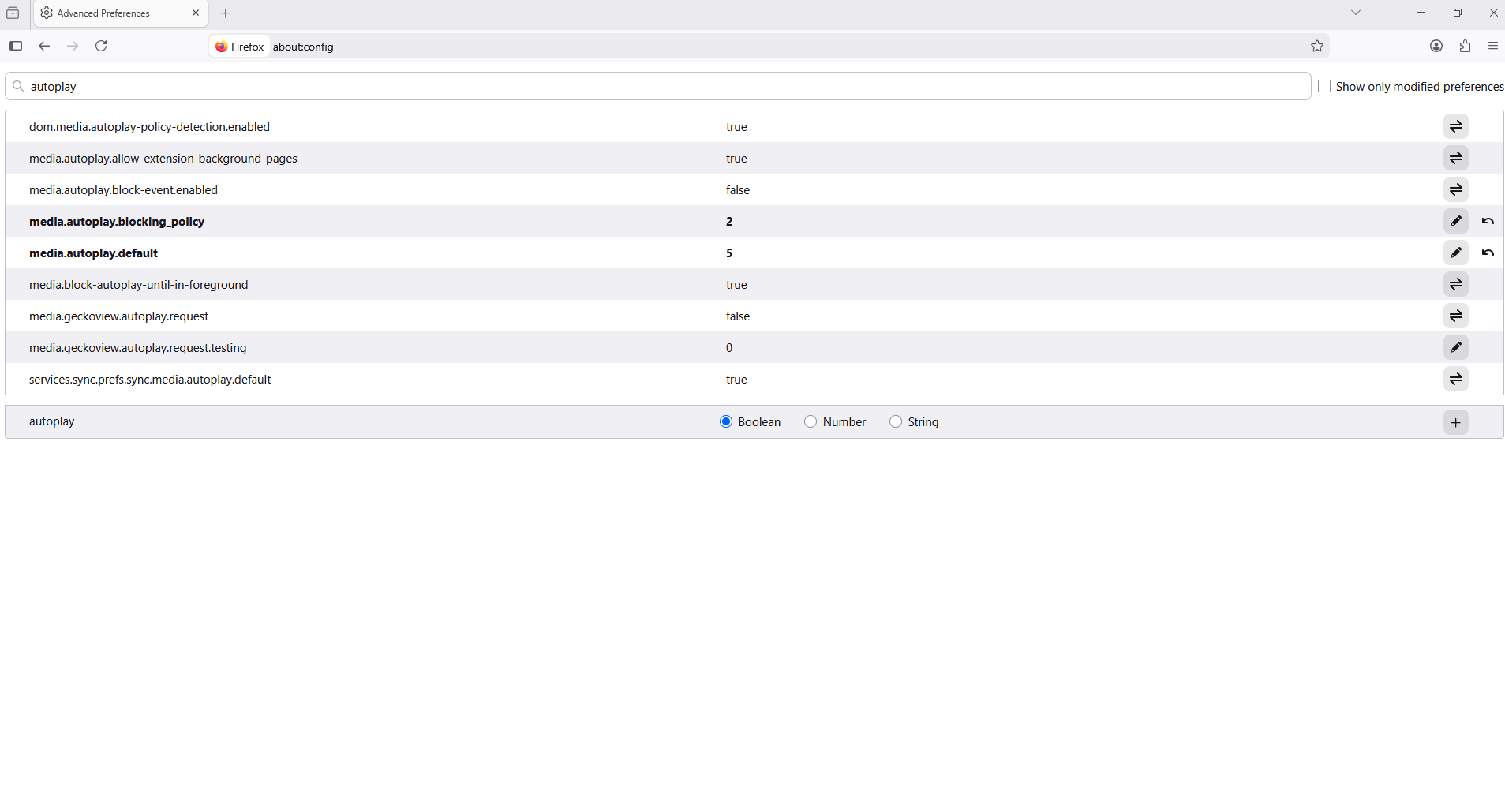
media.autoplay.default is already set to 5
Have you tested media.autoplay.blocking_policy
That is currently set to 0
Zgjidhja e Zgjedhur
Double-click on the preference media.autoplay.blocking_policy enter a new value 2 click the Save button to save the change.
So, opening a new tab and entering about:config confirming you want to then entering media.autoplay.blocking_policy and setting that at 2 worked.