


CPU busy
Hello, I have 3 PCs. One is Windows 10, Firefox 131.0.3 One is Windows 10 firefox 131.0 One is windows 11 firefox 131.0.3
All 3 PCs are running BOINC, using the remaining CPU power up to 100%
On PC W10 + FF 131.0 and PC W11 + FF131.0.3 BOINC and FF share the processor time up to 100% On the PC W10 + FF 131.0.3 when FF is dispatched, no processor time is assigned to BOINC and CPU busy is no more 100%. This situation occurs frequently and can last several minutes.
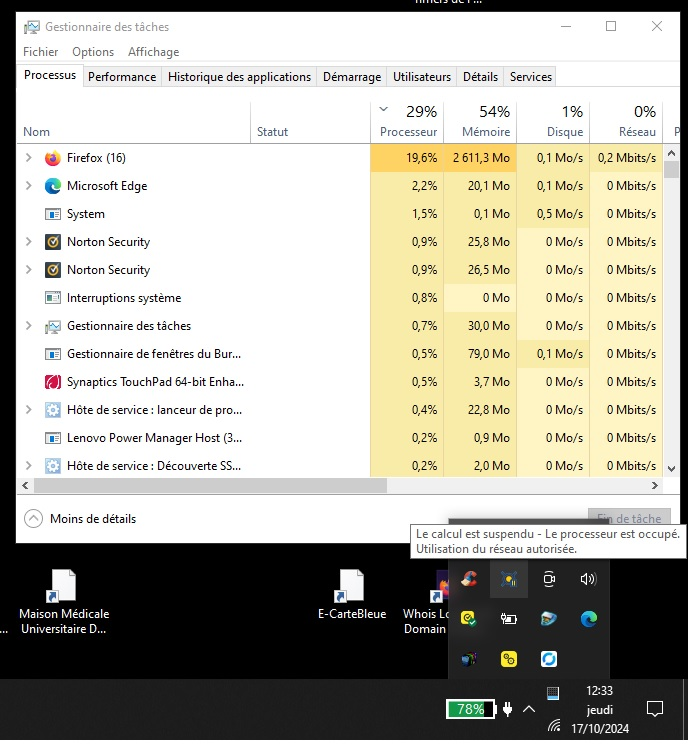
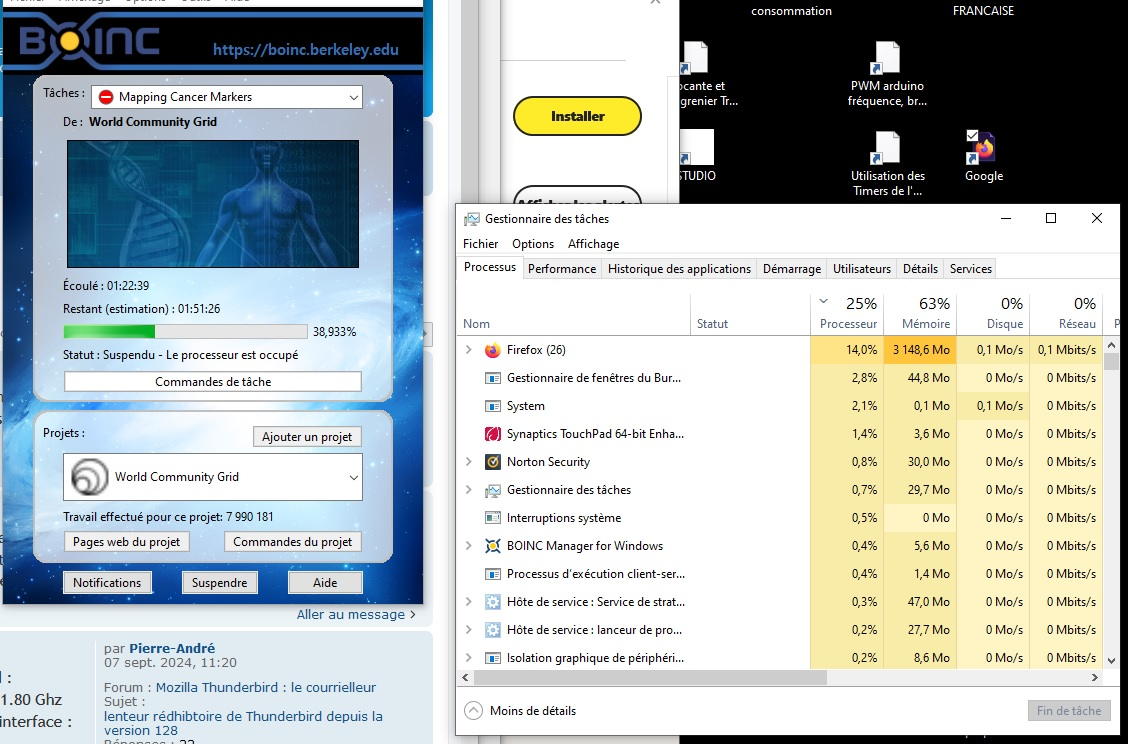

Ndryshuar nga jlbcs
Krejt Përgjigjet (2)
Issue still the same with 132.0.1 Firefox Release November 4, 2024

Hi there, I hope you are doing well.
It sounds like your Windows 10 PC with Firefox 131.0.3 isn’t sharing CPU resources well with BOINC, while your other PCs manage fine.
However, I have done a little bit of research on it. if you want to fix this, you need to check that Firefox’s priority in Task Manager is set to 'Normal' and confirm that BOINC’s CPU settings allow it to use available resources even when other apps are active.
Also, try reducing Firefox’s process count in about:config to balance CPU load better. If the issue continues, updating BOINC, Firefox, or even Windows drivers may help to restore balanced performance.
Thank you, Mike Taku.