


Strange message at the bottom of an opened email
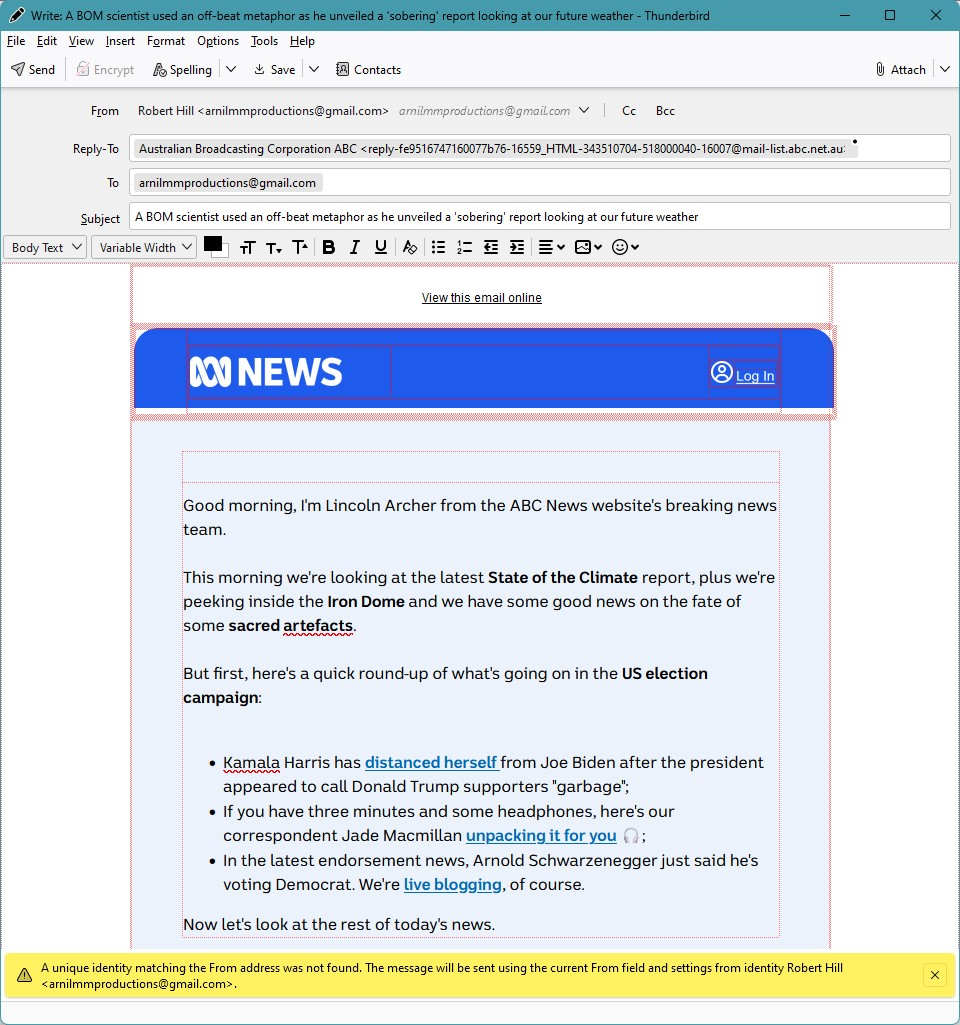
Why do I get this alert message across the bottom of my screen when I double-click to open an email in my INbox? It is in a yellow box across the bottom of a pre-populated draft 'return to the sender" email.
A unique identity matching the From address was not found. The message will be sent using the current From field and setting from identity Robert Hill <arnilmmproductions@gmail.com>"
It doesn't mark the original email as 'Read' when I close it. But if I right click on it, it gives me the option of opening it a new Tab, a new Window, or a Conversation.
The problem seems to recur after a Thunderbird upgrade.
Hoping to get your response and a solution soon. Thank you.
Zgjidhje e zgjedhur
Thank you again for your feedback and advice. I'm not sure that it helped because in the interim I've downloaded a Thunderbird Update and the problem seems to have resolved itself. It's not the first time that it's happened and like this time it has resolved itself subsequent to an update. I will continue to monitor the issue.
Lexojeni këtë përgjigje brenda kontekstit 👍 0Krejt Përgjigjet (5)
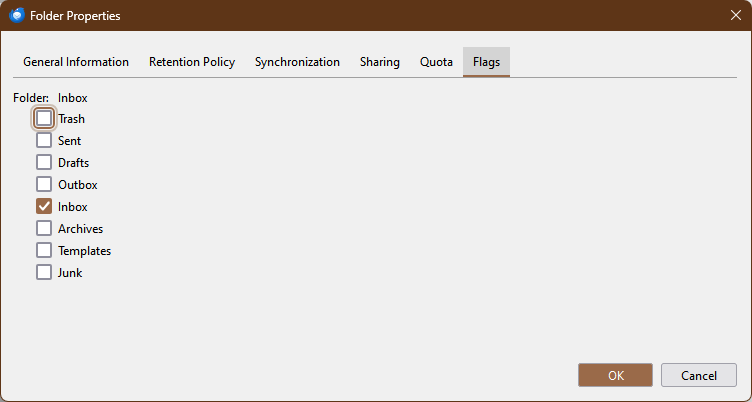
It looks like your Inbox is acting like a Drafts folder. See if you can fix it with FolderFlags:
Thank you for your suggested solution. However, it didn't work because there was no FolderFlags: option in the Folder Properties dialog box. See the attached.

Did you install the add-on? See the attached picture of a gmail Inbox's Properties.
https://support.mozilla.org/en-US/kb/installing-addon-thunderbird
Ndryshuar nga sfhowes
Zgjidhja e Zgjedhur
Thank you again for your feedback and advice. I'm not sure that it helped because in the interim I've downloaded a Thunderbird Update and the problem seems to have resolved itself. It's not the first time that it's happened and like this time it has resolved itself subsequent to an update. I will continue to monitor the issue.

As at December 8 2024 i also have this problem.
problem present in Thunderbird beta 1.34.0b3, and also in Thunderbird 128.5.1esr+linuxmint1+xia
It happens in one folder only, not in Inbox. I have repaired that folder via "repair" in properties -gmail has re-downloaded all 240 messages, all to no avail. problem persists
FolderFlags cannot be used in the beta, not compatible (The beta is on my main pc)
Brian
Ndryshuar nga Brian