


After latest update, I now get a 'Did Not Connect: Potential Security Issue' when I access Amazon.com

As per the title, I can no longer access Amazon.com after the latest FIrefoc update. As soon as my update completed, I tired to access Amazon.com but to no avail. I get the following error:
Did Not Connect: Potential Security Issue
Firefox detected a potential security threat and did not continue to www.amazon.com because this website requires a secure connection.
What can you do about it?
www.amazon.com has a security policy called HTTP Strict Transport Security (HSTS), which means that Firefox can only connect to it securely. You can’t add an exception to visit this site.
The issue is most likely with the website, and there is nothing you can do to resolve it. You can notify the website’s administrator about the problem.
I can access other sites, including Amazon.ca and other shopping sites. How do I resolve this problem?
Krejt Përgjigjet (4)
Could you click the "More Information" button on the error page (before Firefox 66, the button said "Advanced") and look for an error code in ALL_CAPS -- what does it say?
These articles describe some of the error codes:
I see the following...
Websites prove their identity via certificates, which are valid for a set time period. The certificate for www.amazon.com appears to be expired.
Error code: SSL_ERROR_BAD_CERT_DOMAIN View Certificate
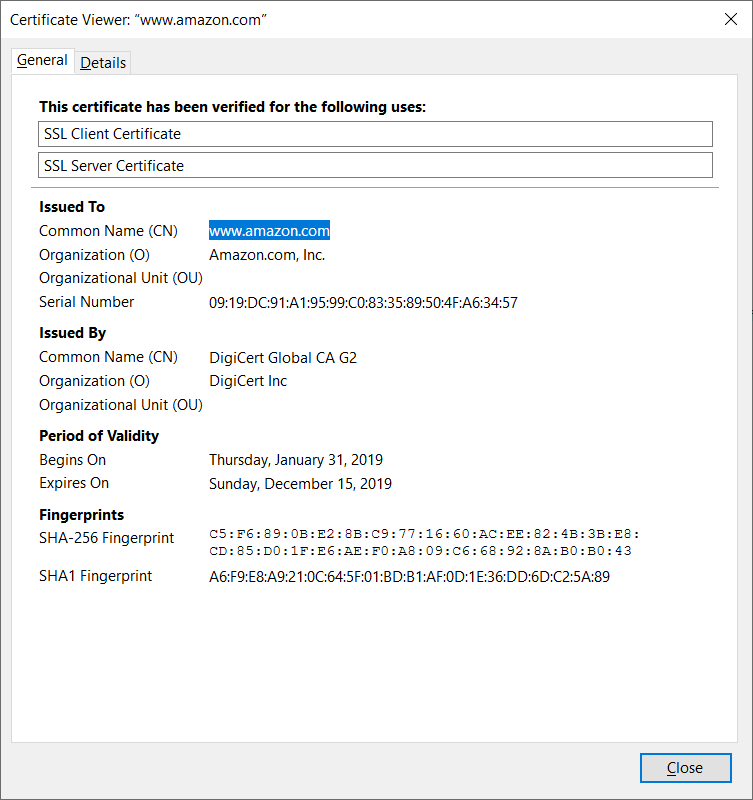
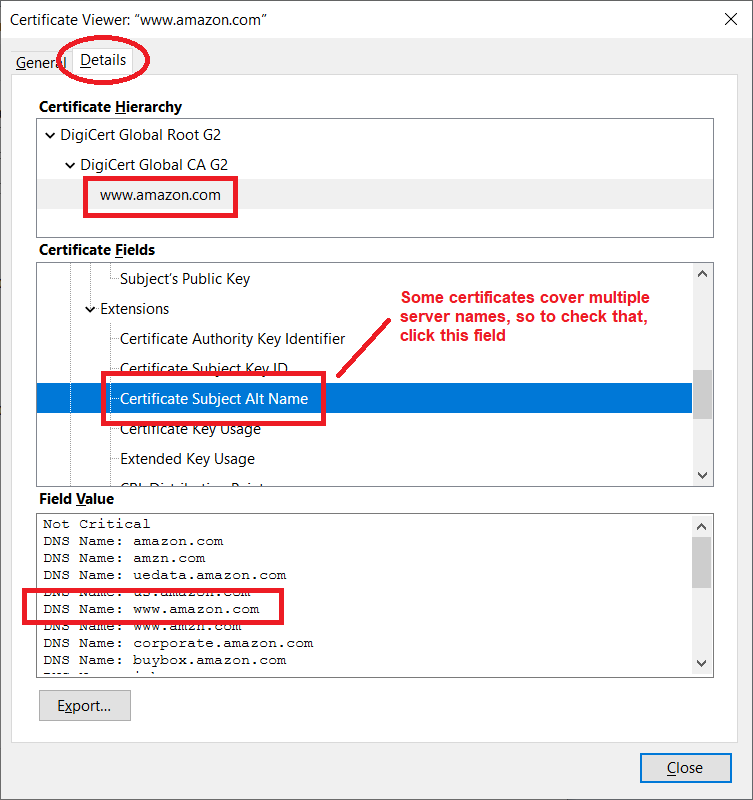
Hmm, that's strange. Could you click View Certificate? For comparison, Firefox 65's certificate viewer shows me this for Amazon:
First tab

Second tab

What security software do you have?