


The latest update removed all my 1100 bookmarks and trying to restore them throws an error.

The latest update removed all my 1100 bookmarks and trying to restore them throws an error. The error message is "Unable to process the backup file."
Zgjidhja e Zgjedhur
I reinstalled Firefox and it fixed the issue.
Krejt Përgjigjet (7)
What format are they in ? See : https://support.mozilla.org/en-US/questions/1198515
Note current version is 52.9.0
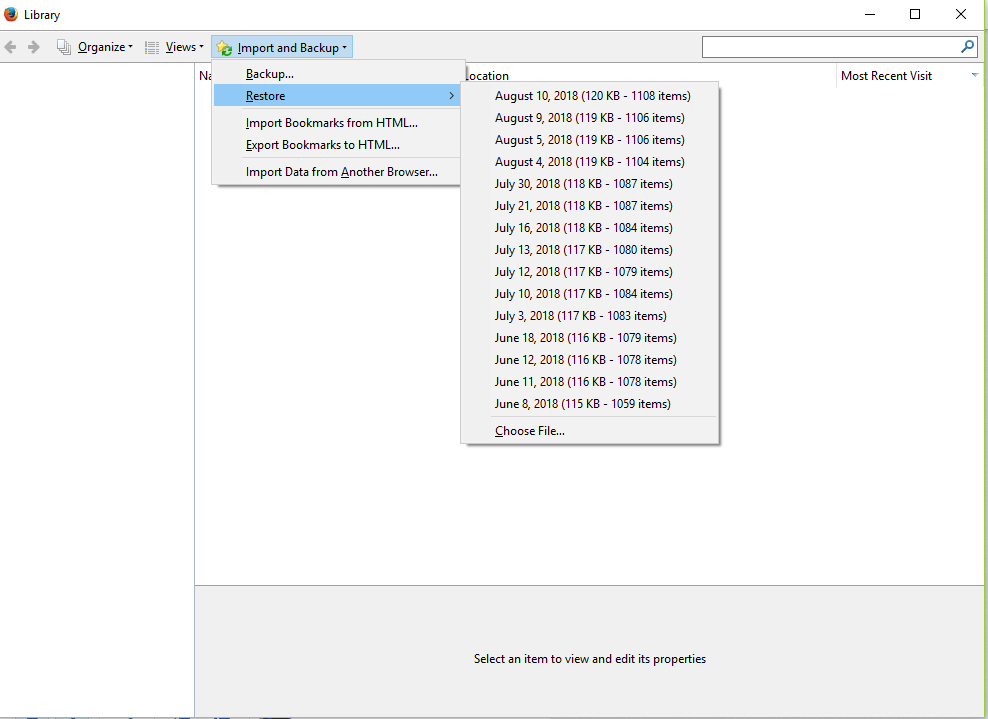
I don't know -- I don't know where to find them outside of the list here... (see image)
Mine says 52.3.0
It updated automatically to this today. The icon on my taskbar was gone and after I closed my browser, I opened it again a little while later and everything was gone.
(I opened it later from the start menu directly, rather than my taskbar, since that icon no longer worked)
You usually get this error when the places.sqlite database file (bookmarks and history) is corrupted.
You can check for problems with the places.sqlite database (bookmarks and history) in the Firefox profile folder.
- use "Verify Integrity" on the "Help -> Troubleshooting Information" (about:support) page
close and restart Firefox in case errors are reported and retry
See also:
- http://kb.mozillazine.org/Locked_or_damaged_places.sqlite
- https://support.mozilla.org/en-US/kb/Bookmarks+not+saved#w_fix-the-bookmarks-file
If "Verify Integrity" on the "Help -> Troubleshooting Information" (about:support) page cannot repair places.sqlite then remove all places.sqlite files in the Firefox profile folder. Firefox will rebuild places.sqlite and restore the bookmarks from a recent JSON backup in the bookmarkbackups folder.
- keep a backup copy of places.sqlite in case a new places.sqlite database has to be created
- http://kb.mozillazine.org/Unable_to_process_the_backup_file_-_Firefox
You can use the button on the "Help -> Troubleshooting Information" (about:support) page to go to the current Firefox profile folder or use the about:profiles page.
- Help -> Troubleshooting Information -> Profile Directory:
Windows: Show Folder; Linux: Open Directory; Mac: Show in Finder - http://kb.mozillazine.org/Profile_folder_-_Firefox
Zgjidhja e Zgjedhur
I reinstalled Firefox and it fixed the issue.