


bookmark toolbar missing

My bookmarks toolbar is missing. It is checked in show hide toolbars It is checked if i rt click in the toolbar area I tried safe mode - no help
Zgjidhje e zgjedhur
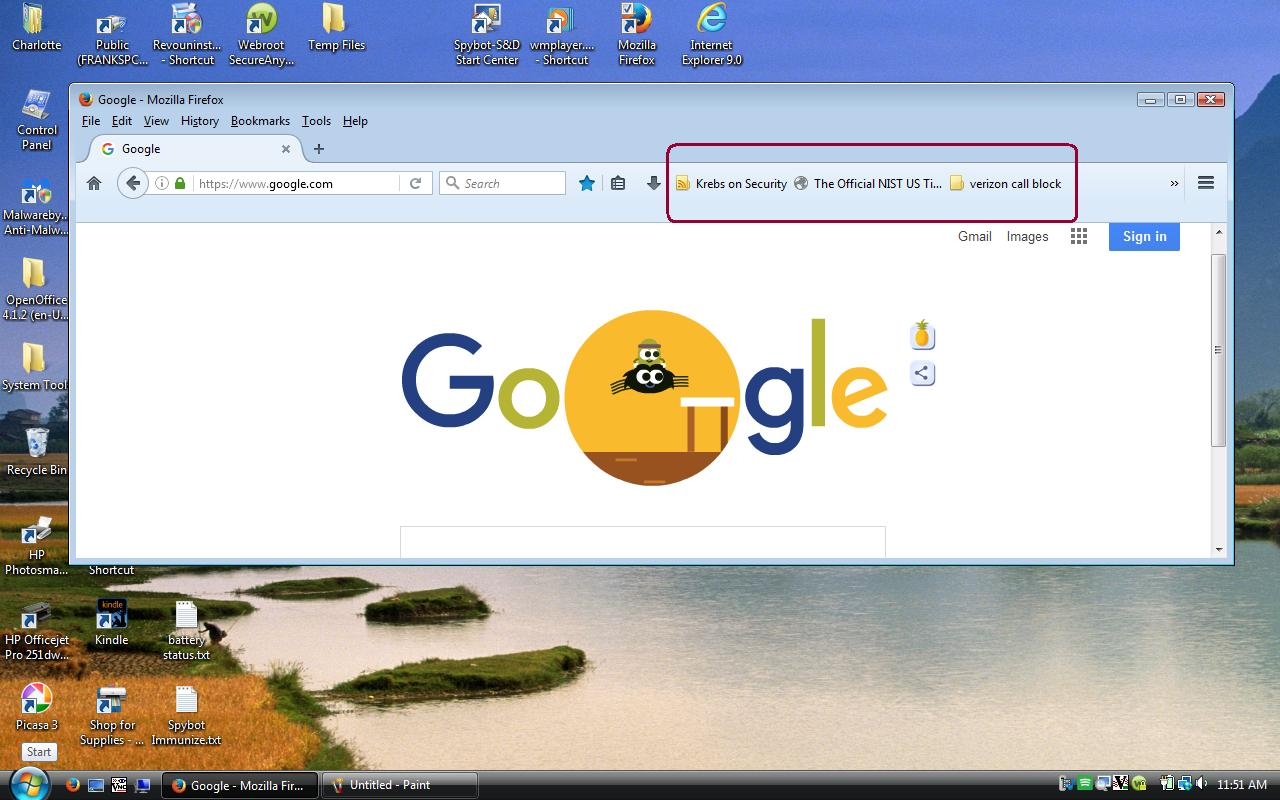
The Bookmarks Toolbar is showing, but it is empty. It looks like the Bookmarks Toolbar Items element was moved from the Bookmarks Toolbar to the Navigation Toolbar.
https://support.mozilla.org/en-US/kb/customize-firefox-controls-buttons-and-toolbars
Open Customize, then use the Restore Defaults button at the bottom-right of the Palette where the Additional Tools and Features are stored.
Lexojeni këtë përgjigje brenda kontekstit 👍 1Krejt Përgjigjet (7)
You can find some help here: https://support.mozilla.org/en-US/kb/bookmarks-toolbar-display-favorite-websites
Thanks Maxim I did all that. The bookmarks tool bar is missing. If i click bookmarks there is a drop down for bookmarks toolbar,but it does not exist in the toolbar area. I can not drag a site id to the area where it is supposed to be. Fran k C
Post a screenshot.
Three sites that I wanted on the Bookmarks toolbar are now appearing on the menu bar at the far right. Although this is not ideal, it does work to give me quick acccess to those sites. This computer is a Dell laptop runnning Vista Premium I have another computer a HP Envy 700-414 running Win 10 with the same version of FF(48.0) that does not behave in this strange manner.
Try to reinstall Firefox.
Zgjidhja e Zgjedhur
The Bookmarks Toolbar is showing, but it is empty. It looks like the Bookmarks Toolbar Items element was moved from the Bookmarks Toolbar to the Navigation Toolbar.
https://support.mozilla.org/en-US/kb/customize-firefox-controls-buttons-and-toolbars
Open Customize, then use the Restore Defaults button at the bottom-right of the Palette where the Additional Tools and Features are stored.
That fixed it edmeister. I now have the bookmarks toolbar populated with some favorite bookmarks! Frank C