


How do I resize the thread pane?

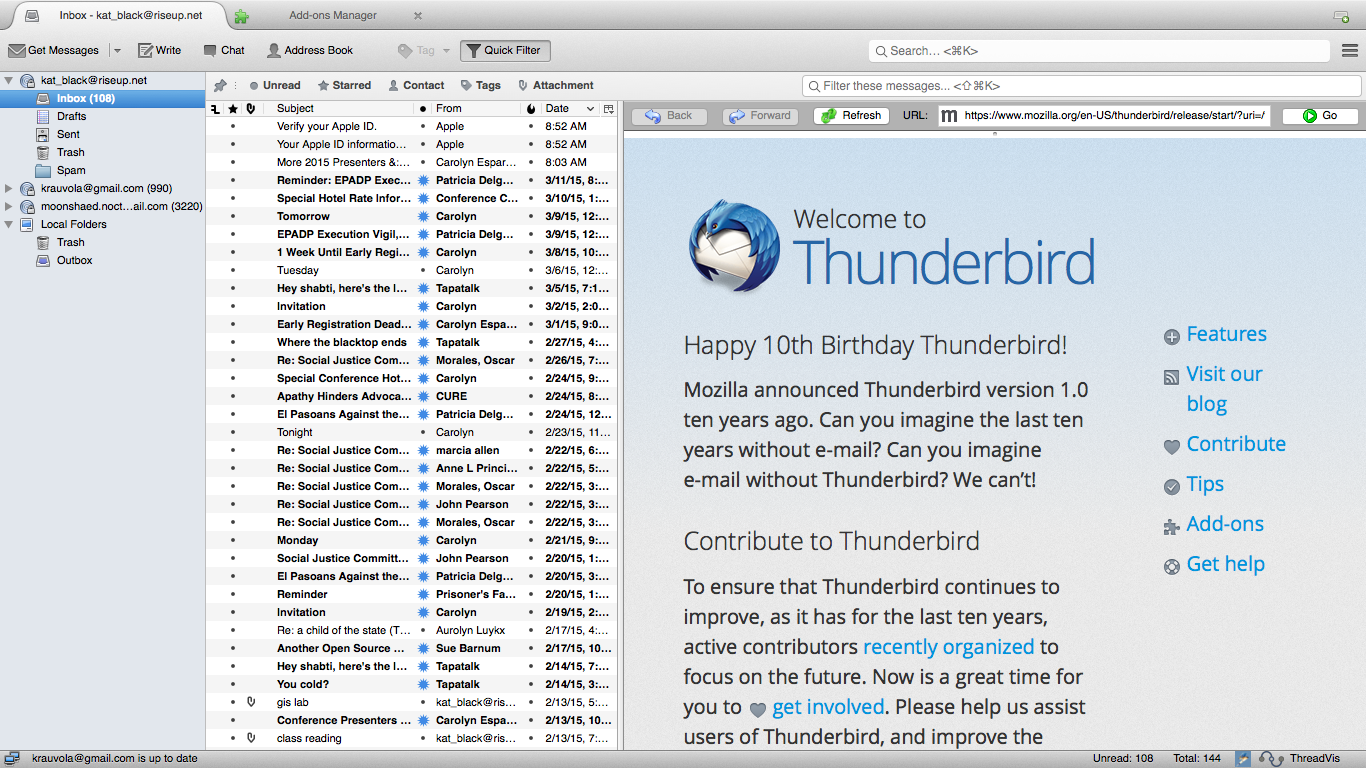
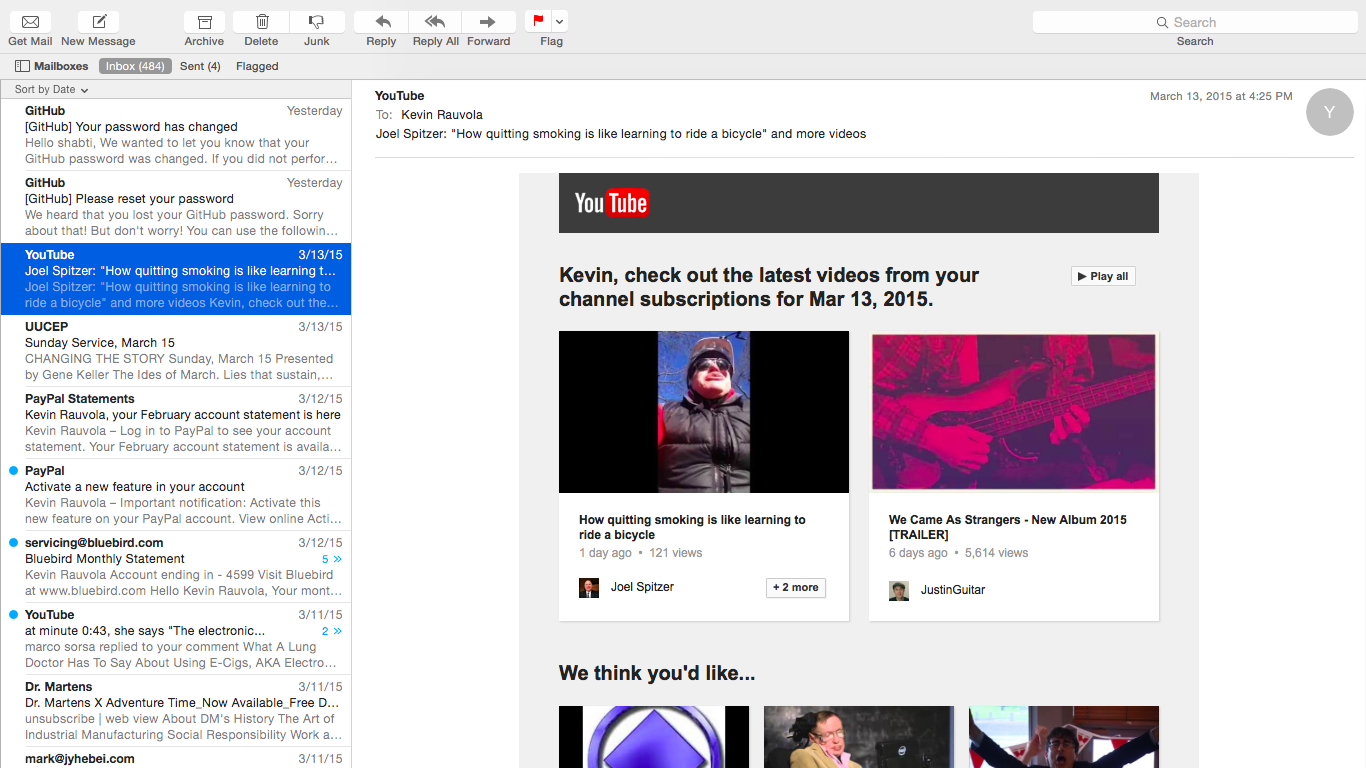
I can resize the message pane easily. But I can't seem to resize the thread pane, where all of my messages are listed. I took two screen-shots, to show the difference. The first shows thunderbird in all of it's Libre goodness, but with the excruciatingly tiny fonts in the thread pane. The second shows Apple's native mail client, and the size of their thread pane. See the difference? How do I resize the list of messages to something more bearable?
I have an 11" screen here.
I can resize the message pane easily. But I can't seem to resize the thread pane, where all of my messages are listed. I took two screen-shots, to show the difference. The first shows thunderbird in all of it's Libre goodness, but with the excruciatingly tiny fonts in the thread pane. The second shows Apple's native mail client, and the size of their thread pane. See the difference? How do I resize the list of messages to something more bearable?
I have an 11" screen here.
Krejt Përgjigjet (2)
here are the screenshots.
you mean the fonts are different sizes.... I can not see that.
However, I think this is what your looking for. https://addons.mozilla.org/en-us/thunderbird/addon/theme-font-size-changer/