


Exceptions to new blocking policy don't function correctly

153.Ob13
Settings/Privacy and Security/Enhanced tracking selections/Advanced settings/Manage exceptions is not functioning properly. Every site that I have saved as an exception initially fails to do two things when the site is loaded. First, the site blocks content as if it is not an exception, and then it refuses to completely load the page. This requires me me to X-force the page to finish loading, and then I have to refresh the page by loading it a second time before the exception operates properly. This behavior is precisely the same on every exception website I have entered. Definitely some bugs at work here.
All Replies (9)
I see no ETP uplifts during the Beta 13 cycle: whattrainisitnow.com/beta
If you updated from an older beta where you recall this functioning as expected, would you be able to check your update history from settings what version it was? Thanks.
I use Firefox x64 DE exclusively ( I know they changed the name..;)) and I had set the system to update automatically, so whichever build came before this one is when I didn't have this problem at all---but this should make it easier: The problems didn't start until the build was installed that started blocking X posts embedded in web pages. It was the first time I had ever seen this in Firefox, so this should not be difficult to trace, I should think...;)
I monkeyed around with the settings until I decided on all default settings except entering the exception sites in the Manage Exceptions option. The exclusions aren't properly working for me--until I stop the page from loading and then refresh the page, only then does the exception work, and the X and tracker blocking is disabled.
Hope this helps--it seems fairly straightforward to me as the exceptions do not work as they are supposed to--I'm certain I should not have to reload the page before the exceptions I've saved take effect.
If this won't work, then I can always set the browser to ignore blocking X and trackers universally, as that works fine and is the way the earlier builds worked. The new tracker and X blockers are annoying, but I don't mind them on web sites I do not visit on a regular basis. I think the option/feature has merit, and the exclusions work, but only after reloading the page. Is this any clearer?...;)
Using Xitter as a reference in time is unfortunate as that's apparently a change over at their side — they seemed to deploy a massive 3rdparty–dependent update across their complete app starting to roll out few days ago.
So this has no correlation to Firefox patches. This was broken by Xitter release.
johnandsusanne333 said
I use Firefox x64 DE exclusively ( I know they changed the name..;))
Developer Edition is the same as the Beta channel but with additional developer features.
Release < Beta (b#) < Nightly (a1)
jbr said
Using Xitter as a reference in time is unfortunate as that's apparently a change over at their side — they seemed to deploy a massive 3rdparty–dependent update across their complete app starting to roll out few days ago. So this has no correlation to Firefox patches. This was broken by Xitter release.
This has nothing to do with X...;) I thought I had clearly mentioned that all the sites I excepted from the tracking blockers show this bugged behavior, not just X. Please tell me what there is that I've said that isn't clear, because I can't imagine what it is...;)
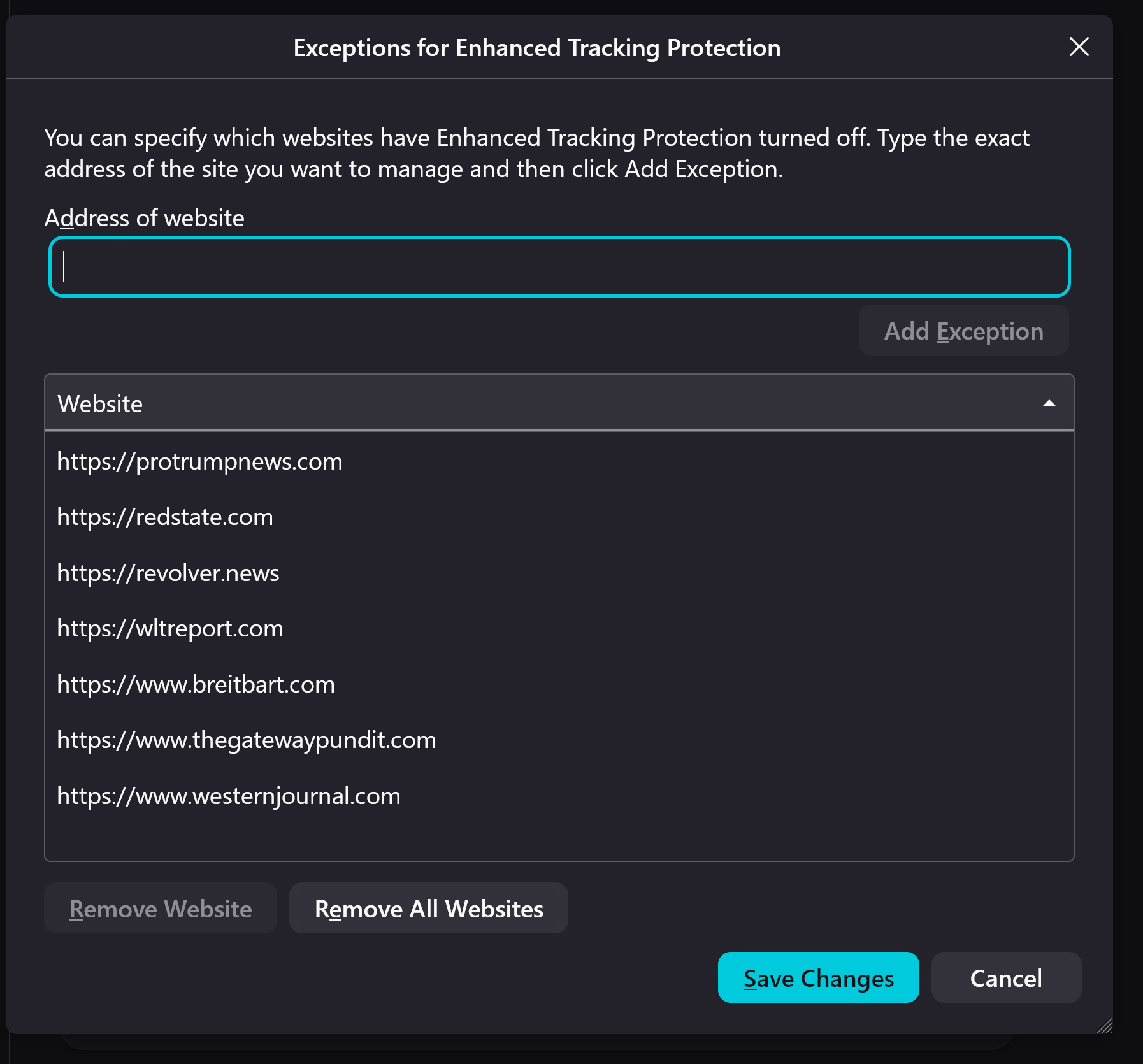
I'm getting the feeling you really might not understand what I've said, in detail, since my first post, I've included a screenshot of the Ff settings I'm talking about. These are the only sites I have excluded thus far until this gets ironed out. X is not among them.
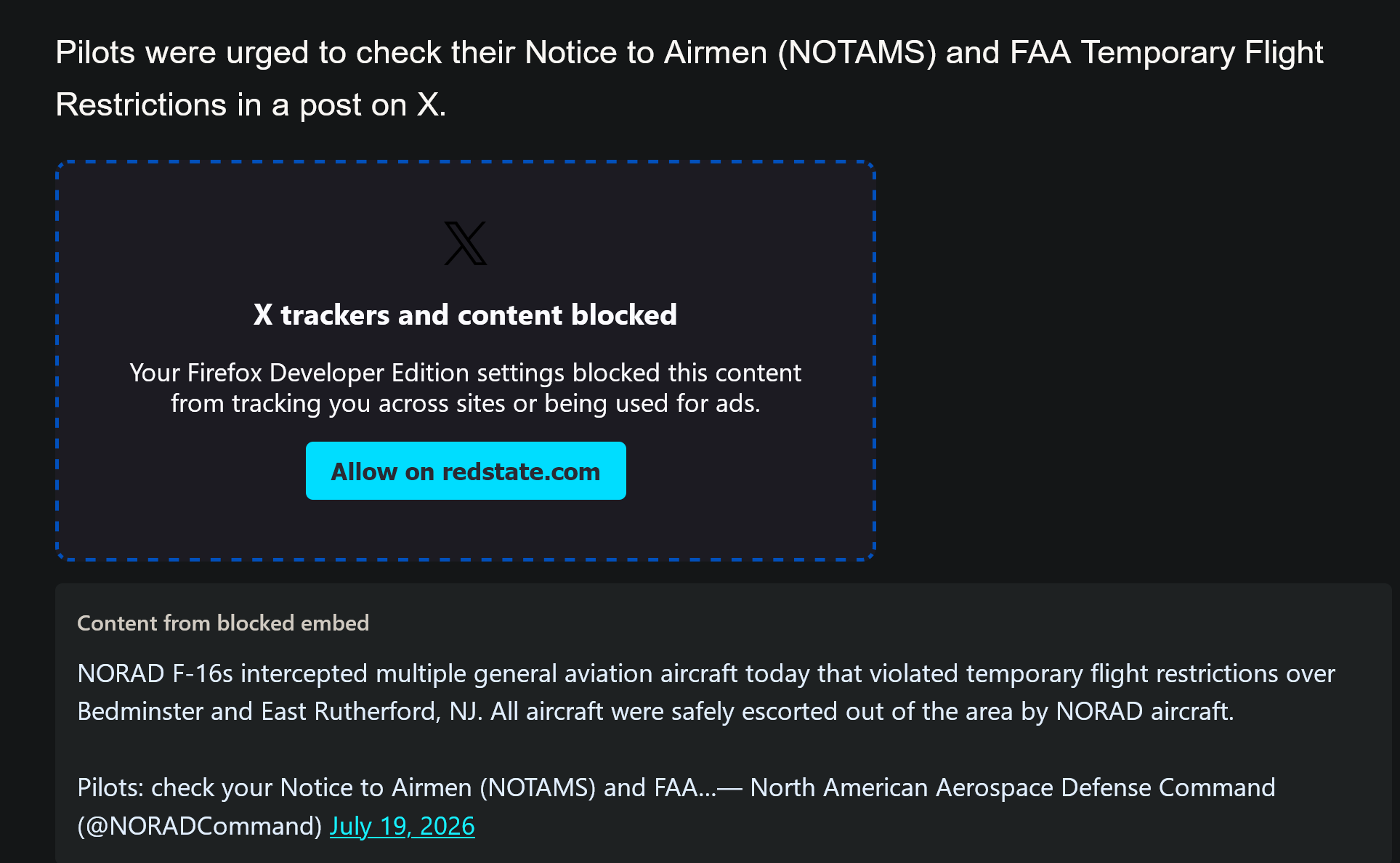
Sreenshot#2: This is what I see if I do not use the exceptions management. Sometimes there are several of these on a single page. I do not understand why Ff should be bothered Xitter--obviously, the devs need to work around it, because it's plainly a Ff bug. I can't see how it could be anything else. I'm not having a problem with X; I am with Firefox, otherwise I would not have posted here.
To recap: screen shot #1 should prevent screenshot #2 in all excluded sites, and it does, but only after I reload the page, which, of course, I should not have to do for any site which I have entered as an exception (screenshot #1). The site should always load with tracking blockers OFF.
Also, this must be a feature that has only recently been rolled out to me, as I have not seen it until very recently--at all. I hope this clears up some things...;)
That's why I asked before for your update log to actually have a time range with version details where you think it "works" vs. "doesn't" as every day is several hundred changes — so just to help narrow it down, whether we're looking at hundreds at changes to go through, or thousands. The issue with using random sites that change over time and pull several different thirdparty components that also change behavior almost constantly is not having a stable sample (e.g. trying to use a redstate article to investigate, it loads three different layers of an embedded tweet on its own, adding too much logic for, say, myself, willing to look into the order and origins of events…), however I'm generally having trouble reproducing that state to begin with.
I'm using this article https://redstate.com/rusty-weiss/2026/07/20/f-16s-scrambled-flares-deployed-after-pilots-breach-airspace-near-trump-at-world-cup-final-n2204518 as a good sample with a couple of tweets embedded. Fresh clean profile, ETP standard. The tweets are only blocked in Private Browsing. Or in ETP Strict. They load fine in ETP standard in all builds between May and July.
So does this need a specific setting combination to verify? Aren't you just stuck on a setting that influences this? (Like "always use private mode" for all browsing and the like?)
I ran a regression range and only seen consistent behavior for now. If this is about exclusions from Strict I'll run that next.
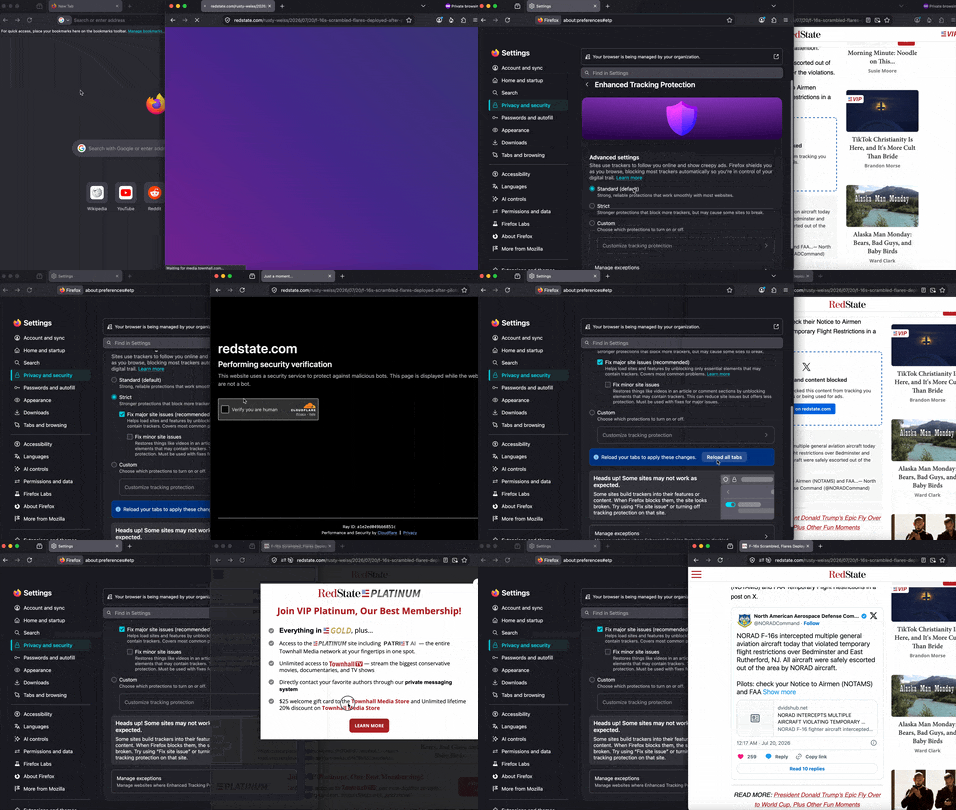
Same with ETP Strict, adding an exception works like on any other version, 152, 153 or 154 — this is a video from the exact v153.0b13 you're using:
I want to thank everyone very much for chiming in here, and I don't quite know what to say as for some reason I cannot fathom the problem I was reporting seems to have resolved itself! Can't say that I've ever seen this before, ever...;) Today, right after I took the screenshots and posted, when I went back to those pages, suddenly the exceptions started to load properly, the first time! Didn't have to reload the page--and now the exceptions are working...;)
I was a little nonplussed to see that nobody else was reporting this, apparently, because that's not the way actual bugs work, as more than one person sees them, usually. But, still, it kept on repeating after numerous tests! So I reported it. Go figure. But now it's working as advertised...!
Apparently something on my end caused it! I have no idea what--I haven't changed a thing--no drivers, no new download of the browser--indeed--nothing new at all. It just works...;) (I sound like a Mac commercial)
I'll keep this open because I want to see if the problem reasserts. In a couple of days if it doesn't I'll close this for good!
Thanks again, to all who responded...;)
The 153.0b13 was the last Beta build of 153.0 as Firefox 153.0 is scheduled for release on Tuesday July 21.
The Firefox 152.0 had six minor updates to fix stability and security issues found so hopefully 153.0 does better.