


Thunderbird for Gmail process went wonky

Not sure if this Settings or what.
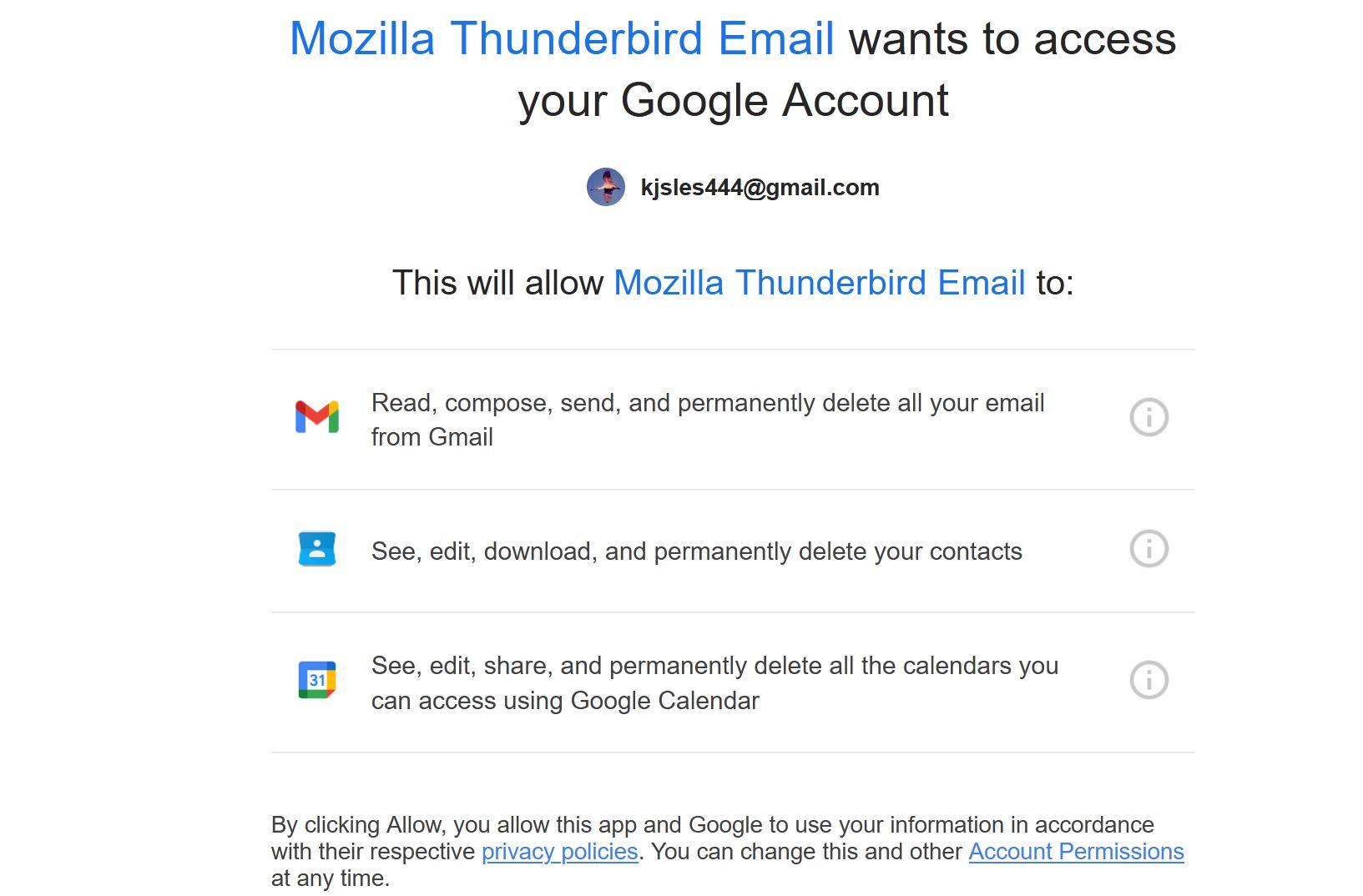
I was attempting to add a gmail address (one of mine) to Thunderbird. I got what you see in the attached. It's taking up one of my two entire monitors. (I'm writing via the 2nd monitor.) There's no title bar. The listed links don't work Ctrl F4 to close the window doesn't work. It's stuck there (Hung).
AND, "ALLOW" doesn't appear.
I'm going to have to reboot. But I really need to set this up.
Thanks, Kami
Chosen solution
Follow-up (still weird)
I hit Ctrl Alt Del and logged in again.
Then it all worked - for my Mailwasher app (which I use to check email on the server but not for replying). So I have a whole bunch of setup and security alert emails showing in Mailwasher.
BUT.... these emails aren't showing up in Thunderbird.
What else do I need to do?
Read this answer in context 👍 0All Replies (2)
Chosen Solution
Follow-up (still weird)
I hit Ctrl Alt Del and logged in again.
Then it all worked - for my Mailwasher app (which I use to check email on the server but not for replying). So I have a whole bunch of setup and security alert emails showing in Mailwasher.
BUT.... these emails aren't showing up in Thunderbird.
What else do I need to do?
Never mind. I asked again for the connection, using the info Thunderbird entered, and then the email folder showed up, complete with emails.