


FF character encoding issue in Mageia 2 ?

Hi everyone,
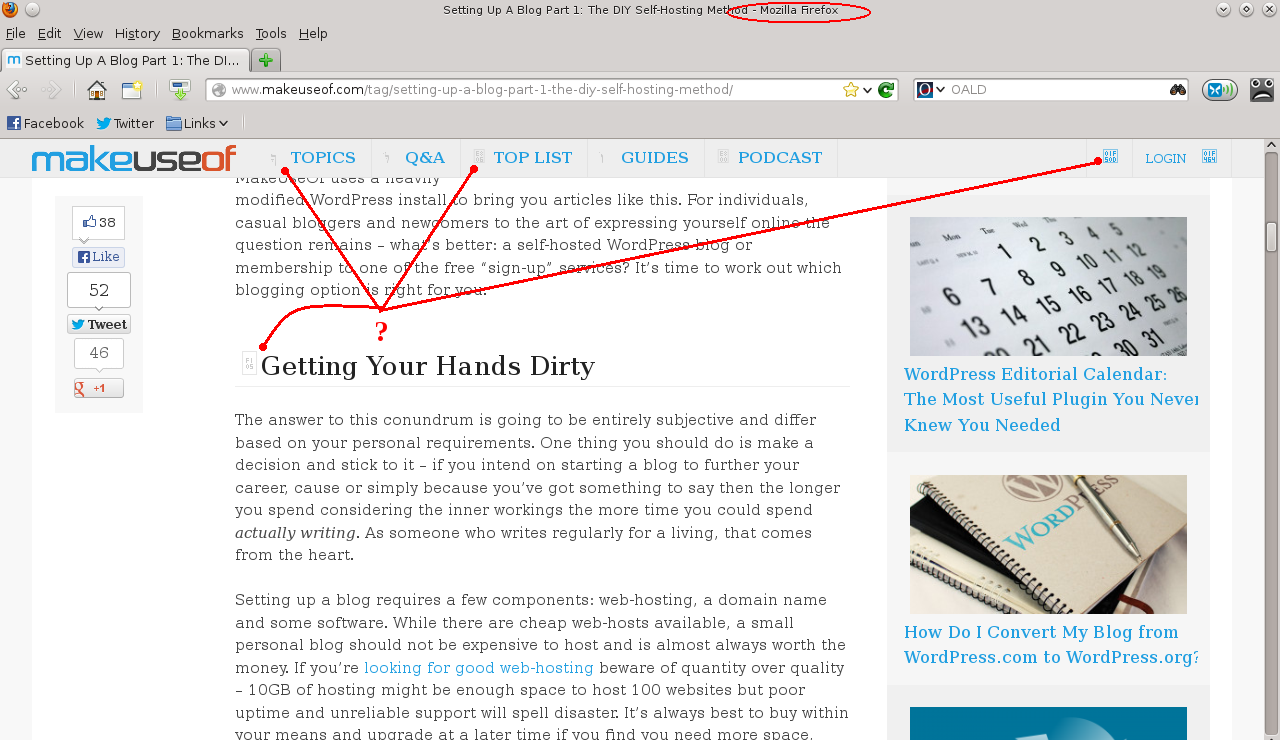
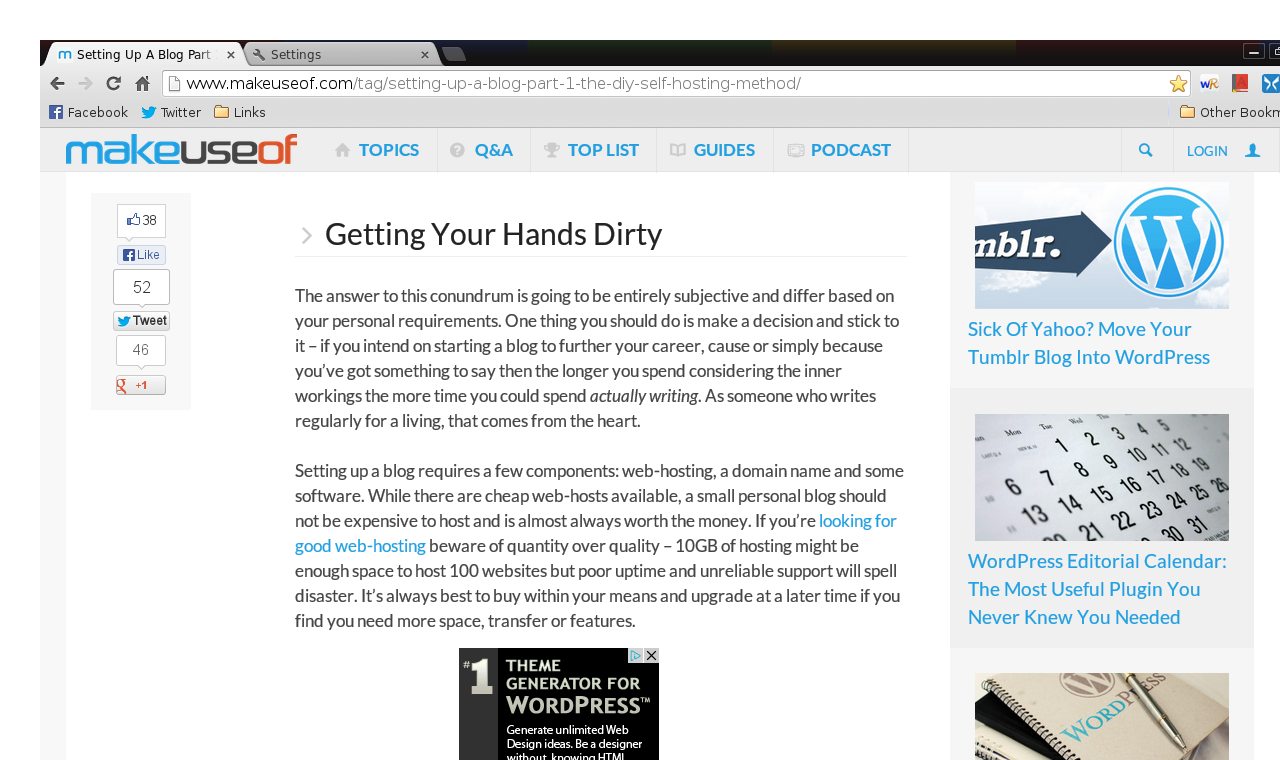
I'm running Mozilla Firefox 17.0.8 in a KDE distro of Linux called Mageia 2. I'm having problems in character encoding with certain web pages, meaning that certain icons like the ones next to menu entries (Login, Search box etc.) and in section headlines don't appear properly. Instead they appear either in some arabic character or as little grey boxes with numbers and letters written in it.
I've tried experimenting with different encoding systems: Western (ISO 8859-1), (ISO 8859-15), (Windows 1252), Unicode (UTF-8), Central European (ISO 8859-2) but none of them does the job. Currently the char encoding is set to UTF-8. The same web page in Chrome (UTF-8) gives no such problem.
Can you help me, please?
Изменено grasshopper
Выбранное решение
Make sure that you allow pages to choose their own fonts.
- Edit > Preferences > Content : Fonts & Colors > Advanced: [X] "Allow pages to choose their own fonts, instead of my selections above"
Also make sure that you have enabled downloadable fonts.
- gfx.downloadable_fonts.enabled = true
- http://kb.mozillazine.org/about:config
Все ответы (4)
Please see the pictures attached. Compare and contrast the two browsers.
Изменено grasshopper
Выбранное решение
Make sure that you allow pages to choose their own fonts.
- Edit > Preferences > Content : Fonts & Colors > Advanced: [X] "Allow pages to choose their own fonts, instead of my selections above"
Also make sure that you have enabled downloadable fonts.
- gfx.downloadable_fonts.enabled = true
- http://kb.mozillazine.org/about:config
Thank you!
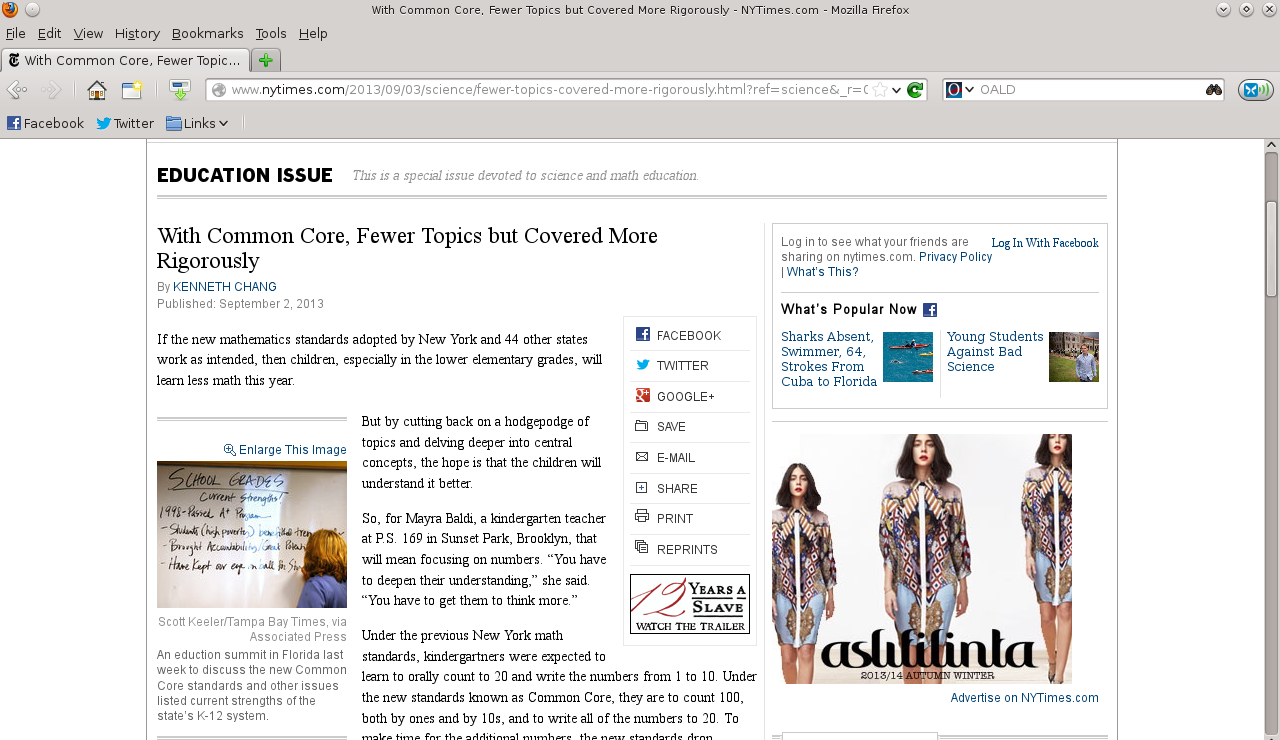
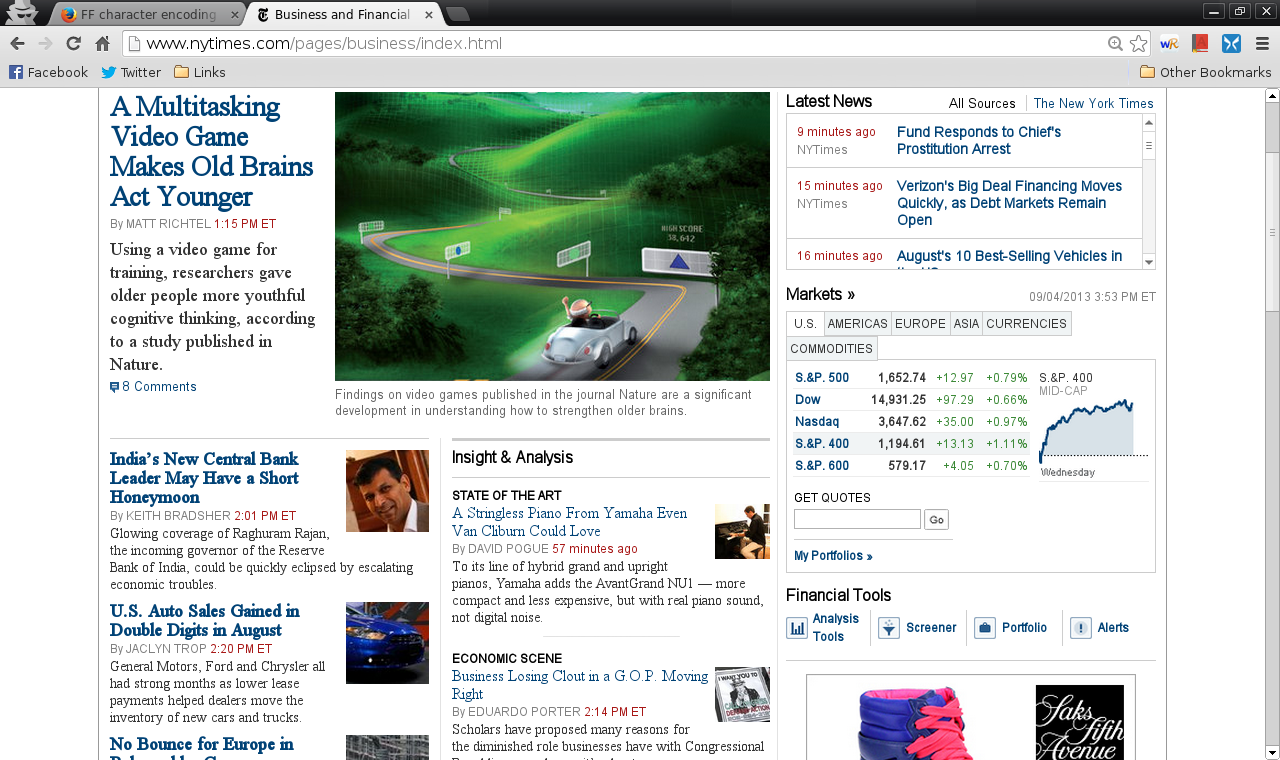
I solved my problem, however I find fonts are too small for certain web pages when compared to Chrome (see attached pictures of nytimes.com). Chrome's font size are set to "Medium".
You're welcome
You can use an extension to set a default font size and page zoom on web pages.
- Default FullZoom Level: https://addons.mozilla.org/firefox/addon/default-fullzoom-level/
- NoSquint: https://addons.mozilla.org/firefox/addon/nosquint/