


Mozilla VPN does not open
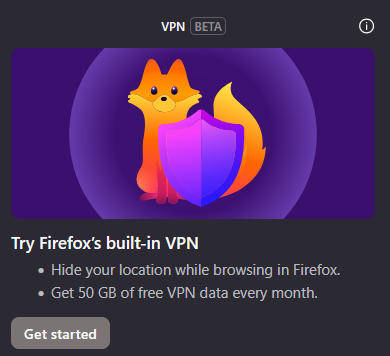
I had been using the Mozilla Firefox VPN for a few weeks, but now it will not launch. I sign in without a problem but when I click on the VPN icon on the toolbar, nothing happens. I just get the pop-up to try the VPN and "Get Started" (see attachment).
Please advise.
Все ответы (4)
Hi,
The Firefox built-in VPN is offered in stages to users in the US, UK, Germany and France (starting with Firefox version 149), and in Canada starting with Firefox version 150. It may not be available to you yet, even if you’re in one of these locales, as the staged rollout takes time to reach everyone.
If the built-in VPN is available, you would see a VPN icon in the top-right corner of the toolbar, which opens a prompt to turn on the VPN. You would also need to sign in to a Mozilla account. For more information, see the Use built-in VPN in Firefox article.
If you wish, you can post your feedback about the Firefox built-in VPN to the Mozilla Connect thread.

Completely unacceptable answer.
Mozilla VPN will not start even though I'm signed in.
sea_dirt said
Completely unacceptable answer. Mozilla VPN will not start even though I'm signed in.
Note that "Mozilla VPN" refers to the standalone subscription based "Mozilla VPN" app and not the built-in VPN in desktop Firefox. The OP incorrectly refereed to the built0in VPN as Mozilla VPN.
If this is indeed about the Moxilla VPN app then you can get support at Mozilla VPN
If this is about the built-in VPN in desktop Firefox then you need to be in US, UK, Germany, France or Canada to start with. https://support.mozilla.org/en-US/kb/built-in-vpn https://support.mozilla.org/en-US/kb/unable-find-built-vpn-firefox
Hello
https://support.mozilla.org/en-US/kb/file-bug-report-or-feature-request-mozilla If you wish, you can file a bug report.
Component: IP Protection https://bugzilla.mozilla.org/buglist.cgi?product=Firefox&component=IP%20Protection
sea_dirt, what is your Firefox version?
A subject ? https://bugzilla.mozilla.org/show_bug.cgi?id=2043166
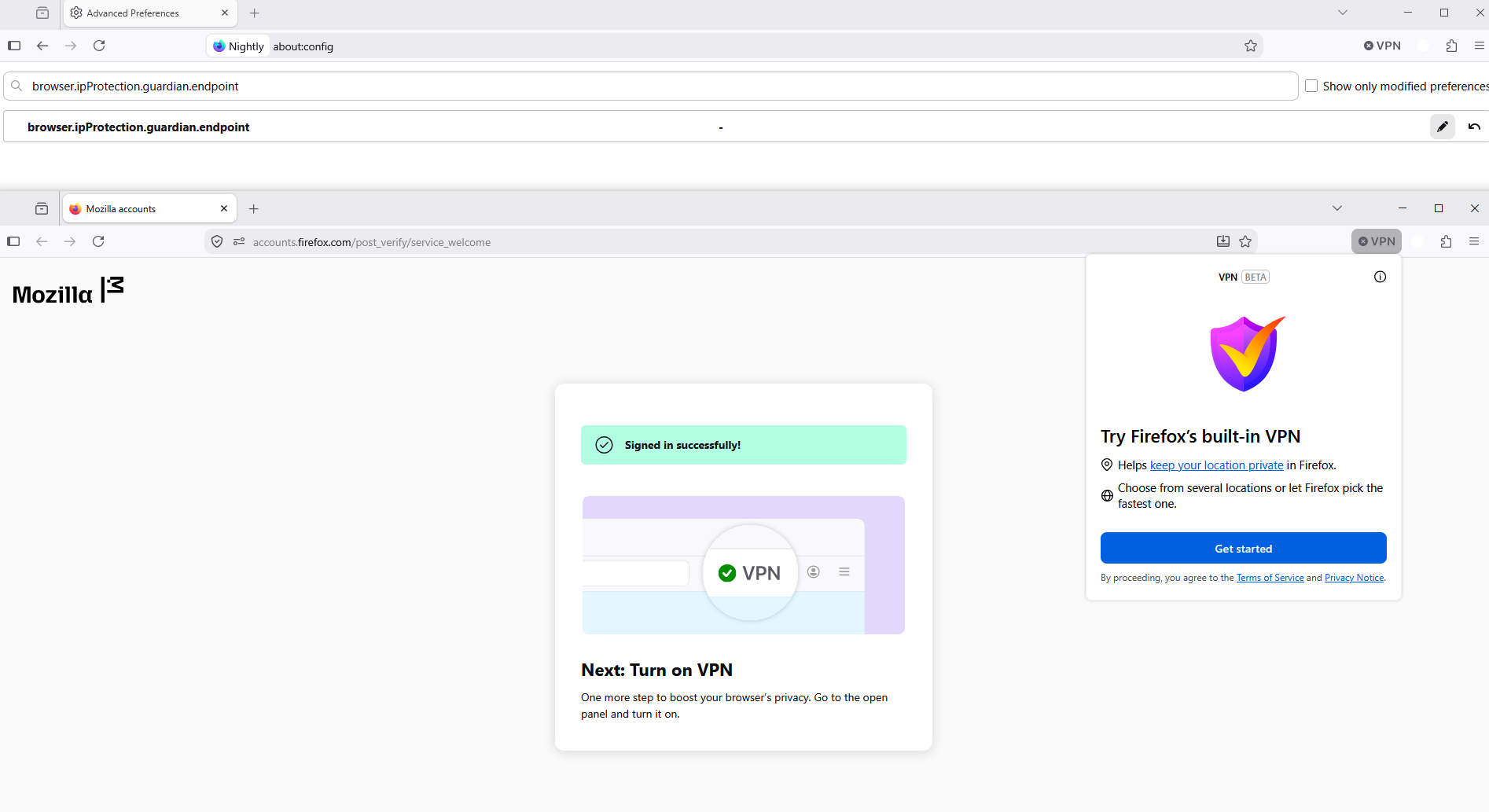
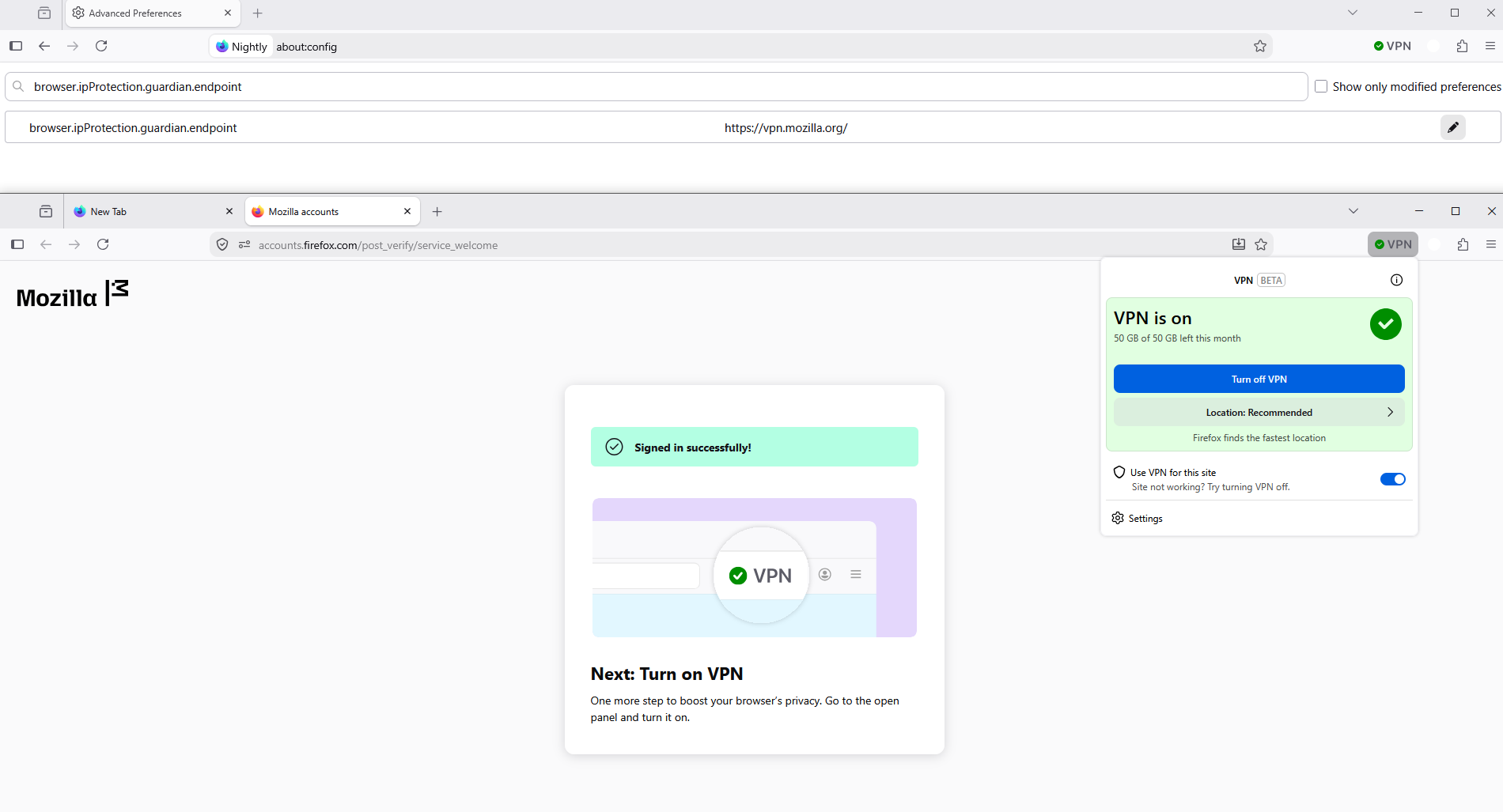
1 - Go to configuration editor https://support.mozilla.org/en-US/kb/about-config-editor-firefox 2 - Enter a search term browser.ipProtection.guardian.endpoint
browser.ipProtection.guardian.endpoint, the value is, https://vpn.mozilla.org/ , by default.
Below, a test performed
Изменено Agent virtuel