


Открытый
After clearing the cache, the cache is never empty. There are always ca. 9.3mb temp. data.

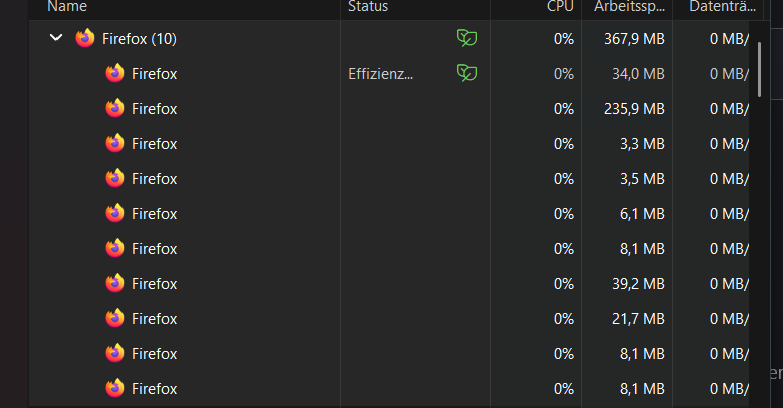
The Cache is never cleared after clearing, there are always about 9,3 MB left. According to my settings there should be 0 MB left. (When I check the Task Manager, Firefox ist always opened up to 10 times.) How can I make sure the Cache is completely cleared? I added Screenshots of both. Thnx for helping...
The Cache is never cleared after clearing, there are always about 9,3 MB left. According to my settings there should be 0 MB left.
(When I check the Task Manager, Firefox ist always opened up to 10 times.)
How can I make sure the Cache is completely cleared?
I added Screenshots of both.
Thnx for helping...

Все ответы (1)
Hi,
Regarding cache, I suspect that what you see is the Firefox-related cache that gets recreated almost immediately. As long as it doesn't take too much memory, I think you shouldn't worry about it.
Regarding Firefox processes, you can go to about:processes to get more details. But generally, it's expected that there will be more than one process running.