


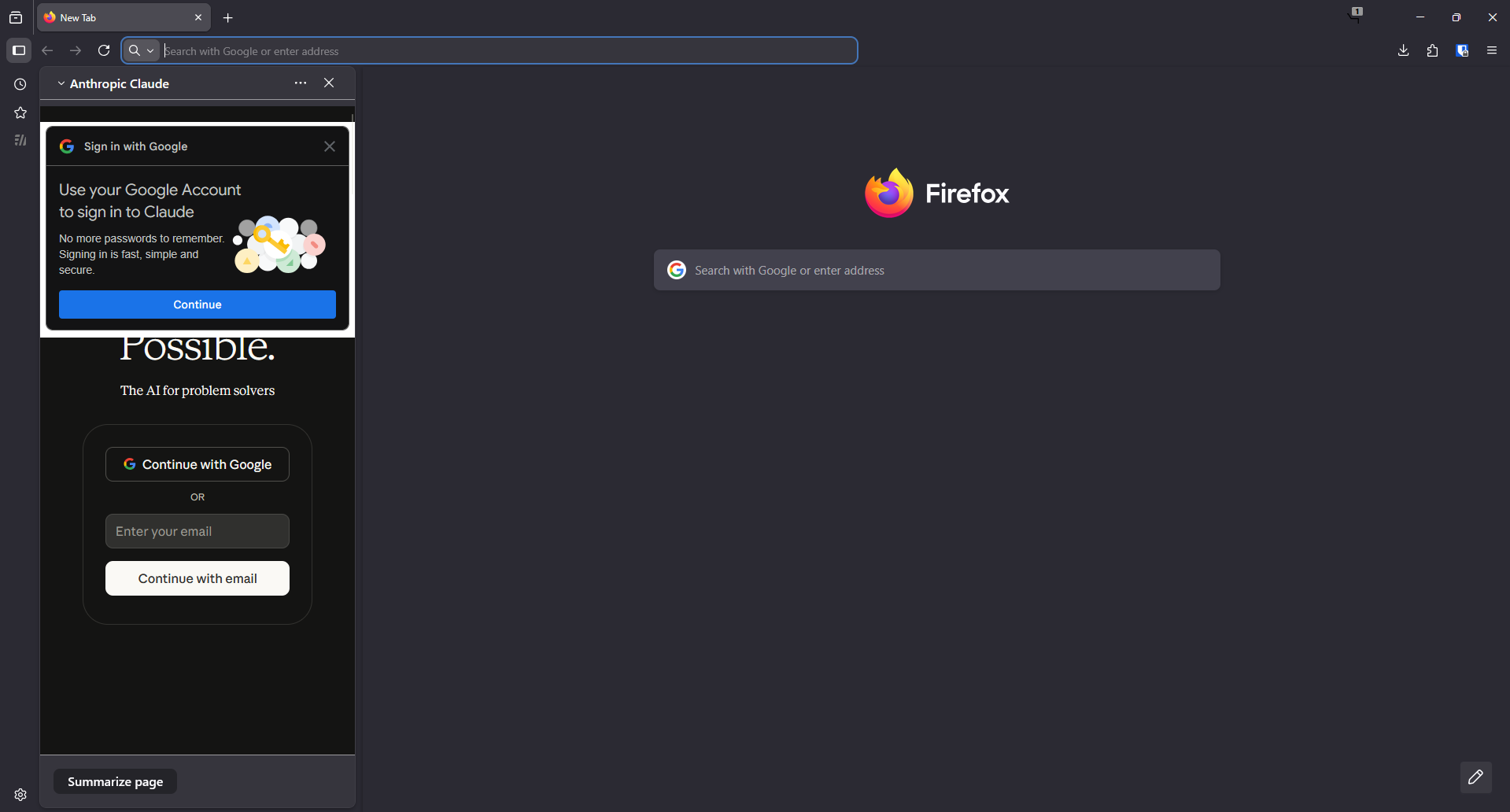
AI chatbot opening automatically on startup

I have tried everything in the other support articles related to this issue. It pops ups even after disabling every option. I think its a bug.
I have tried everything in the other support articles related to this issue. It pops ups even after disabling every option. I think its a bug.
Все ответы (6)
Hi, it can be a bug. Have you tried to click that sidebar button (2nd from the top) and close Firefox?
TyDraniu said
Hi, it can be a bug. Have you tried to click that sidebar button (2nd from the top) and close Firefox?
Yes but it doesn't work. The AI chatbot panel opens whenever i open a new window.
Looks like an isolated case. Nevertheless, it would be good to report it on https://bugzilla.mozilla.org/ . Let's see what devs say.
Try changing the sidebar to bookmarks or history before closing it. Hopefully then if there is some sidebar initialization at startup, it won't be one that requires a login.
jscher2000 - Support Volunteer said
Try changing the sidebar to bookmarks or history before closing it. Hopefully then if there is some sidebar initialization at startup, it won't be one that requires a login.
It does'nt seem to work. I submitted a bug report.