


Cannot log in to Outlook

When I log into my Outlook Web account, after putting in username and password, it sends me a verification number to my phone. When I put that number it the screen says "Logging out of Microsoft Outlook" and then takes me to the logged out screen. This was working fine until the last update of Firefox, and it works fine in the Duck Duck Go browser. It also works on my Android Cell phone.
Выбранное решение
Did you try with Firefox in Troubleshoot Mode? https://support.mozilla.org/en-US/kb/diagnose-firefox-issues-using-troubleshoot-mode#w_how-to-start-firefox-in-4troubleshoot-modesf5safe-modesf
Did you clear your browser cache? https://support.mozilla.org/en-US/kb/clear-cookies-and-site-data-firefox
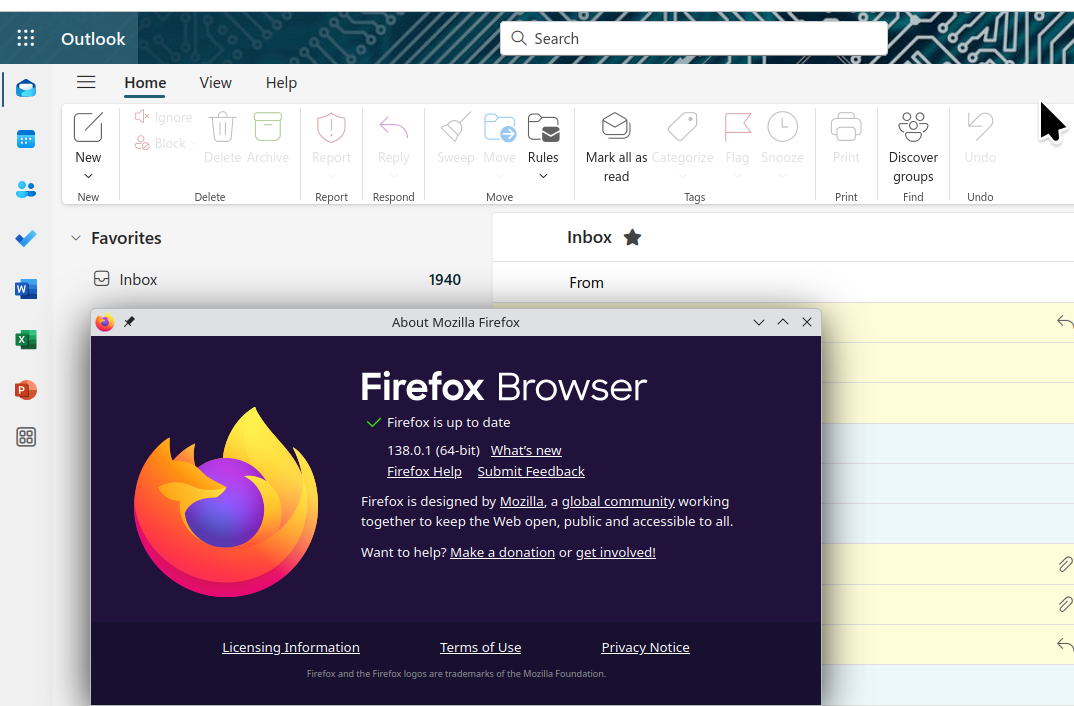
What OS? I'll guess Windows... If windows, home or pro? If windows, are you running any security software besides MS Defender? What version of Firefox? Works for me. see screenshot
Прочитайте этот ответ в контексте 👍 1Все ответы (4)
Выбранное решение
Did you try with Firefox in Troubleshoot Mode? https://support.mozilla.org/en-US/kb/diagnose-firefox-issues-using-troubleshoot-mode#w_how-to-start-firefox-in-4troubleshoot-modesf5safe-modesf
Did you clear your browser cache? https://support.mozilla.org/en-US/kb/clear-cookies-and-site-data-firefox
What OS? I'll guess Windows... If windows, home or pro? If windows, are you running any security software besides MS Defender? What version of Firefox? Works for me. see screenshot
Clearing the cookies did the job. Thank you

Yes clearing the cache worked. til the next sign in required. I don't want to have to clear the cache evertime i log into Outlook. Also Outlook is randomly signing me out. all started about one week ago
firefox 139.0 (64-bit) Windows 11 Pro Version 24H2 Installed on 11/28/2024 OS build 26100.4061 Serial number MJ0CL19E Experience Windows Feature Experience Pack 1000.26100.84.0
I am having the same issue, clearing cache didn't work.