


"Unable to login at server. Probably wrong configuration, username, or password"
I can't add a gmail account without getting th above message
Все ответы (20)
When entering info in setup pane, do NOT include password. Wait until google prompts for it. If the problem persists, seeing a screenshot of the setup pane and error message may prove helpful.
Here's the screenshot

it looks like you entered a password.
I tried without password and got the same error message


I have the same issue. Following to see if there is a solution.
Ok, I am trying to follow, so I duplicated as best I can. ' I entered your name and email account, pressed enter key and receive screen 1, below I then clicked 'Done' and was presented with screen 2 I then clicked 'Next' and received screen 3. Are you seeing all three? Please update me on the details.


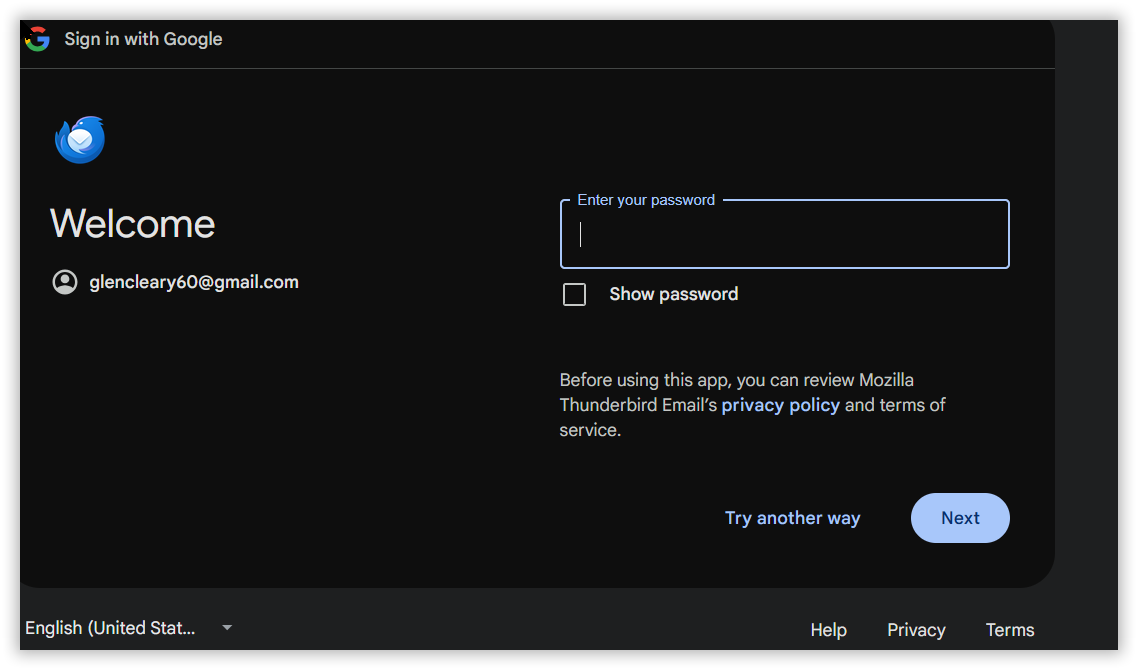
I’m not by my pc right now, but no. As soon as I click on done, I get the error message
Try exiting thunderbird and restarting.
I will when I get home.
I exited thunderbird, restarted computer and the same error message cam up when I tried to add account. I would like to mention that I was able to add glencleary60@gmail.com to my ios devices
Ok, I'm at a loss. Do you run a VPN or antivirus other than Windows? Something is preventing this and I have no solutions.
I tried disabling mcafee and still no go. I use Nordvpn, but its's disabled and I've terminated the running processes
I have asked for help. Thanks for your patience.
Hi Glen!
Please try Troubleshoot Mode Thunderbird if you haven't tried it already. And David is right (as he is 99% of the time :-) !), please do not enter the password.
Cheers and happy holidays ....Roland
Изменено Roland Tanglao
I have no idea how to use Thunderbird Troubleshoot Mode

Check that you have not disabled javascript and not set cookies to be blocked - oauth requires this.
Uncheck "remember password" - don't type into the field.
THe correct troubleshoot mode link is https://support.mozilla.org/en-US/kb/troubleshoot-mode-thunderbird
I tried everything you advised me to do and it didn't work, however I tried using pop3 and I could create the account, but couldn't use it. Here are 3 screenshots of what happened...


My thoughts: - delete the account so a fresh start is possible - verify that settings>privacy&security allows cookies - check that McAfee is set to bypass email interaction - check that any addons are disabled - check that VPN is not active - enter setup info with NO password and UNcheck the save password box - click DONE and do screenshot
I've tried everything to add the account. Can't, but I was able to add a Yahoo account--[email removed]@yahoo.com Can you please send me something at that email address to make sure that it works ? Thanks, Glen
Изменено NoahSUMO
I can use that account as a work around