


I have a problem about typing Korean.

Hi, I have a problem and I can't find any solution.
I am Linux Mint Cinnamon user, When I type Korean in the Firefox Browser, type Korean word and type 'spacebar', blank is made before the last character.
For example, like this. '안녕하세 요', '반갑습니 다', '오늘 은뭐하세?요 ' like 'firefo x', 'googl e' How can I solve this problem?
Выбранное решение
Hi
I am thinking there might be a problem with the Korean Language Pack, so it might be an idea if could install the Korean version of Firefox Desktop from:
https://www.mozilla.org/ko/firefox/all/#product-desktop-release
Before running it, I recommend that you take a backup of your Firefox profile (remember to do this with Firefox closed). This guide will help:
https://support.mozilla.org/ko/kb/back-and-restore-information-firefox-profiles
For help running the Korean version of Firefox Desktop, this guide might help:
Does the Korean version of Firefox have the same issue that you were experiencing?
Прочитайте этот ответ в контексте 👍 1Все ответы (5)
I'm using Firefox 116.0.3 (64-bit) (Mozilla Firefox Flatpak mozilla flatpak - 1.0)
And I'm using Korean Language Pack 116.0.20230815.173142 (Last updated at 2023-8-18)
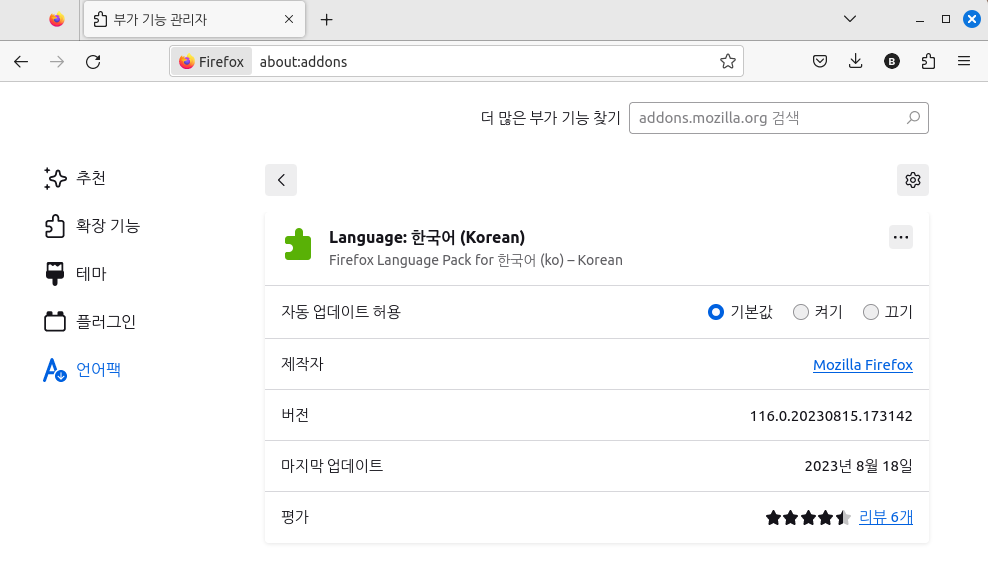
Изменено baktanjokki
Выбранное решение
Hi
I am thinking there might be a problem with the Korean Language Pack, so it might be an idea if could install the Korean version of Firefox Desktop from:
https://www.mozilla.org/ko/firefox/all/#product-desktop-release
Before running it, I recommend that you take a backup of your Firefox profile (remember to do this with Firefox closed). This guide will help:
https://support.mozilla.org/ko/kb/back-and-restore-information-firefox-profiles
For help running the Korean version of Firefox Desktop, this guide might help:
Does the Korean version of Firefox have the same issue that you were experiencing?
@Paul Problem is completely solved!!!!!!!!!!!!!!!!! Thank you so much and god bless you Paul♡♡♡♡♡♡♡♡♡♡♡♡♡♡♡♡♡♡♡♡♡♡♡♡♡♡♡

Hello Paul,
I'm using Fedora Linux 39 and seeing the same issue. Before updating to the Fedora 39, I was very happy with firefox. Unfortunately, with Fedora 39, I started seeing the same issue and the solution explained above couldn't help me out. This issue is very annoying when posting my articles in Korean on firefox. Please help me not to go back to chrome browser. :'( Thank you.
Does it still happen with the flatpak version?