


Restoring Tbird after Windows rebuild

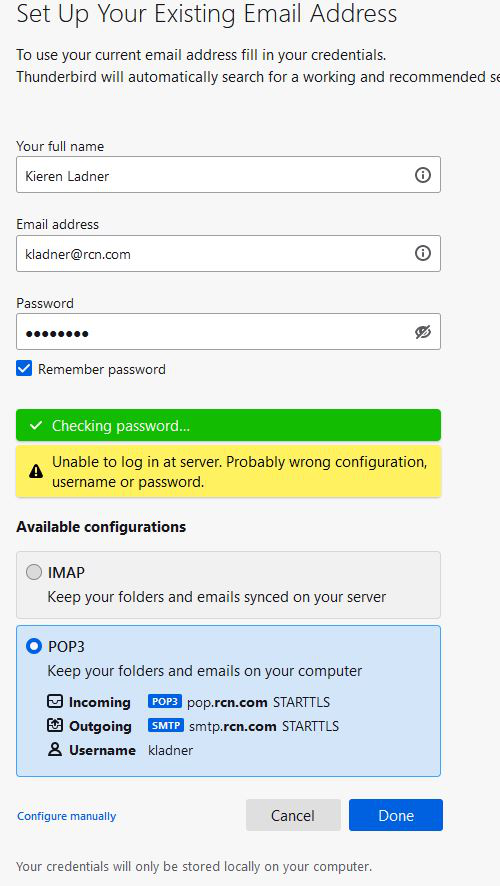
I run Windows 10 Home, latest updates. I recently had a Windows failure which required a clean install. I was using Tbird previously. Now, when I try to set it up, I cannot get past the setup stage where Tbird attempts to log into my email at RCN.com. See image. I am using credentials which let me log into rcn webmail.
Выбранное решение
I think the incoming POP server has to be either pop.rcn.com on 110, connection security = none, or port 995, SSL/TLS security. The User Name should be the full address.
https://help.rcn.com/portal/articles/2136
Secure connections might require a downgrade in the version of TLS allowed by TB.
https://support.mozilla.org/en-US/questions/1350069
Прочитайте этот ответ в контексте 👍 0Все ответы (2)
Выбранное решение
I think the incoming POP server has to be either pop.rcn.com on 110, connection security = none, or port 995, SSL/TLS security. The User Name should be the full address.
https://help.rcn.com/portal/articles/2136
Secure connections might require a downgrade in the version of TLS allowed by TB.
Hi! Many thanks for your suggestions. Tbird is now running and downloading years' worth of emails from my provider.