


Suppressing Graphics in Subject

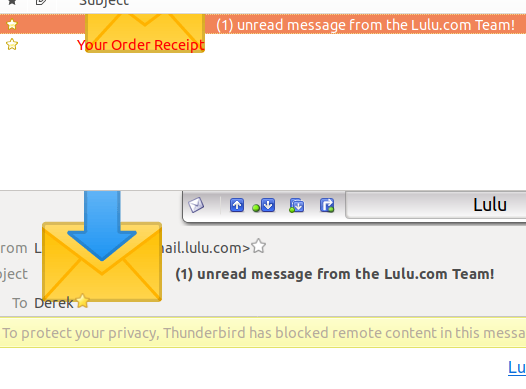
I'm starting to see incoming email with really annoying and utterly pointless images embedded in the subject. An example is shown where I do not really want to unsubscribe from the list. It's far from the only sender. I do not want to see these images as they corrupt and obscure parts of the display around them.
I'm also concerned that - in the example - the body of the email carries the message "To protect you privacy, Thunderbird has blocked remote content in this message." However, the graphic in the subject line has NOT been blocked (assuming it is remote content rather than a built-in icon). If a spammer can use personalised subject images this may be a method to find email addresses which are live, despite images in the body not being loaded.
I'm using Thunderbird 52.7.0 (64 bit) on Ubuntu 18.04.
Изменено DerekD
Все ответы (3)
Image doesn't seem to have uploaded, so here's another try.
Изменено DerekD

Выбранное решение
This is a problem with Ubuntu at the moment and relates to the Noto font.
https://support.mozilla.org/en-US/questions/1216183
I don't think these graphics can be suppressed because they're not graphics as such, just emoji glyphs in a character set represented by Unicode encoding.
https://unicode.org/emoji/charts/full-emoji-list.html
The world has gone mad, given that Unicode also has a section for Klingon. Yes, really.
Изменено Zenos
law' ghIlDeSten je QaQ Qap.
(Many thanks, and good work).
I installed font manager and used it to disable the Noto Color Emoji font (which I can live without).
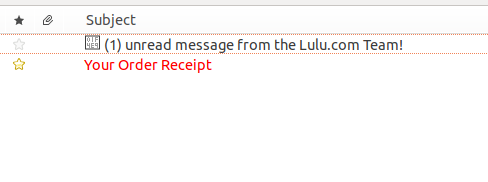
I now get an 'undisplayable' character in the subject line which does not corrupt surrounding screen real estate (as per attached image). I can live with that.
Изменено DerekD