


Fonts are sometimes different between FF and Chrome

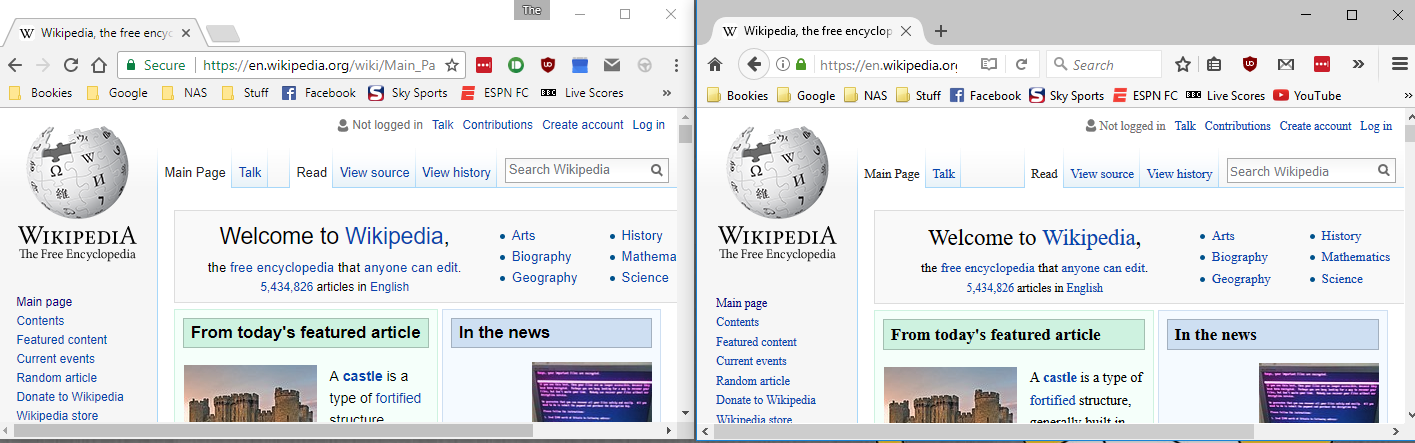
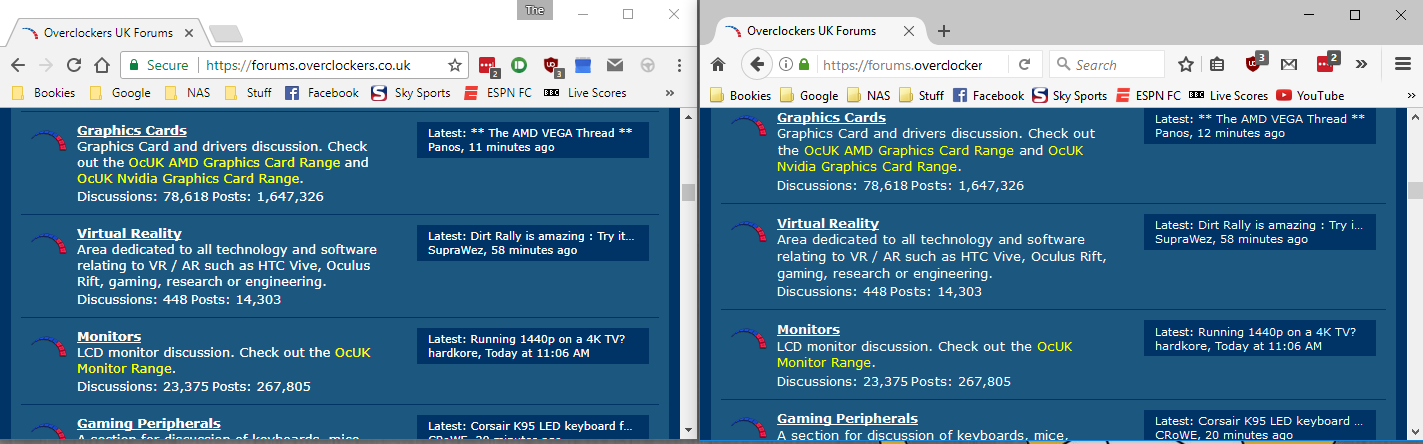
I'm trying to transition from Chrome to Firefox and so far i'm pretty happy with it except that on some websties Firefox is displaying different fonts. It's most noticable on Wikipedia but is also present on some forums. On all other websites that i've been on so far the font is exactly same in both browsers. I've been through Firefox's settings and played around with the fonts but it doesn't seem to change anything.
In the attached screenshots Chrome is on the left and FF is on right,
Thanks
Изменено Goooober
Все ответы (1)
WikiPedia doesn't specify a specific font, but uses font-family: sans-serif;\ If Google Chrome uses a different default font than Firefox then that would explain what you see. On other pages where you notice a difference the same is likely happening.
You can use the Inspector to see what font is used in your case. You can right-click and select "Inspect Element" to open the built-in Inspector with this element selected. You can check the font used for selected text in the Font tab in the right pane of the Inspector. Set devtools.fontinspector.enabled to true on the about:config page to enabled the Font tab.
- https://developer.mozilla.org/Tools/Page_Inspector
- https://developer.mozilla.org/Tools/Page_Inspector/How_to/View_fonts
- devtools.fontinspector.enabled = true