


Emails opening in mutliple tabs

I had to buy a new computer and reinstall my Thunderbird. I'm running version 158.0.1 (64-bit). When I have an email with a bunch of replies, it always opens each reply in a separate tab. In the past, the solution was tools -- preferences -- general but when I got to tools, there's no preferences option and I have clicked on everything possible there and in settings. I need the email to open as a single tab, closing a bunch of tabs is a real pain. I'd appreciate if anyone has a solution they can share.
Toate răspunsurile (10)
Try clicking settings>general
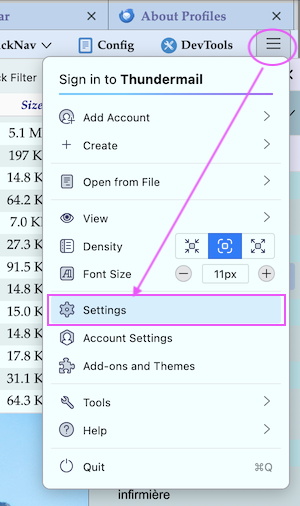
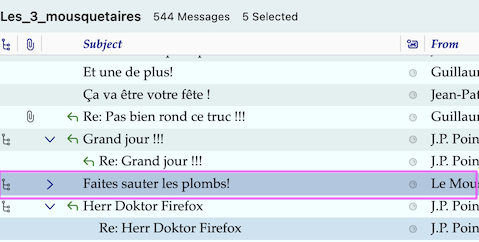
I think that in recent English Thunderbird versions the term "Preferences" is no longer used and has been replaced with "Settings". To open the Settings tab click on the app button ≡ in the upper right corner and select "Settings"' in the drop-down menu (see image) The issue you describe happens only when you are using View > Sort By > Threaded and double-click on a collapsed thread of messages.
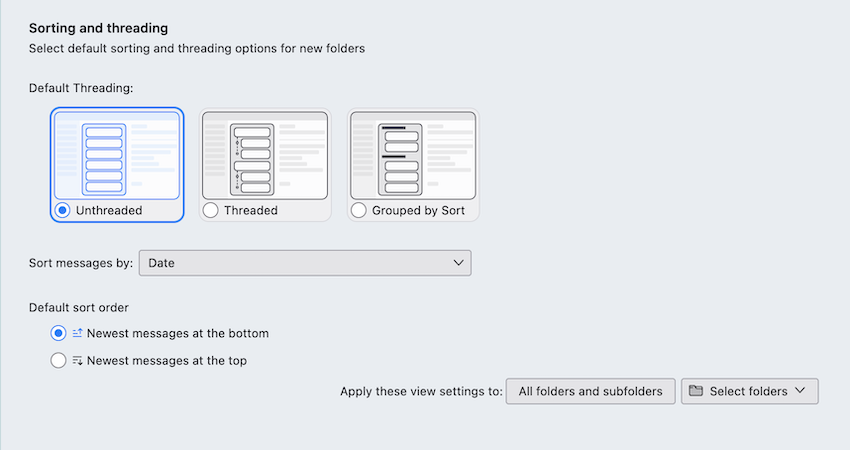
In Settings > Appearance > Table View Options .... you may change your settings for "Sorting and threading"
Modificat la de Mapenzi
David, thank you for answering. I tried that and didn't see anything that addressed how messages actually open.
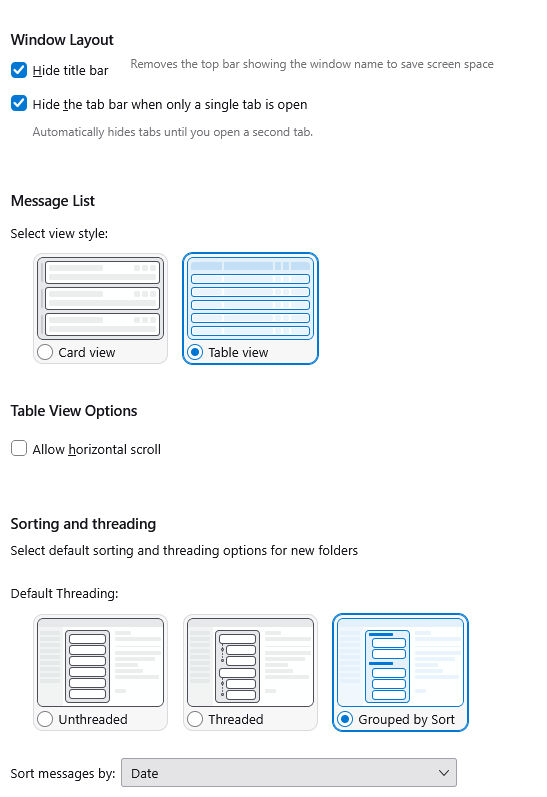
Mapenzi, Thank you for answering and for the photo. When I got to settings - appearance, I get this and it seems to be all about folders.. I've tried every option and a message with five replies still opens in five different windows. I just can't find anything that addresses how individual emails actually open up.
Modificat la de Leigh Ann
in settings>general, scroll down to reading and display area
Leigh Ann said
I just can't find anything that addresses how individual emails actually open up.
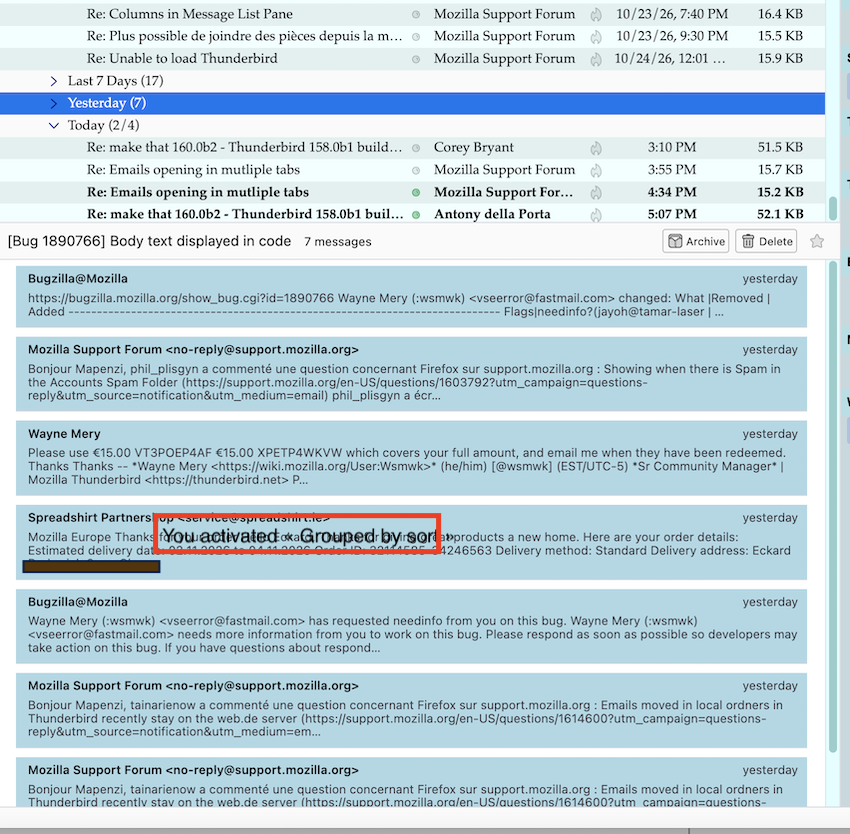
Your screen shot shows that you've activated Grouped By Sort in the menu View > Sort by > .... When I reproduce this in my Inbox folder it looks like in my new image: e. g. there is a line "Yesterday" and when I double-click on Yesterday there will be displayed the header lines of seven messages at the bottom in the message pane. Why don't you simply choose View > Sort by > Unthreaded
Modificat la de Mapenzi
Mapenzi, thank you for all of your help. I think maybe I'm not explaining well. It's not an inbox issue, it's an opening a message issue. If an email has multiple replies, each reply opens in a different tab. I have some screen shots. The first screen shots highlights an emails "re:historical research question". That email has the original message and four replies. The next screenshot shows where it opened with each message in a different tab. That is the same email split out over five windows because there were four replies. That's what I'm trying to fix. The old version on my old computer did that and I found a way to fix but that way doesn't work anymore because I can't find the things I clicked on before under settings. There has to be a way to fix it.
I think what I'm looking for is something like "unthread" or "collapse" messages.


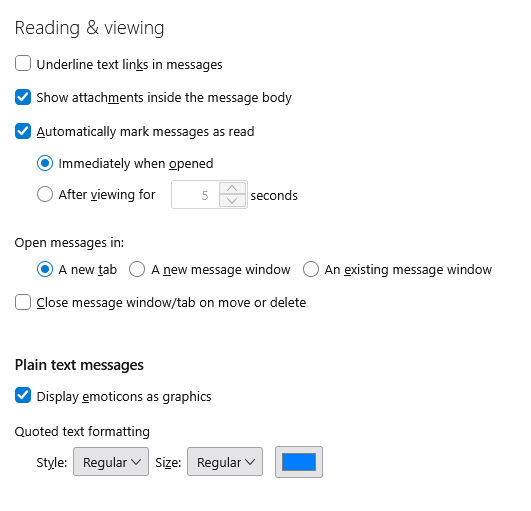
I feel like it should be in here, but it's not
Leigh Ann said
I feel like it should be in here, but it's not
No, it's NOT in Reading & Viewing... I think that I have perfectly understood your problem and it is not a problem in Inbox only but in all folders where the view Sort by > Threaded is activated. But you didn't follow my explanations since your screen shot shows that you are still using the "Threaded" view. Please have a look on your screenshot which I modified by adding some remarks for better understanding.
If you don't like Thunderbird's standard settings to display all discussions (threads) as "Threaded" in the thread pane, please go to Settings > Appearance > Sorting and Threading and choose "Unthreaded". Then go further down to "Apply these view settings to": and click on "All folders and subfolders" or click on "Select folders" if you wish to customise these settings for different accounts and folders

Modificat la de Mapenzi
Thank you. I had tried all three of those settings before I posted here. I think I didn't scroll down far enough to see the apply. Thank you for all your help, I really appreciate it. I was so frustrated. i didn't want to buy a new computer, the old one was only three years old and should have been fine, and having to reinstall everything just got to me. Hopefully the next person you volunteer to help won't be as dense as me! And it saying "folders" rather than messages probably through me off, too. It just seems like it should be a "view" thing.
Anyway, I do truly appreciate the help.
Leigh Ann said
Thank you. ..... Anyway, I do truly appreciate the help.
You're welcome! I am glad that I could help you solve the "View" problem. 😊