


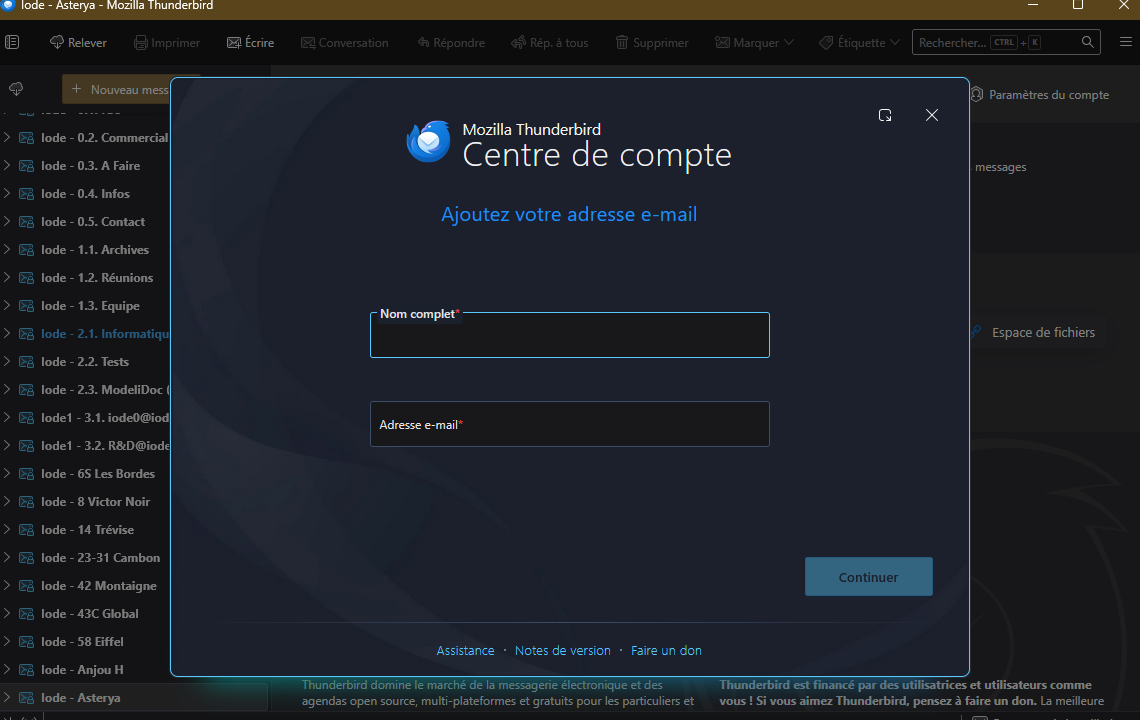
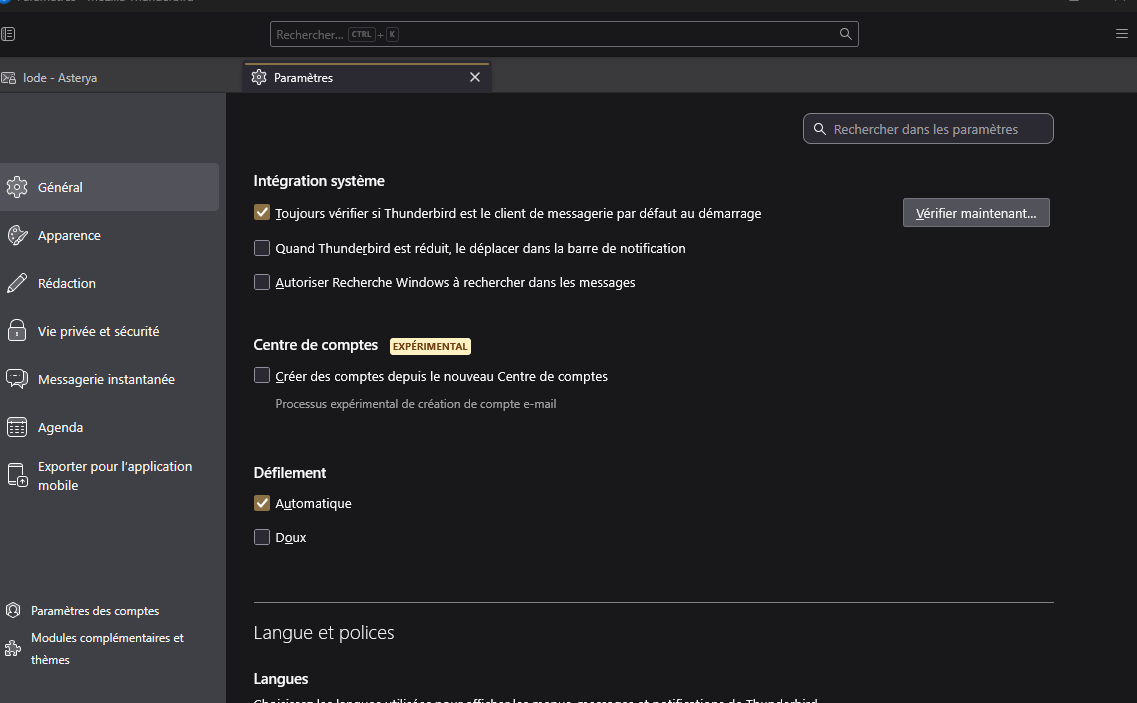
the new "experimental" account center doesn't work (version 150.0)

the new "experimental" account center doesn't work (version 150.0) how can I go back to the precedent account creation tool ? the option "experimental account center" is NOT checked, but I still have only the new creation account form.
Toate răspunsurile (4)
Try this: - enter name and email address and a link for manual setup option should appear
Hi David, 1. I can create a new account using the manual setup. But it doesn't solve the problem : the previous account creation tool did recognize the right parameters for our mail adresses. But the new one is totally wrong. So, when an new version "downgrade" the quality of service, it's not worth, isn't it ?
Hi sfhowes, 2. I didn't try your solution because I manage around 15 PC's, each with it's own profile. And the users like to personalize there profiles.
If you share the domain name of the email address, the part to right of @, maybe we can check it. i have seen no other issues such as what you report. thank you.