


Can No Longer Copy and Paste in Outlook Email When Using Firefox Browser

As of a few weeks ago, I can no longer copy and paste when using Outlook for emails with Firefox as the browser. I have no issues if I use the MSN browser. When using Firefox, I can copy and paste in the subject line but not the body of the text. This is a real pain! I had no issues until a few weeks ago. If I try to copy and paste, I am able to copy but when I right click I no longer get a "paste" option. I now have an emoji option in its place. What's up with that?! I am using Windows 11 as the operating system on a Dell computer. Thanks in advance!
Toate răspunsurile (3)

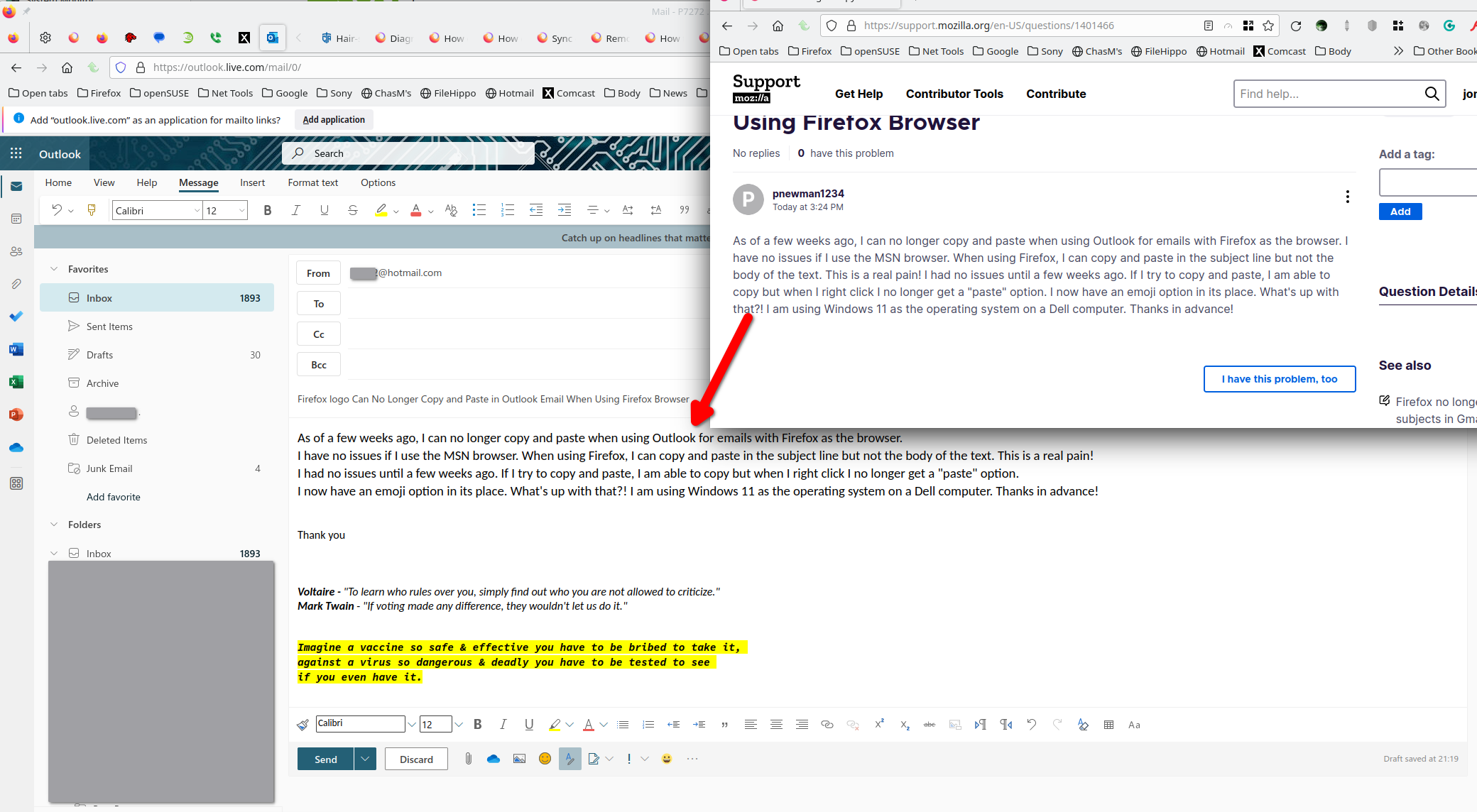
I have no issues copying your question to the body of an email in outlook. see screenshot
Did you try with Firefox in Safe Mode? -https://support.mozilla.org/en-US/kb/diagnose-firefox-issues-using-troubleshoot-mode
What security software are you running? Did you get Firefox from the web or MS store?
MODERATOR NOTE:
Recommendations to flip dom.events.testing.asyncClipboard to true are a fundamentally bad idea. This pref was meant for automated testing, and bypasses all security/permission checks on clipboard access.
If you toggle this pref, any site has full access to your clipboard all the time without asking you or you even noticing so we suggest that you do not touch that pref.
Had the same problem with firefox and outlook web.
My solution was:
open "about:config" in firefox (type it in the webadress line and hit enter)
accept the risk in the pop up
type "clipboard" in the search line
change the following settings (as shown in the image attachment) from false to true (klick on false)
restart firefox (close it & open it again)

Modificat la de Paul
This is ridiculous, not being able to cut and paste in Outlook online. I use a MAC computer. This has made my business life a real PITA. Firefox needs to correct this immediately. Don't fix what is not broke.