


Where is the forget button?

I followed the steps to add the forget button. It is not listed in the customization panel.
Toate răspunsurile (11)
hello, which language version of the browser are you using?
Open the Customize window and set which toolbar items to display.
- "3-bar" Firefox menu button > Customize
- if missing items are in the Customize palette then drag them back from the Customize window on the toolbar
- if you do not see an item on a toolbar and in the Customize palette then click the Restore Defaults button to restore the default toolbar setup
You can also try to reset the browser.uiCustomization.state pref on the about:config page and delete the localstore.rdf file in the Firefox profile folder.
See:
You can use this button to go to the currently used Firefox profile folder:
- Help > Troubleshooting Information > Profile Directory: Show Folder (Linux: Open Directory; Mac: Show in Finder)
That didn't work.
There's no way I'm going through the agony of customizing the toolbars again. A new browser seems like a better option.
Thanks for trying.
Seriously people? Firefox is the best browser out there, and all you people seem to do is whine "it's too hard to customize." Just hit the hamburger menu, click customize, and drag the freaking icon to wherever you want it! Stop complaining! It's not that hard.
Edit: Sorry... I misread. It just really bugs me that the instant someone has a problem they immediately switch browsers.
Modificat la de user1068417
The icons NOT THERE. It's not that hard to understand that, is it? If I used any words that you don't understand, let me know.
Well it's not exactly agony to customize toolbars. Did you update your browser? That seems to be the other issue. Some people seem to avoid updates like a plague...
Take a look at Help > About Firefox and verify that you have Firefox 33.1 installed. Firefox 33.0.3 doesn't have the "Forget" button, just as the previous versions didn't have it either.
The forum software here just reads your UserAgent, which just shows 33.0 for 33.1 and for 33.0.3.
I also have this issue on Firefox for OS X. No matter what I do, i.e. different theme, default theme, etc it doesn't show on 33.1 nor 33.1.1. This is on TWO different macbooks (different users with different options/extensions) so must be somewhat not uncommon. I attach a screen of what the bar looks like. It shows the text but the icon meant to be above it is obviously missing. Thoughts?
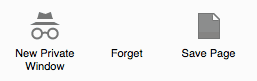
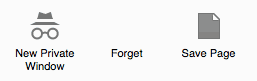
What Firefox locale (user interface language) do you use?
It is possible that your locale or the theme that you use doesn't include the Forget button.
Start Firefox in Safe Mode to check if one of the extensions (Firefox/Tools > Add-ons > Extensions) or if hardware acceleration is causing the problem.
- Switch to the DEFAULT theme: Firefox/Tools > Add-ons > Appearance
- Do NOT click the Reset button on the Safe Mode start window
Hi, thanks for the reply.
It's EN-GB, but it works okay on Windows (via bootcamp on mac). I think the issue is the FXChrome skin on Mac OS X. The skin works ok (see the icon) on Windows, but as noted today in the firefox 34 update, that skin broke a little in OS X only so it may be the skin authors' issue as the icon shows on Mac without the skin running.