


BROWSER - ive changed the font, but not all the web pages are changing - some parts of only - how do i fix?

Hi - I used the font setting to change my font to smaller, so less scrolling...
but for the site i was doing it for - only part of the site changed e.g. not the left hand bar of the site changed. the main part of the browser window did change - not all of the content main part of pages changed e.g. edit windows did not, but selection windows did --- ive read the http://kb.mozillazine.org/Issues_related_to_fonts
but that didnt help.
is this a limitation of firefox??? i am on version 11 --- thankyou
Solução escolhida
Hi seasaltseasalt,
Have you tried using Zoom? This will increase/decrease the size of everything on the page including images. That might be perfect for what you are trying to do.
Hopefully this helps!
Ler esta resposta no contexto 👍 1Todas as respostas (4)
Solução escolhida
Hi seasaltseasalt,
Have you tried using Zoom? This will increase/decrease the size of everything on the page including images. That might be perfect for what you are trying to do.
Hopefully this helps!
Hello Matt_G thankyou for a GREAT GREAT thought.
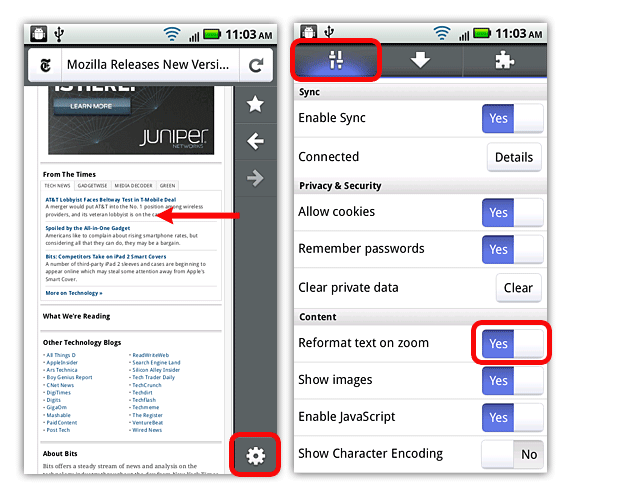
I tried to follow what was on the link... but I think it may only apply to your iphone... or handheld device... as the step in the link says...
link you gave me: "using Zoom? " [https://support.mozilla.org/en-US/kb/zoom-in-and-out?s=how+do+i+use+zoom&...]
showing only handheld device - see screenshot on right with option "Reformat text on zoom"
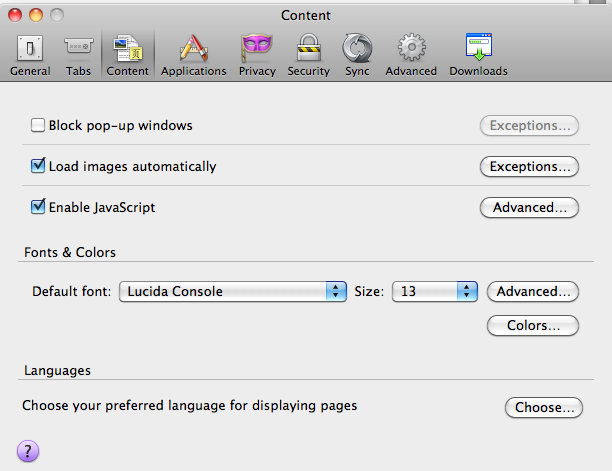
ON DESKTOP ... I dont see that option at all The help page regarding zoom, and showing screens I see is here https://support.mozilla.org/en-US/kb/Options%20window%20-%20Content%20panel?as=u
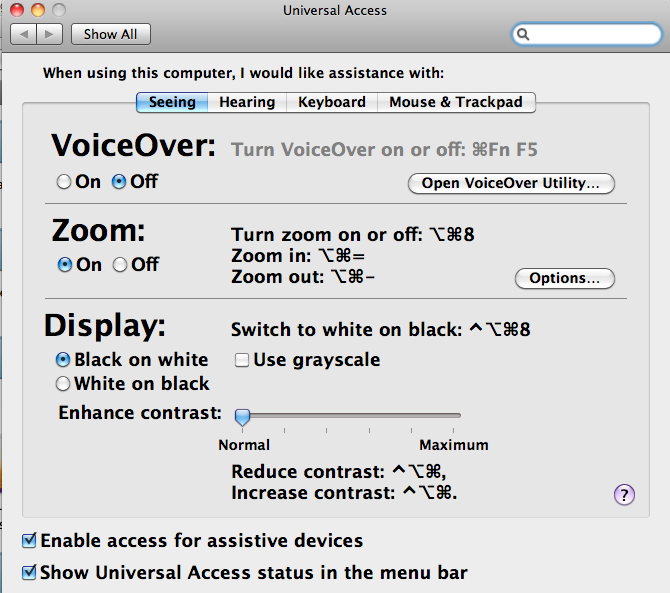
I found under Universal Access, for MacBook, I could turn on ZOOM. so allows zoom using touchpad on this computer. But it still not working on web page....
see 3rd screenshot pls
any suggestions?
I just added ZOOM in/out to toolbar custom toolbar (right click) and dragged the zoom in/out to my toolbar.
it works!
still not sure how to get zoom in/out using keyboard shortcut.... as double tap described in help... not working...
You can use an extension to set a default font size and page zoom on web pages.
- Default FullZoom Level: https://addons.mozilla.org/firefox/addon/default-fullzoom-level/
- NoSquint: https://addons.mozilla.org/firefox/addon/nosquint/