


Windows 10 reached EOS (end of support) on October 14, 2025. If you are on Windows 10, see this article.

Pesquisar no apoio

Evite burlas no apoio. Nunca iremos solicitar que telefone ou envie uma mensagem de texto para um número de telefone ou que partilhe informações pessoais. Por favor, reporte atividades suspeitas utilizando a opção "Reportar abuso".

Saber mais

Fonts are partly chopped off at the top or bottom in the browser

  • 2 respostas
  • 4 têm este problema
  • 56 visualizações
  • Última resposta por robfromoz

I am having a problem with fonts appearing slighting out of alignment.They seem to be chopped off at the top or bottom sometimes. I have tried all the suggested solutions like zooming text, clearing the cache etc from the Websites look wrong page.

I have taken a screen shot to show you here http://i56.photobucket.com/albums/g172/robinoz/bb048059.png It was whilst I was working on my blog at wordpress here http://aussiehorseraces.wordpress.com/ You can see in the header there are parts of the font missing.Thanks in advance for any assistance...Cheers
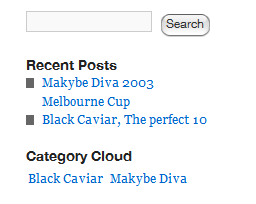
I am having a problem with fonts appearing slighting out of alignment.They seem to be chopped off at the top or bottom sometimes. I have tried all the suggested solutions like zooming text, clearing the cache etc from the Websites look wrong page. I have taken a screen shot to show you here http://i56.photobucket.com/albums/g172/robinoz/bb048059.png It was whilst I was working on my blog at wordpress here http://aussiehorseraces.wordpress.com/ You can see in the header there are parts of the font missing.Thanks in advance for any assistance...Cheers

Modificado por robfromoz a

Todas as respostas (2)

Reset the page zoom on pages that cause problems: View > Zoom > Reset (Ctrl+0 (zero); Cmd+0 on Mac)

Hi cor-el, but that is not the problem, I did try it before, and again now, but made no difference. (I never change the zoom anyway).

But thanks for your input anyway

Cheers