Evite burlas no apoio. Nunca iremos solicitar que telefone ou envie uma mensagem de texto para um número de telefone ou que partilhe informações pessoais. Por favor, reporte atividades suspeitas utilizando a opção "Reportar abuso".

Saber mais
Open

iCloud IMAP authentication fails after restarting Thunderbird

Careless_dew

Hello,

I am experiencing an authentication problem with an iCloud Mail account in Thunderbird 153.0.3 (64-bit) on Windows.

The iCloud Mail account itself works normally. I can access my mailbox through Apple's web interface, and I was also able to add the same account to Microsoft Outlook and successfully send an email from it.

The problem occurs specifically in Thunderbird.

When I initially add the iCloud account to Thunderbird, the account connects successfully and my mail is downloaded. However, after completely closing Thunderbird and launching it again, Thunderbird asks me to enter the password again. When I enter my current Apple app-specific password, authentication fails.

I have already generated several new app-specific passwords and tested them. I also tested both the username without the domain and the full iCloud email address as the username. The result is the same.

Current IMAP settings:

Server: imap.mail.me.com Port: 993 Connection security: SSL/TLS Authentication method: Normal password

Thunderbird does not offer OAuth2 as an authentication method for this account. The available methods are Normal password, Encrypted password, Kerberos/GSSAPI, NTLM and TLS certificate.

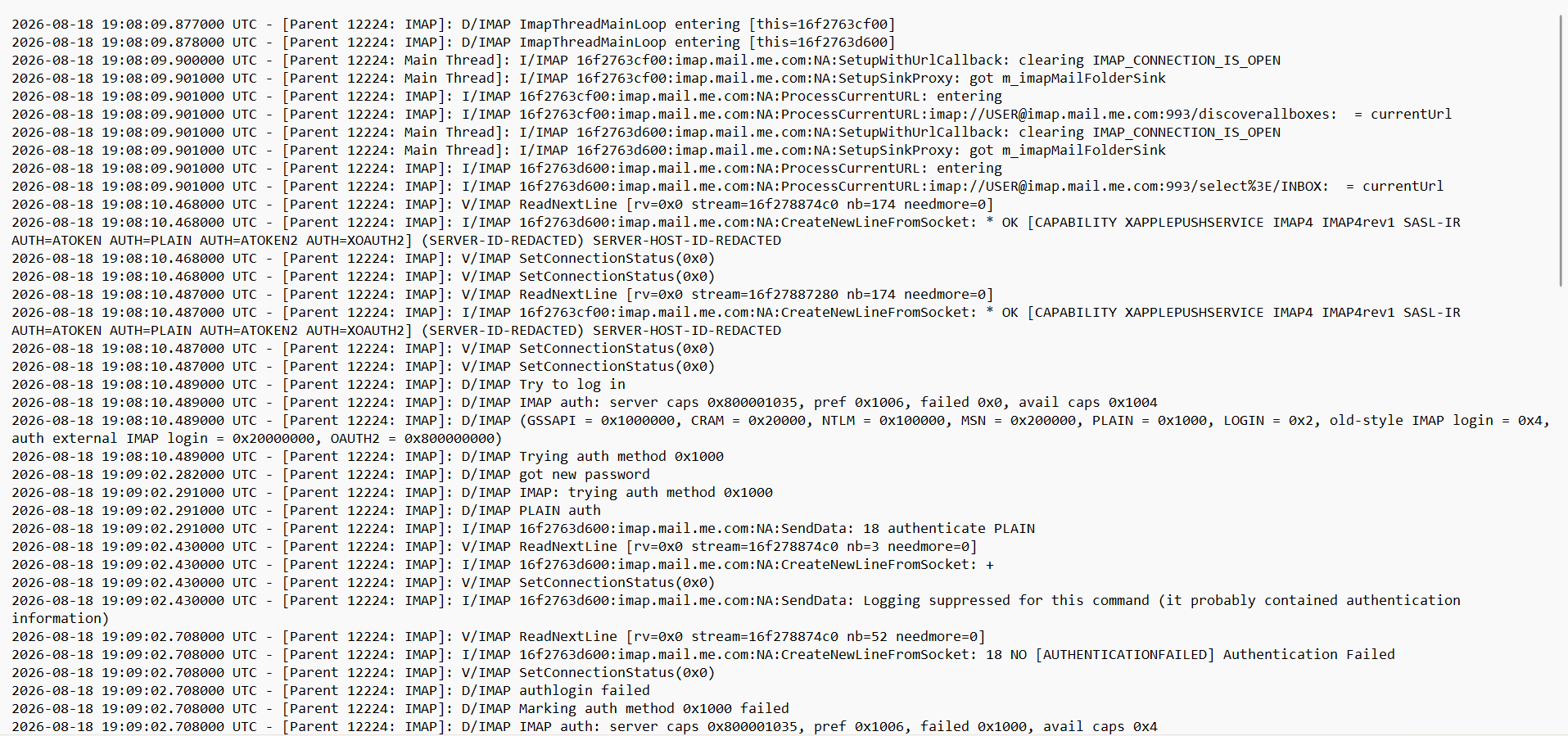
The Thunderbird log shows that the connection to the Apple IMAP server is established successfully. The server reports the following authentication capabilities:

AUTH=ATOKEN AUTH=PLAIN AUTH=ATOKEN2 AUTH=XOAUTH2

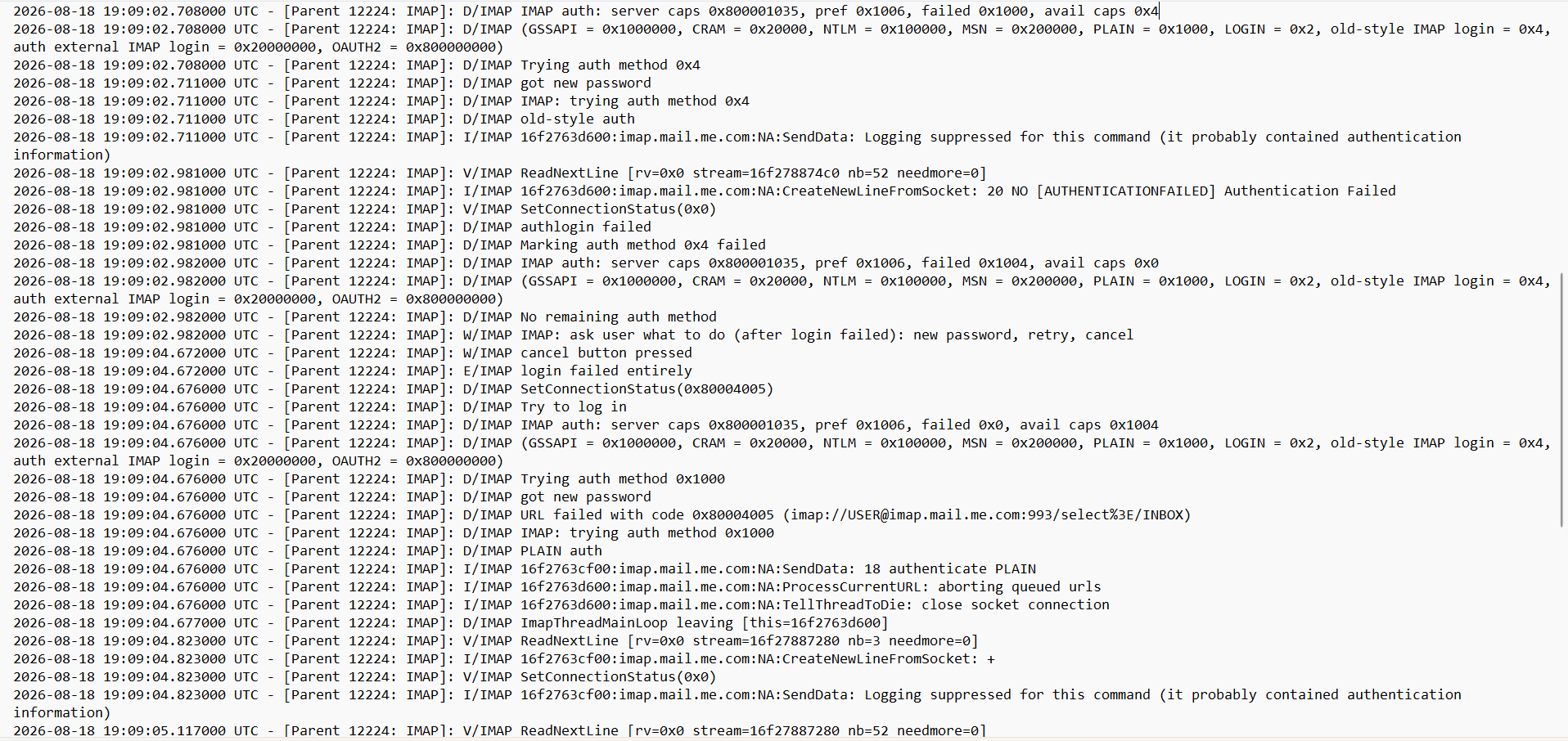
Thunderbird then attempts PLAIN authentication, but the server responds:

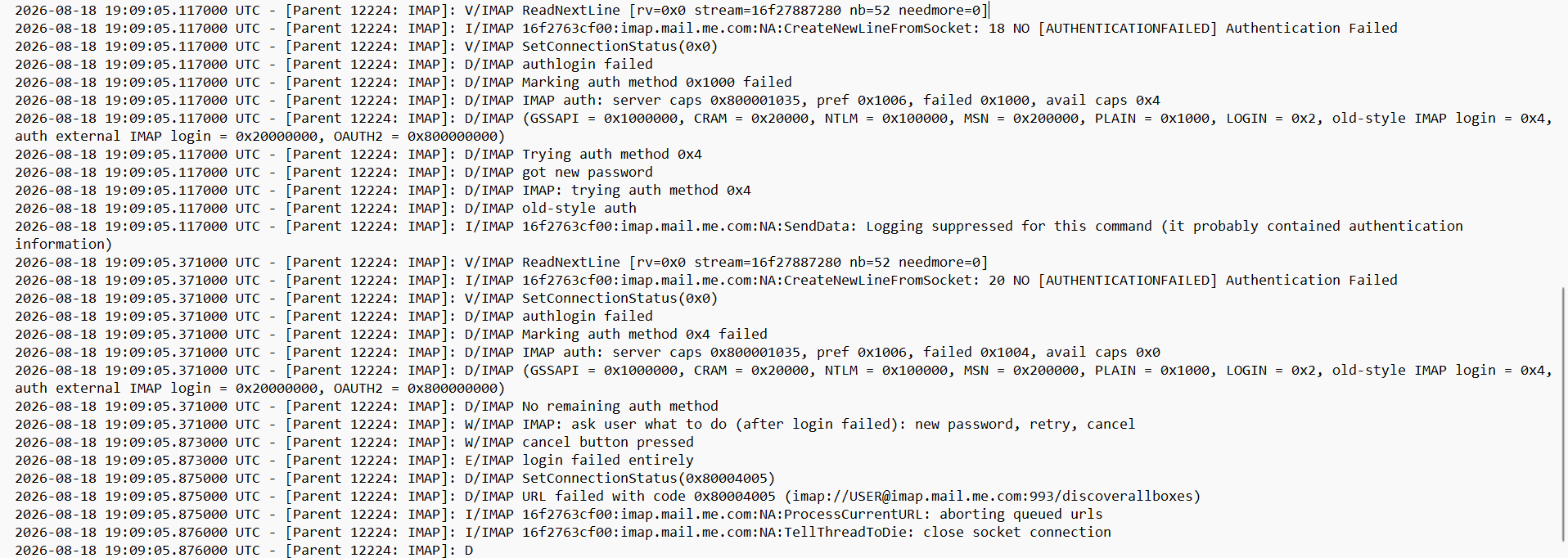
NO [AUTHENTICATIONFAILED] Authentication Failed

Thunderbird subsequently tries the old-style authentication method, which also fails with the same error.

I have also tried changing the IMAP port from 993/SSL-TLS to 143/STARTTLS, but the connection to imap.mail.me.com:143 fails as well.

The most unusual part is that the account works immediately after being added to Thunderbird, but stops authenticating after Thunderbird is restarted.

Could this be related to Thunderbird's handling of iCloud app-specific passwords, the password manager, the Thunderbird profile, or a compatibility issue with the current Thunderbird version?

I have attached the relevant Thunderbird IMAP log.

Thank you.
Hello, I am experiencing an authentication problem with an iCloud Mail account in Thunderbird 153.0.3 (64-bit) on Windows. The iCloud Mail account itself works normally. I can access my mailbox through Apple's web interface, and I was also able to add the same account to Microsoft Outlook and successfully send an email from it. The problem occurs specifically in Thunderbird. When I initially add the iCloud account to Thunderbird, the account connects successfully and my mail is downloaded. However, after completely closing Thunderbird and launching it again, Thunderbird asks me to enter the password again. When I enter my current Apple app-specific password, authentication fails. I have already generated several new app-specific passwords and tested them. I also tested both the username without the domain and the full iCloud email address as the username. The result is the same. Current IMAP settings: Server: imap.mail.me.com Port: 993 Connection security: SSL/TLS Authentication method: Normal password Thunderbird does not offer OAuth2 as an authentication method for this account. The available methods are Normal password, Encrypted password, Kerberos/GSSAPI, NTLM and TLS certificate. The Thunderbird log shows that the connection to the Apple IMAP server is established successfully. The server reports the following authentication capabilities: AUTH=ATOKEN AUTH=PLAIN AUTH=ATOKEN2 AUTH=XOAUTH2 Thunderbird then attempts PLAIN authentication, but the server responds: NO [AUTHENTICATIONFAILED] Authentication Failed Thunderbird subsequently tries the old-style authentication method, which also fails with the same error. I have also tried changing the IMAP port from 993/SSL-TLS to 143/STARTTLS, but the connection to imap.mail.me.com:143 fails as well. The most unusual part is that the account works immediately after being added to Thunderbird, but stops authenticating after Thunderbird is restarted. Could this be related to Thunderbird's handling of iCloud app-specific passwords, the password manager, the Thunderbird profile, or a compatibility issue with the current Thunderbird version? I have attached the relevant Thunderbird IMAP log. Thank you.
Capturas de ecrã anexadas

Deve iniciar a sessão com a sua conta para responder às mensagens. Por favor, comece uma nova pergunta, se ainda não tiver uma conta.