


How do I enter my Greenby password in to Thunderbird

I am unable to access my mails on Greenby with Thunderbird and I suspect the password is incorrect. I can read my mails on the Greenby server and know the necessary password but cannot work out how to enter this into Thunderbird! As I am no expert, a simple guide would be most appreciated! Thanks in advance. Roy
Todas as respostas (4)

Stored passwords can be found at <Settings | Privacy & Security | Passwords | Saved Passwords>. Here you can view, edit, or delete your passwords. Keep in mind that if this account uses OAuth2, what's stored here is not your actual password, but a unique token placed by the server, and editing it will be ineffective. If this is the case, let us know and we can guide you through the re-authentication process.
Unfortunately that leads me to a blank page! See attached. I have a second account (my wife's!) @tiscali.co.uk using Thunderbird as well with no problems! I'm confused!
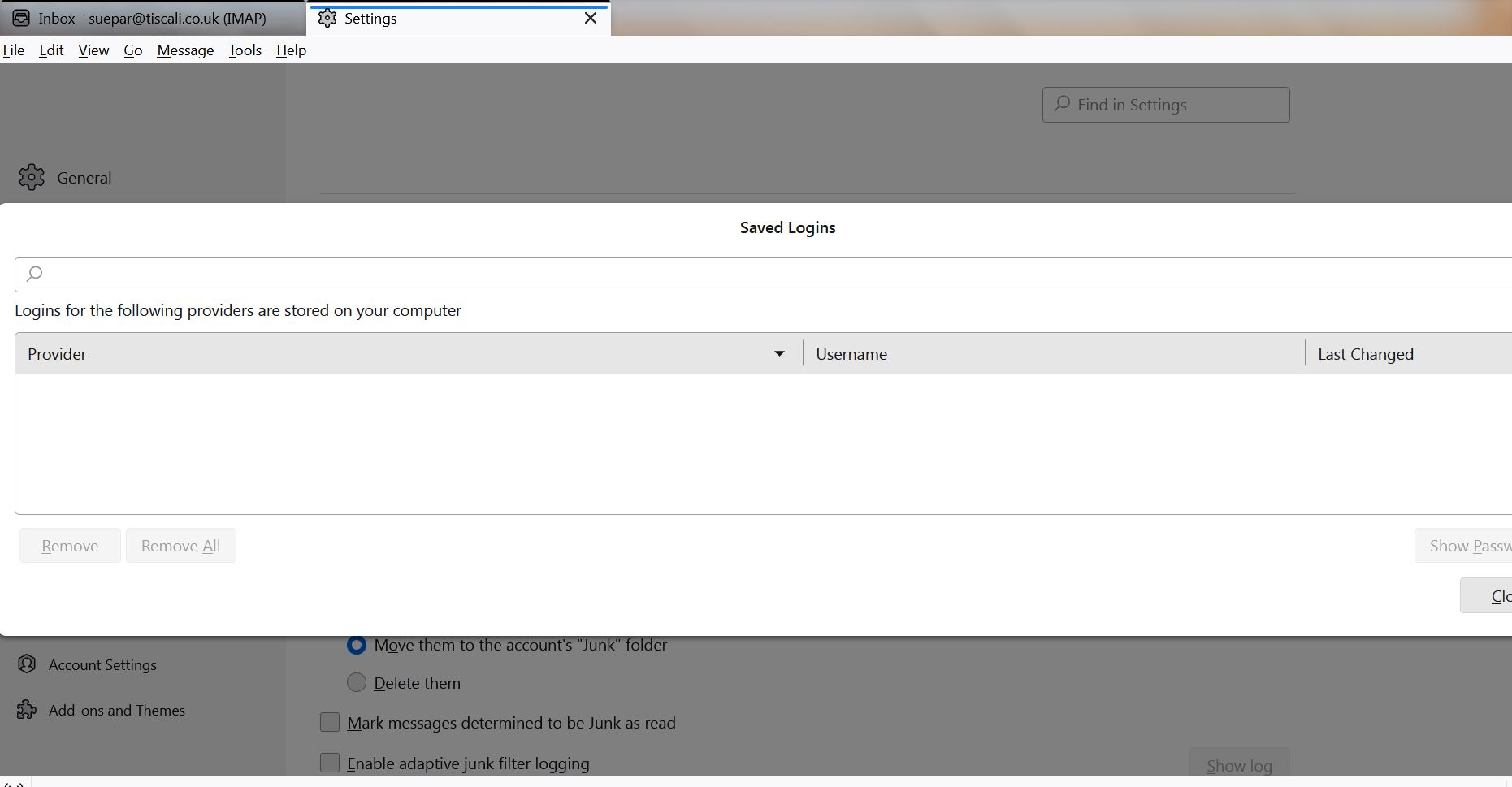
Help! I am still unable to sort my password out and cannot get at my e-mails with Thunderbird! Any suggestions would be welcome.
That is very curious. If Thunderbird is also set up for your wife's account, you should see her passwords listed there, too. Is it possible that you have typed a few Space characters into the password window's Search bar?
Have you confirmed that you're using the correct server settings? I found their settings guide:
https://greenby.com/support/knowledgebase/article/29
Normally you're prompted to enter your password when you first set up the account, and asked if you want to save the password or not. To force Thunderbird to re-request your credentials I would suggest deleting all passwords for that account in Stored Passwords (assuming there are any,) AND deleting all cookies for that account (see <Settings | Privacy & Security | Web Content | Show Cookies>. Also, make sure "Accept cookies from sites" is enabled.
If this doesn't work, it may be worthwhile to create a new Profile for testing purposes. But we'll come back to that after you try the above.