Why Can't Firefox's Auto-Fill Put in the Correct Passwords for Firefox/Mozilla's own Sites?
Sometime I can sign in, sometimes I can't, and have no idea why this is so. I tried logging in to the Mozilla Support site, but at first the auto-fill kept putting in log-in info for a completely other site. Then when I looked up the correct info, and entered it manually, I got: "Your account has been blocked after multiple consecutive login attempts"
And that's all, no mention of what options I had, reset the password, or how long I would be blocked from logging in, nothing, but that my account was blocked!! Then I tried to log into the community forum, and that went fine, so why not the log in to the Support site???? I've logged into both many times previously, yet all too often, there is some glitch or another, stopping me from logging in. Why does FF's own auto-fill feature not get it right? Isn't that the point to it, so we can be logged in automatically?
If I'm having some kind of issue with the browser, and need to seek help, the last thing I want to deal with is being prevented from even getting to do so! How can I get this to stop happening?
Todas as respostas (1)
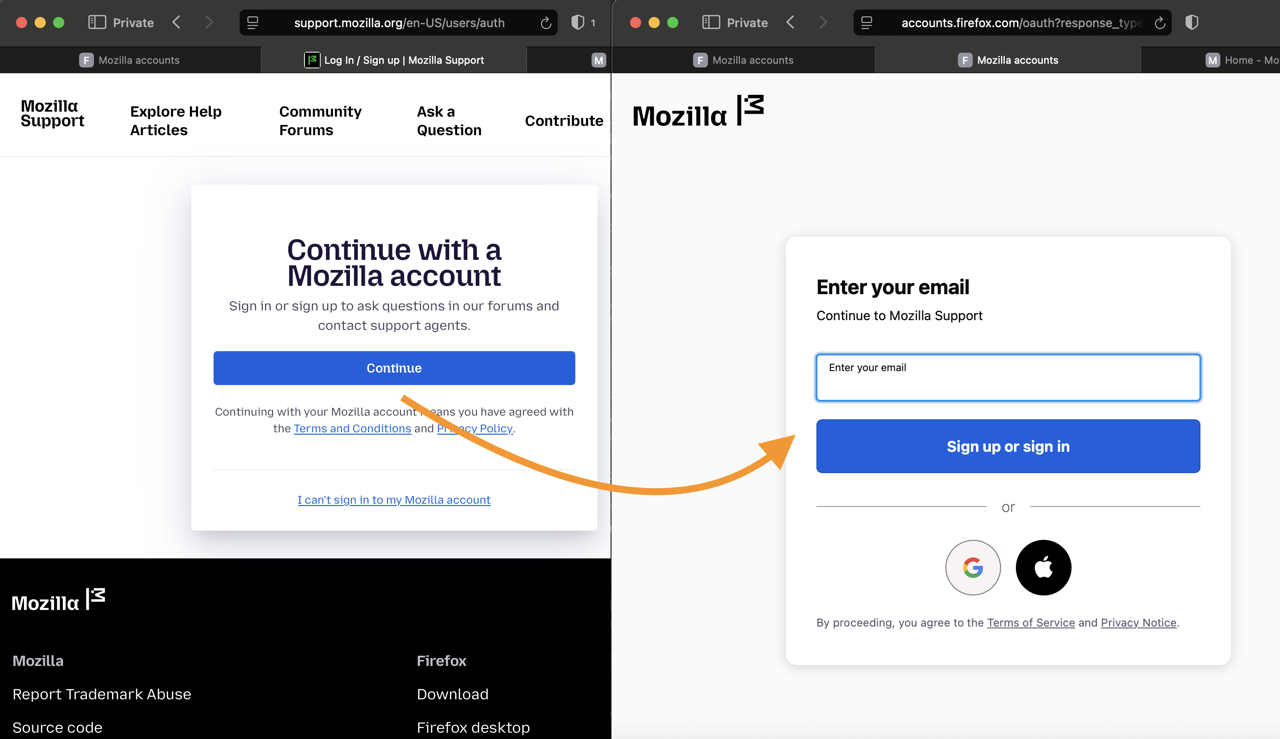
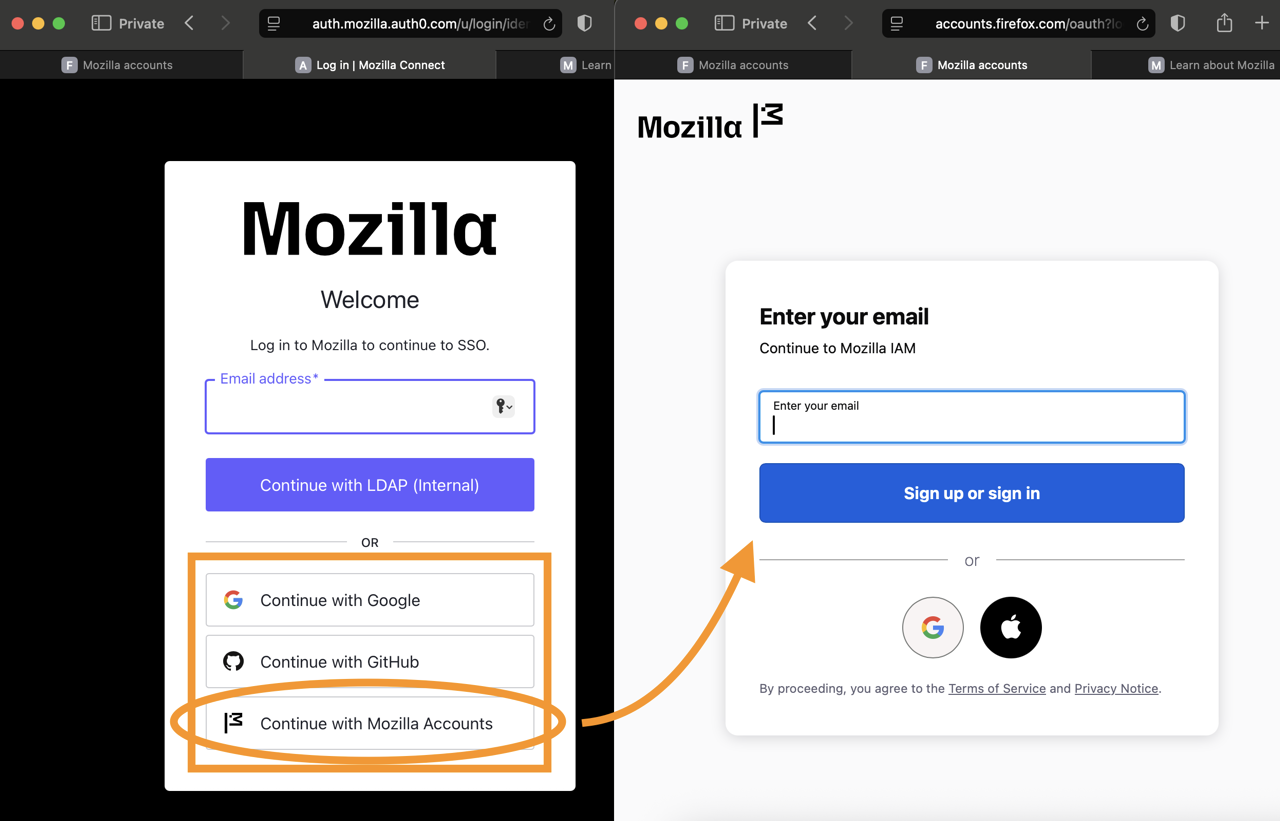
Looking at the previous posts, it seems not Sumo, but Connect lead you to the authentication backoff, and separately you had no issues getting into Sumo. That might be because Sumo only allows using Mozilla account logins, and will lead you directly to the right buttons. What you saw trying to get to Connect, was possibly the pan–Mozilla single sign-on, hosted by auth0 — which might have lead you to put your other (e.g. work–related) credentials to their auth0 lock screen. However, that form is only for employees with internal access (and a) should be marked as such, b) you should have no Mozilla–related credentials saved for that flow unless you're an employee) — the options are either one of the Google or GitHub federated logins, or again the button for Mozilla account which is all the way to the bottom — as weird as it may appear (as that's what the identity software serves to everyone).
If this sounds like the confusion you faced, that's been mentioned in a few channels already, and is also reported internally. (Yes, the flow is unfortunate.)
I'm attaching the screenshots for comparison where Mozilla account is the only path vs. federation for hosted services.