


Thunderbird 115 for macOS - shortcuts missing

I'm working for a while now with Thunderbird 115 on macOS. Normaly I quit an application with the shortcut Command Q
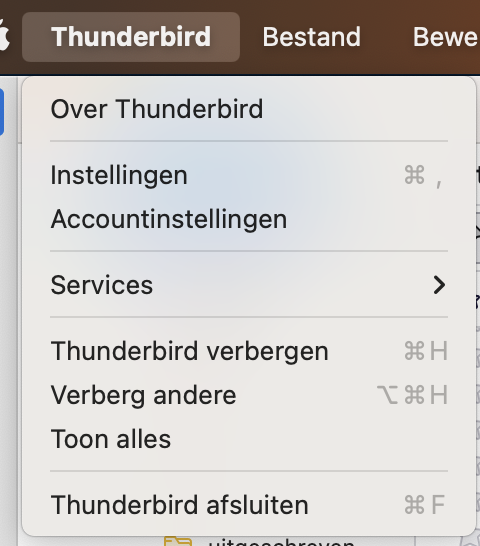
This shortcut doesn't work. According to the menu the 'new' shortcut is Command F. But this shortcut doesn't work too. Only way to quit Thunderbird is using the mouse.
When will this be fixed?
I'm working for a while now with Thunderbird 115 on macOS. Normaly I quit an application with the shortcut Command Q
This shortcut doesn't work. According to the menu the 'new' shortcut is Command F. But this shortcut doesn't work too. Only way to quit Thunderbird is using the mouse.
When will this be fixed?
Todas as respostas (3)
It is a known localization issue which is being discussed at https://bugzilla.mozilla.org/show_bug.cgi?id=1843023
test reply
In the following scenario I can quit Thunderbird:
- Close the main window with shortcut: Command W
- Quit the application with shortcut: Command F
If I skip step 1, the application won't quit.