


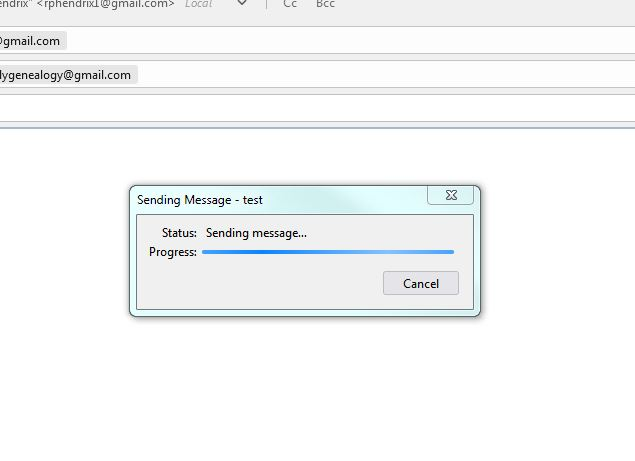
trying to migrate from outlook 2016 to Thunderbird V91.10.0 e-mail. Receiving e-mail OK; however, not sending e-mail!!!

Installed Thunderbird V91.10.0 and have completed setup. Receiving e-mail; however, not able to send e-mail.

Solução escolhida
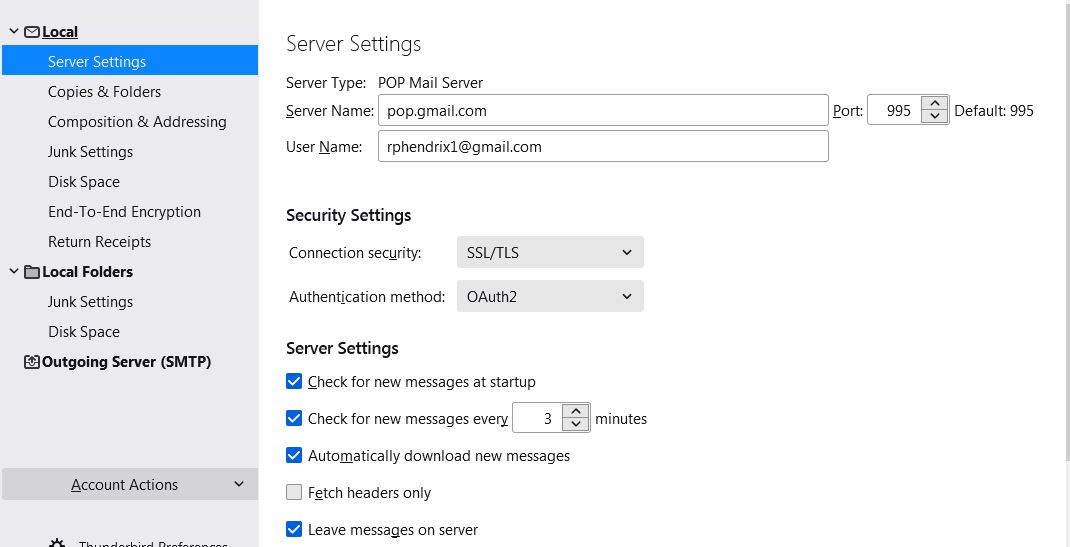
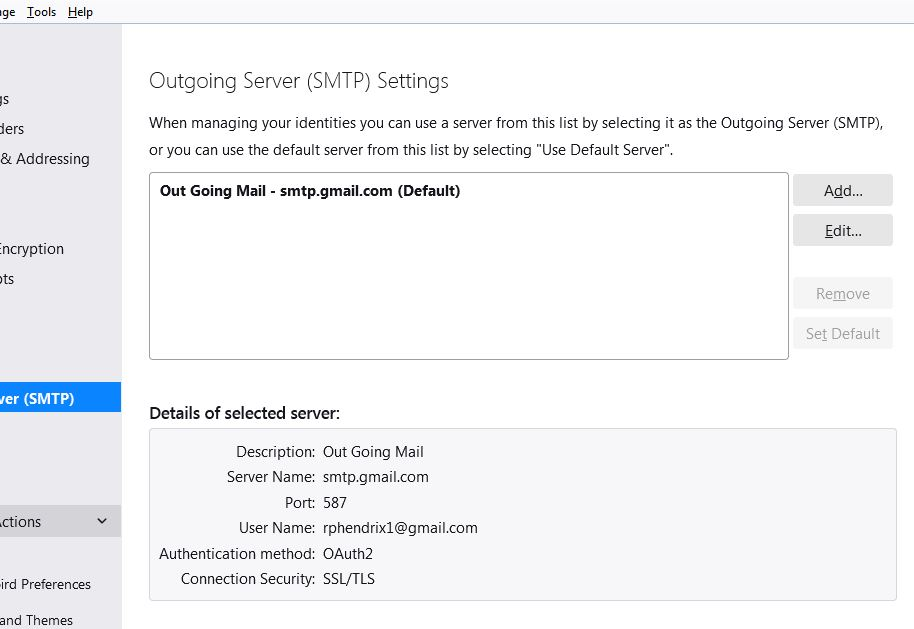
Change the security to STARTTLS for port 587, or change the port to 465 for SSL/TLS.
Ler esta resposta no contexto 👍 0Todas as respostas (4)
Are you using Oauth authentication? If not, try this: Here are the basics:
- change your security authorization to Oauth2 (do this for the incoming server settings and also for the Outgoing (SMTP) server - two places - remove the password entries for the account (remove the entire entries both incoming and outgoing) - that password info is at Tools>Preferences>Privacy&Security - click 'saved passwords' Then click 'show passwords' then highlight the rows with incoming and outgoing gmail servers and click DELete. - check to ensure that TB is set to accept cookies (that setting is just above the Passwords section) - Google will then step you through the authentication process for your PC.
David, thanks for the quick response; however, it did not solve my opportunity/problem.
I followed you directions by deleting the passwords and allowing gmail to quiz me.
This brought me back to the same place as before, able to receive but not send.
I have attached pic's of the server configuration panels.
Roger
Solução escolhida
Change the security to STARTTLS for port 587, or change the port to 465 for SSL/TLS.
I changed the security to STARTTLS and it worked as advertised.
Many thanks for the prompt support.
Roger