


Huge RAM consumption, over time
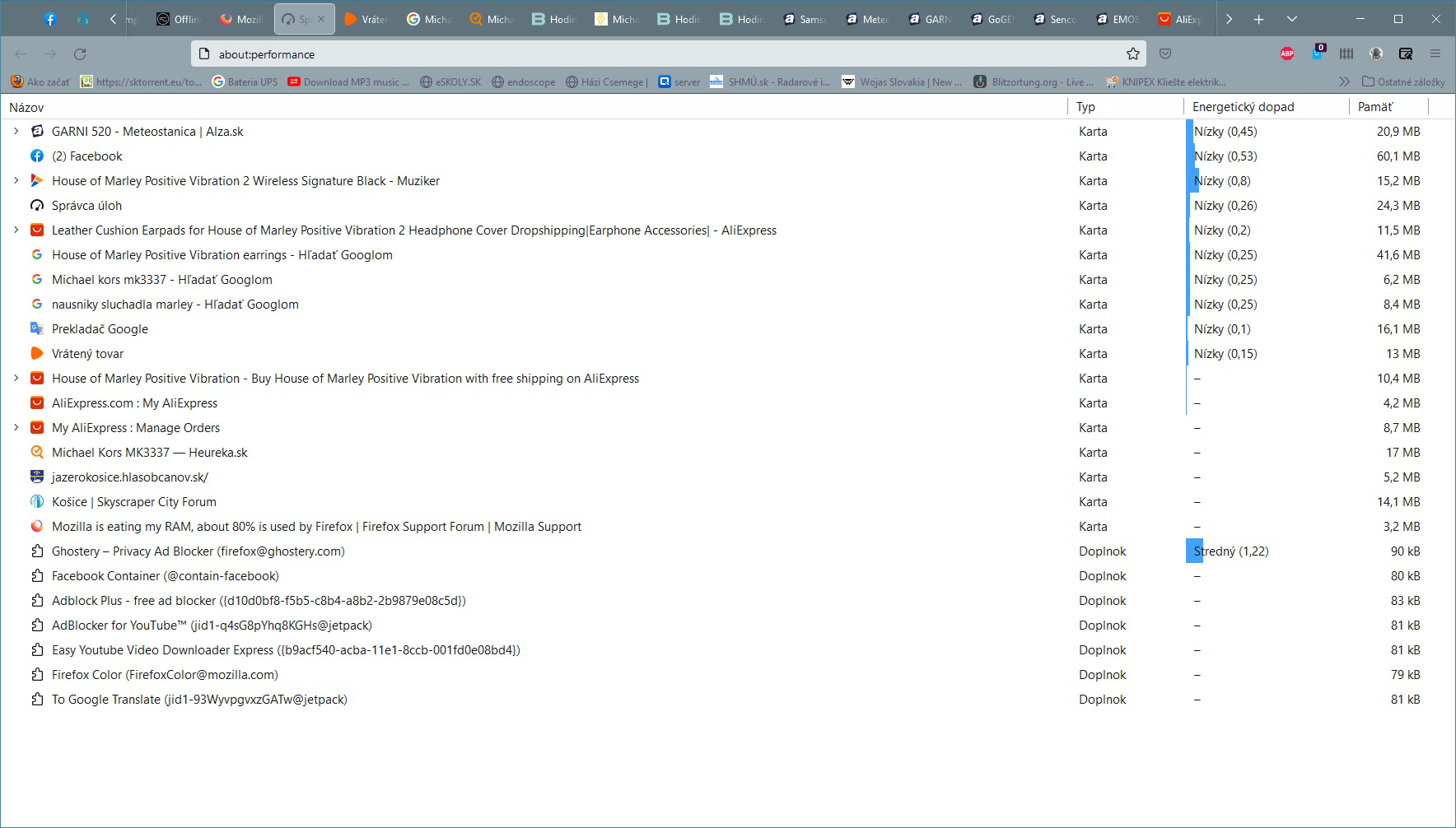
I looked at various tips on how to solve a RAM problem. But I don't understand why my firefox takes about 800MB of RAM after startup, but sometimes after the time of use it suddenly takes 16GB of RAM. Does Mozilla not have a tool to track which part of Firefox uses so much RAM?

Solução escolhida
Adblock Plus is a known RAM eater. Try to install uBlock Origin instead of it.
Ler esta resposta no contexto 👍 1Todas as respostas (5)
Photo 2 shows that everything is OK in Firefox but it consumes 16GB of memory and is terribly slow. The PC has 32GB of memory.
Solução escolhida
Adblock Plus is a known RAM eater. Try to install uBlock Origin instead of it.
I'm testing the uBlock Origin, and it looks good. Thanks for advice. Sadly, Firefox does not have a tool that shows which part of the browser consumes how much RAM.
Hey there!
See the following website on what to do to fix the performance issue:
https://support.mozilla.org/en-US/kb/firefox-uses-too-much-memory-or-cpu-resources
Hope this helps!
Kind regards,
Bithiah
Hey there!
If your problem is solved, please mark an answer as a solution to let others know this thread is finished. Thanks!
Kind regards,
Bithiah