Thunderbird will not store contacts in new address book folder I create beyond 6 names, why?

When I try to save new contacts in my Thunderbird Address Book on a folder I create, it does not save them, it puts everything into the "collected Addresses" folder. I will not even let me drag and drop them into the folder from "collected addresses", it shows nothing. I try to manually type them into the folder, and nothing, no contact. HELP!
Todas as respostas (5)
Please post an image showing the 'Address Book' window.
Please make sure all address books and mailing lists/sub groups are clearly shown in left pane. Tell us the name of the 'new address book' which will not receive contacts.
re :When I try to save new contacts in my Thunderbird Address Book
When you want to add a new contact, please tell us step by step exactly the process you are using as there are various methods. Please include any images which show what options you selected when wanting to add new contact to specified address book.
Do you find the new contact is ONLY added to 'Collected addresses' address book after you have sent the email?
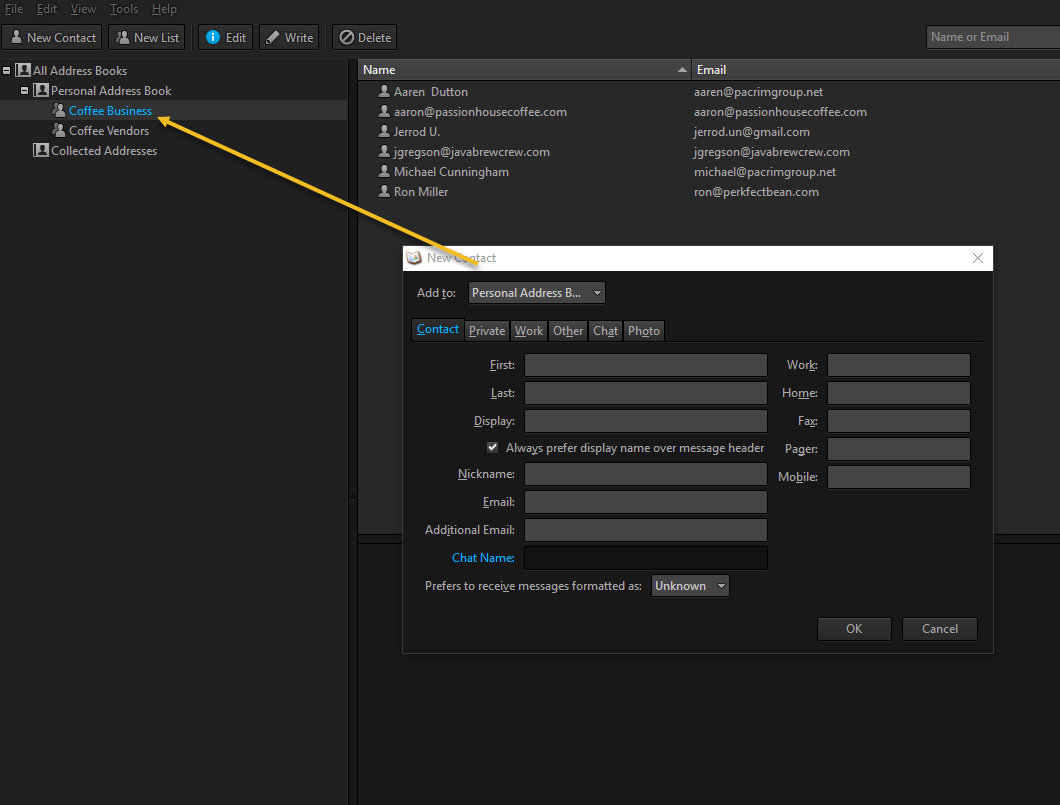
I am highlighting the "Coffee Business" book I created then clicking on New contact and adding the information and saving it.
It is putting it now in the "personal address book" not in the coffee business book. I tried to drag and drop it from personal to coffee but it will not do it. see attached.
Thanks.
Tom
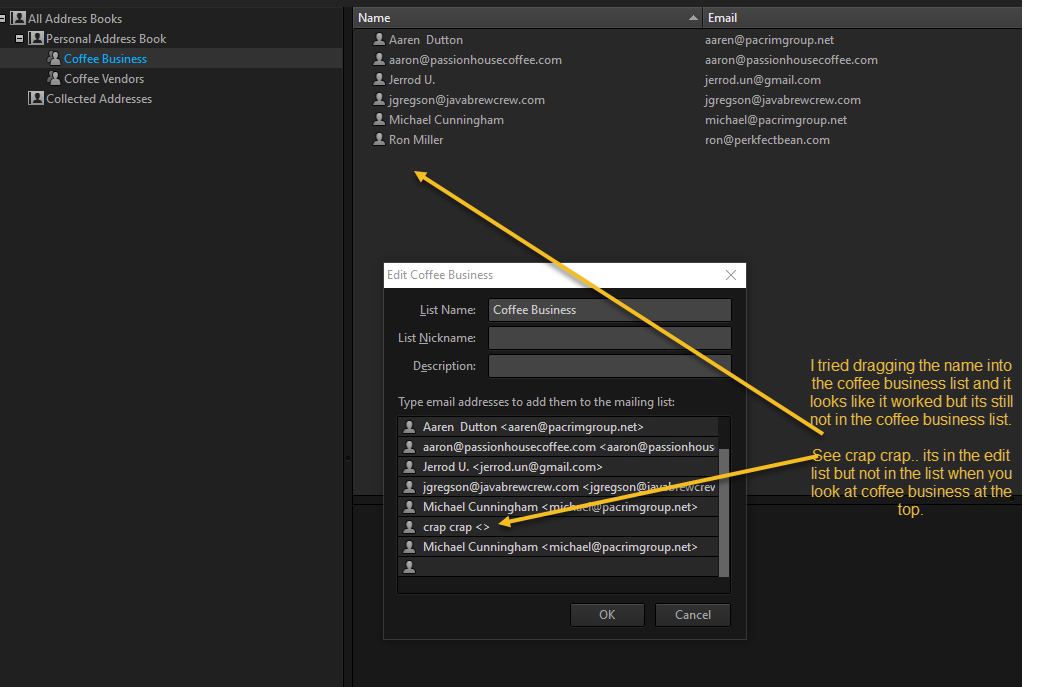
I tried both ways and its in the edit menu now but not in the list when I click on Coffee Business on the left pane. (See picture)
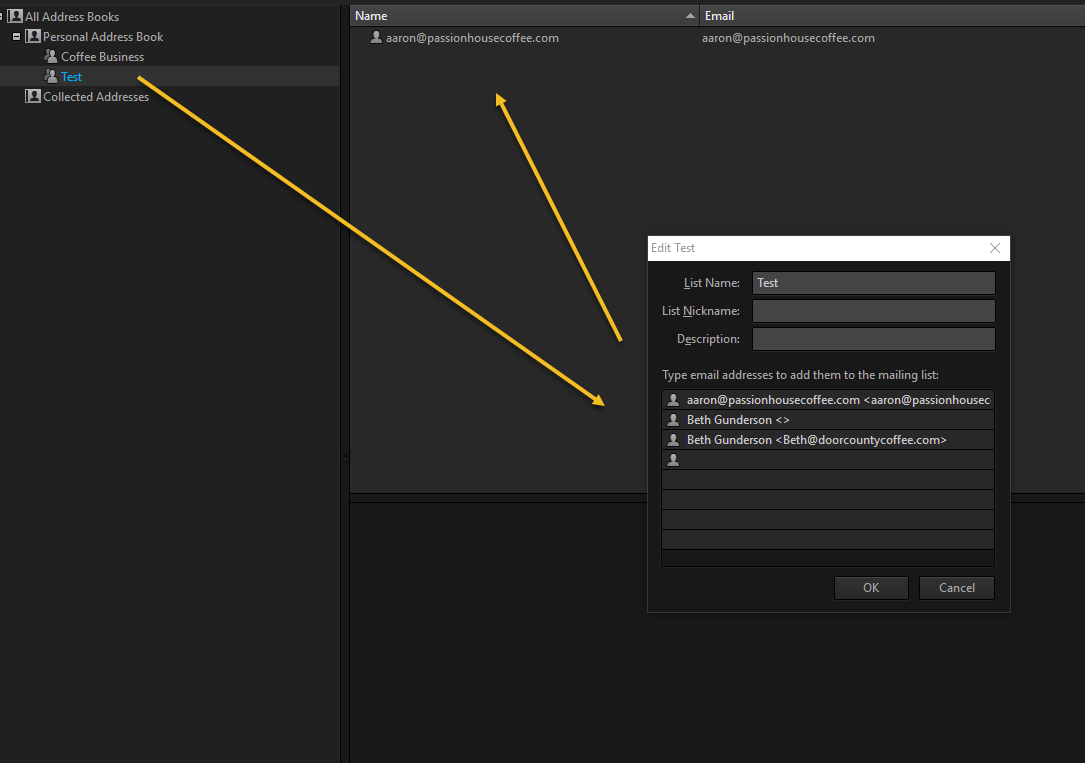
If I create a new folder calling it "Test" I can drag and drop about 3 email addresses before it stops, and it only shows me one in the list.. see picture.