


Secure Website Certificate. Mozilla Web browser is not working because of Secure Website Certificate is Expired. There is no option to add exception.

Secure Website Certificate: Mozilla Web browser is not working because of Secure Website Certificate is Expired. There is no option to add exception.
How can this prolem be fixed?
Todas as respostas (4)
Well you can notify the website where you were that their certificate has expired, postmaster, webmaster usually works and can do a Whois lookup and get other address to email to.
https://support.mozilla.org/en-US/kb/secure-website-certificate
https://support.mozilla.org/en-US/kb/what-does-your-connection-is-not-secure-mean
You have checked just left of the Forward Arrow in the Address Bar and clicked that you can not give the site permission ?
Try deleting cookies, and empty cache
If you think it is Firefox and not the site : https://support.mozilla.org/en-US/kb/refresh-firefox-reset-add-ons-and-settings?redirectlocale=en-US&redirectslug=reset-firefox-easily-fix-most-problems
Please let us know if this solved your issue or if need further assistance.
I deleted history, cache, cookies, etc. Problen not solved.
I am sending the error messages received.
Please help me. I am stuck because of this certificate problem.
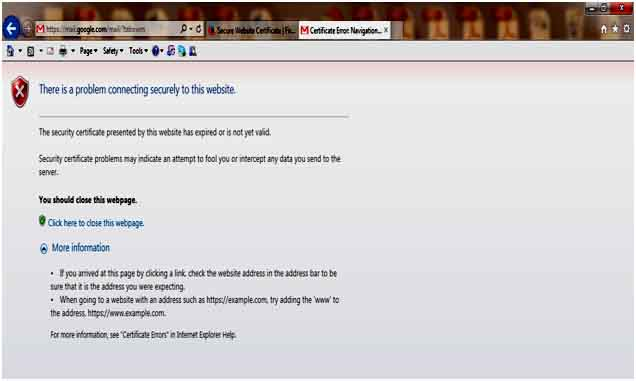
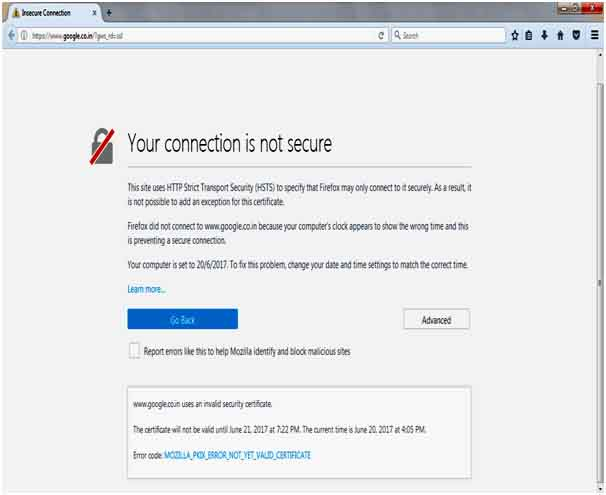
I can not see the images, compressed to much Backup your profile before doing anything. https://support.mozilla.org/en-US/kb/profiles-where-firefox-stores-user-data
- Found below but I do not know much about this one.
You can do restore an older of cert8.db to keep other saved (intermediate) certificates.
If you know which certificate(s) cause the problem then you can remove them in the certificate manager.
Tools > Options > Advanced > Encryption: Certificates > View Certificates : Authorities
Intermediate certificates that were added by Firefox after visiting a website are listed as "Software Security Device".
I also found Windows 8 had a issue like yours. Could try several good windows forums and search them or through google by using : firefox name of forum issue
Hang in there.
You can check the date and time and time zone in the clock on your computer: (double) click the clock icon on the Windows Taskbar.