


thunderbird profile cannot be loaded after chkdsk

Ran chkdsk at windows start and reported no errors or bad sectors. After that...
When I started TB, I got message "TB is already running but is not responding". I clicked CLOSE THUNDERBIRD and got the message "Your TB profile cannot be loaded." I tried starting TB again and got the same messages.
Windows Task Manager shows no evidence that TB is running. By that I mean that TB is not shown in the APPLICATIONS tab nor in the PROCESSES tab nor in the SERVICES tab of task manager. I concede that I'm not totally sure what to look for in the APPLICATIONS nor in the SERVICES. But I see TB in the PROCESSES tab all the time...except now. Seems curious that TB would report that it's running when the Thunderbird process is not active.
As for the missing profile:
At C:\Users\Owner\AppData\Roaming\Thunderbird\profiles.ini: ____________________________________________ [General] StartWithLastProfile=1
[Profile0] Name=default IsRelative=1 Path=Profiles/269b4km8.default ______________________________________________
On a backup image of the system drive, profile.ini is identical to the one shown above.
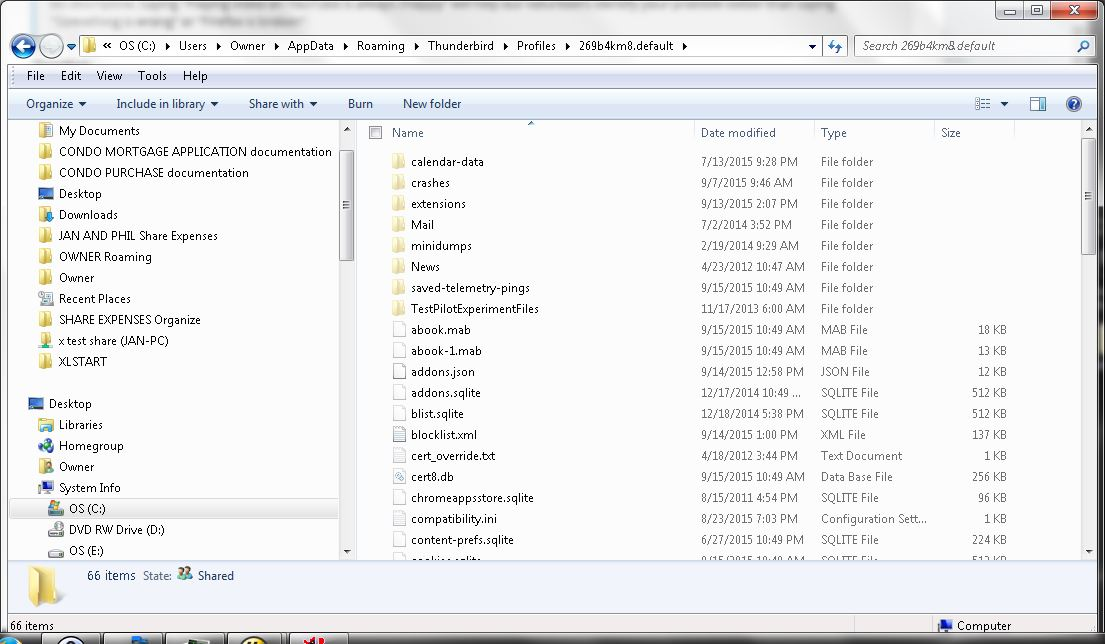
C:\Users\Owner\AppData\Roaming\Thunderbird\Profiles\269b4km8.default contains what appears to be normal TB profile sufff. (I concede I'm not certain what is "normal TB profile stuff.") see attached.
So, the profile is located where (apparently) it is expected to be and it appears to contain valid data.
Another discussion here recommends uninstalling and re-installing TB. I'm not keen on doing that, mainly because I don't remember all that is involved in re-installing. Is there any alternative?

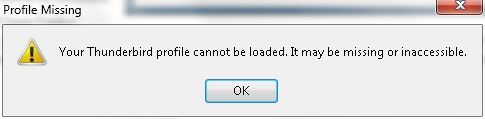
Todas as respostas (3)

Does this article help? http://kb.mozillazine.org/Profile_in_use
There is no point re-installing Thunderbird as the problem appears to be with your profile.
Solução escolhida
Do you have a lock file?
http://kb.mozillazine.org/Profile_in_use
There is also a lot of stuff there which I think you have already looked into.
christ1 and zenos: Kudos to both of you.
I deleted .../Profiles/269b4km8.default/parent.lock and TB started up fine.
Thanks.