


Firefox 150.0 Linux Debian Flatpak 1.0 is crashing a lot, in many shapes and forms.
First time this ever happens, with Firefox or any other browser.
Suddenly bookmarks disappear, buttons crash, right-click does not work, several website features crash...
I am using Troubleshoot Mode.
Todas as respostas (3)
Adding more info:
I have no extensions, only a few plugins and themes. See file attached.
You can see bookmarks before and after crash, plugins, buttons that don´t work (top right menu), and button that works (top left menu).
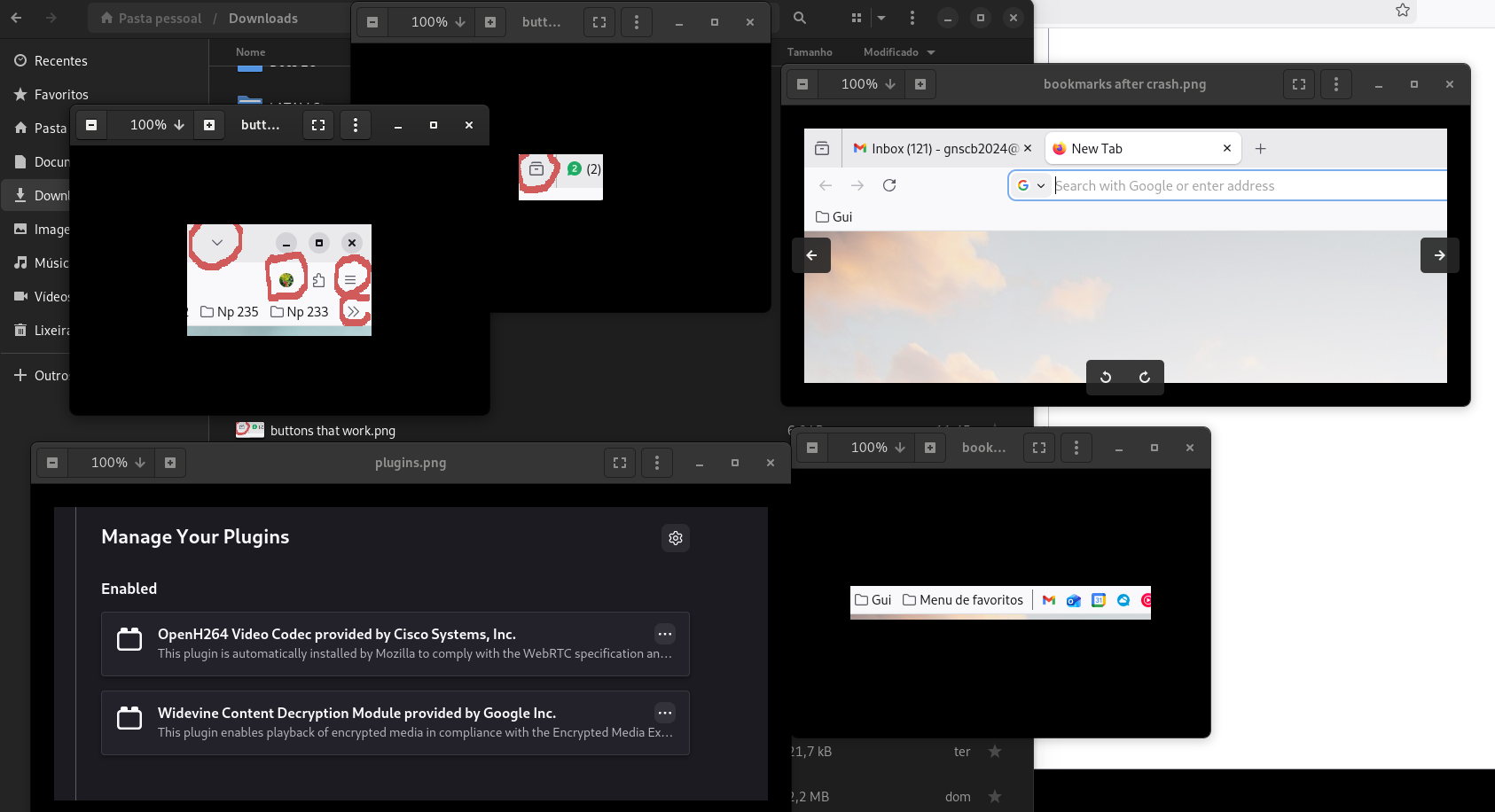
During the crash I can still switch tabs with Ctrl + Tab and add bookmarks by clicking on the star (without pop-up windows to select destination).
I recommend backing up your Firefox profile by creating a zip file (or copying the contents to a safe location). Then, update to the latest version of the browser (currently version 150.0.1).
To back up your Firefox profile on Linux, close the browser and copy the hidden folder ~/.mozilla/firefox/ to a safe location (such as a USB drive, another partition, or the cloud). This folder contains your bookmarks, passwords, history, and extensions. The simplest way is to use a file manager to copy or compress the folder.
Step-by-Step:
1. Close Firefox: Make sure the browser is not running (check with pkill -9 firefox if necessary). 2. Locate the folder: Open your file manager and enable the viewing of "hidden files" (usually Ctrl+H). 3. Copy the folder: Go to your Home folder and access: .mozilla/firefox/.
Backup: Copy the folder ending in .default or .default-release to your desired location, or compress it (tar -czvf backup_firefox.tar.gz ~/.mozilla/firefox/), and save the compressed file in a safe place.
Restoring the Backup:
Install Firefox on the new system and open it once to create the directory, then close it.
Copy the contents of your backup folder to the path ~/.mozilla/firefox/, replacing any existing files.
Alternative: Use about:profiles in your browser to identify the correct folder.