


Websites displaying strangely, forms not working

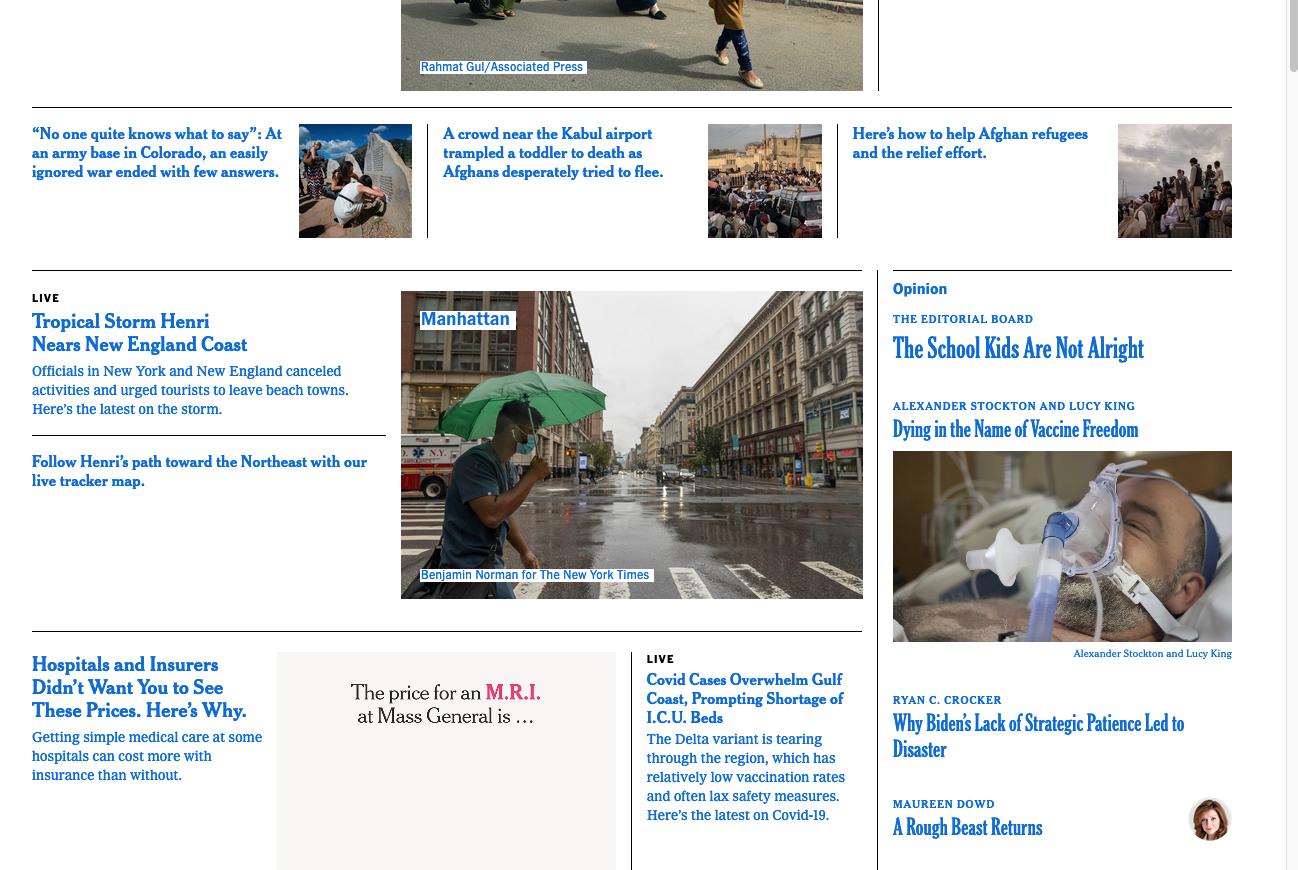
A few weeks ago, presumably after an update, Firefox started displaying websites strangely -- blue font instead of black, text surrounded by boxes, other formatting incorrect. Also, some forms and input boxes seem disabled. A reinstall did not solve the problem.
I'm running macOS Catalina 10.15.7 and Firefox 91.0.1. Screenshot is from the NYT homepage.
Gekozen oplossing
cor-el said
This could be a problem with High Contrast Mode on Mac. See "New" in the release notes. Firefox now automatically enables High Contrast Mode when "Increase Contrast" is checked on MacOS in the Accessibility settings.Dit antwoord in context lezen 👍 0
Make sure you allow pages to choose their own colors.
- Settings -> General: Fonts & Colors -> Colors: "Override the colors specified by the page with my selections above"
Try "Never" if the default "Only with High Contrast themes" isn't working.
Alle antwoorden (3)

Gekozen oplossing
cor-el said
This could be a problem with High Contrast Mode on Mac. See "New" in the release notes. Firefox now automatically enables High Contrast Mode when "Increase Contrast" is checked on MacOS in the Accessibility settings.
Make sure you allow pages to choose their own colors.
- Settings -> General: Fonts & Colors -> Colors: "Override the colors specified by the page with my selections above"
Try "Never" if the default "Only with High Contrast themes" isn't working.
Thanks, Fred, that took care of it. In addition to making that change in Firefox, I also turned off High Contrast mode in the Mac display settings. Hadn't realized it was checked.
Glad to help. Safe Surfing.