How can I create automated email response?

I cannot find the appropriate button
All Replies (3)
Your best bet is to use your email provider. I say that because doing this from the website is far superior to attempting it in an email client, whether Thunderbird or another.
Thank you David. But I am not sure what you mean by ;use your email provider': toc do what? I'd appreciate your further advice. Kind regards Roger
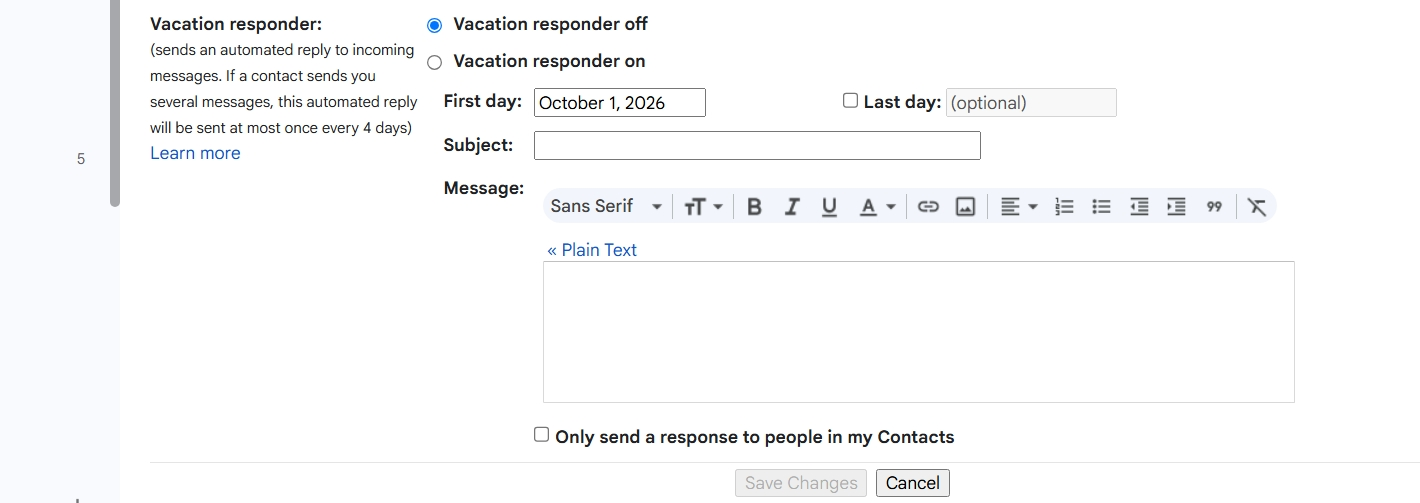
Generally, most email providers offer services on their websites to email providers. Their preference is that you do NOT use a third-party email client, and offer their own services. The most common is the away message. This works well within their world because their servers are active 24/7 whereas your PC may only be up when you're using it. You didn't mention your email host, but I would be surprised if they did not offer this feature. Do keep in mind that mail goes first to the email provider and then to you. Auto responses are best (and often just a few simple key clicks) whereas attempting with any email client becomes a technology horror. :) For example, for Gmail users, the attached screenshot is just a few clicks.