


Solved
"Forward Delete" Key Does Not Work When Typing File Name in macOS Firefox "Save As" Window
Steps to reproduce:
- View a PDF within Firefox
- Select the 'Save' icon
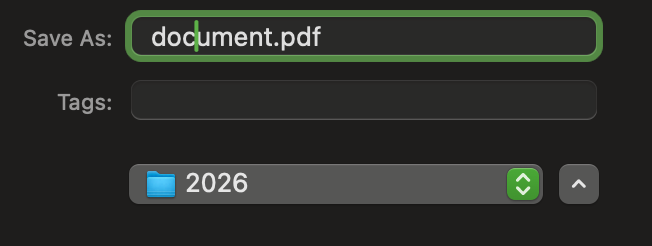
- Click within the file name field, right next to "Save As"
- The "forward delete" key ('Delete' on a Windows keyboard) does not work. It used to work in previous versions of Firefox, but no longer works.
- The "backwards delete" key ('Backspace' on a Windows keyboard) works without issue.
Firefox 155.0.1
Steps to reproduce:
* View a PDF within Firefox
* Select the 'Save' icon
* Click within the file name field, right next to "Save As"
* The "forward delete" key ('Delete' on a Windows keyboard) does not work. It used to work in previous versions of Firefox, but no longer works.
* The "backwards delete" key ('Backspace' on a Windows keyboard) works without issue.
Firefox 155.0.1
All Replies (1)
Penyelesaian Terpilih
Yes, bugzilla.mozilla.org/2054565 will be fixed later in the week with v156. Thanks for the report!