


I've tryed all obvious instructions and my bookmarks toolbar will not sync

I've tryed all obvious instructions and my bookmarks toolbar will not sync
Moderator note: This question has been edited to remove a markdown artifact.
Diubah oleh Denys
All Replies (4)
Hi,
What exactly have you tried? Also, what do you mean by syncing a Bookmarks Toolbar? Firefox can either sync all the bookmarks or not sync them at all.
My bookmarks show on the upstairs dell laptop i am on now: See attached
My downstairs laptop ( kids old msi running windows n10) will not show any bookmarks in that bar n- I have signed in and out and even reinstalled (not just refresh) firefox.
I ran c cleaner and super anti spyware after uninstall.
I've done customize toolbar and checked always and tried hiding and showing bookmarks tool bar from the main menu

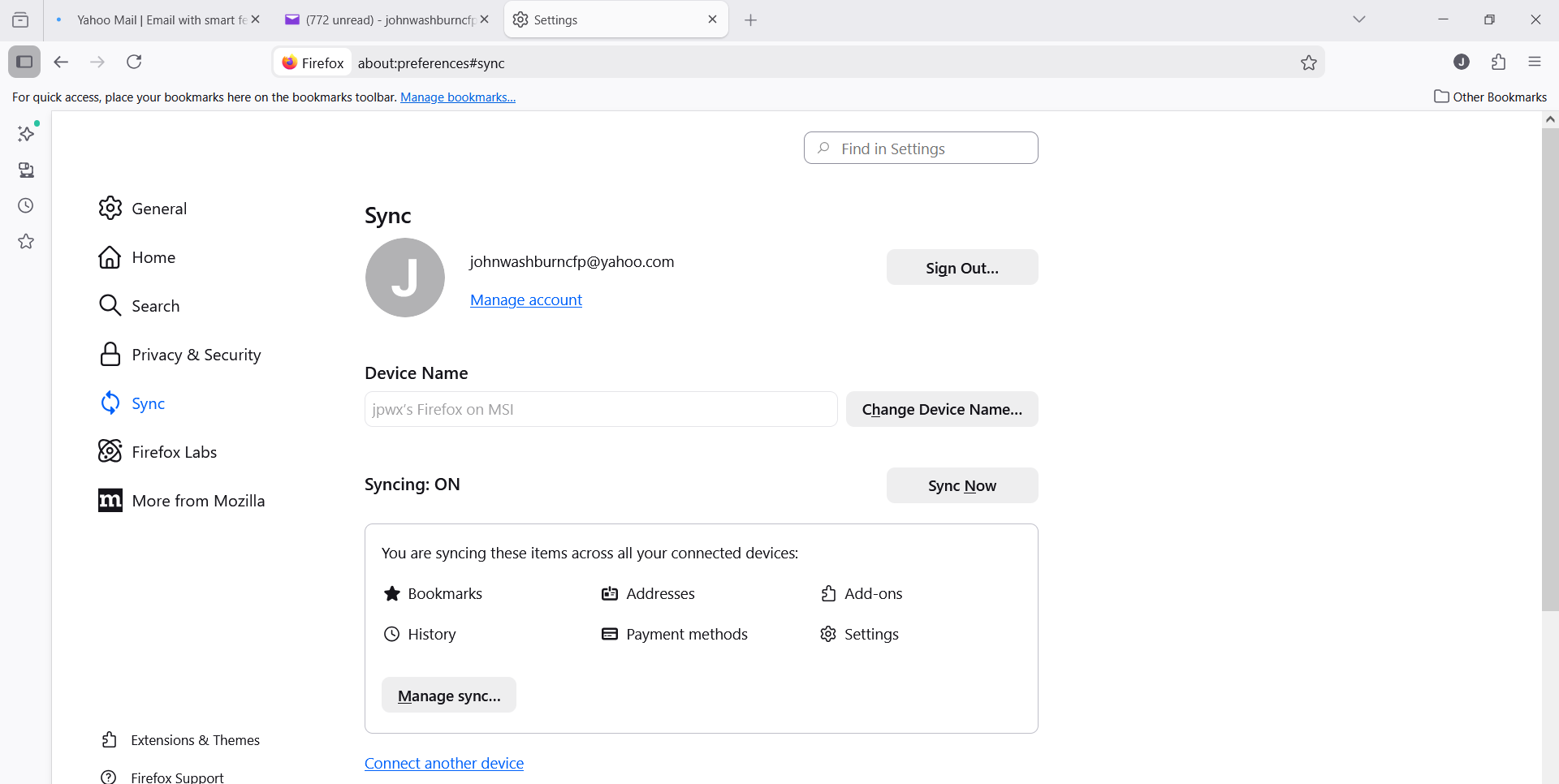
If you go to Settings -> Sync, is syncing on and are bookmarks on the list?
Looks like it is turned on to me - here's a screenshot of the downstairs msi - I am signed in on the same acct - [email removed]@yahoo.com:
Diubah oleh Denys