


Shortcuts Unaccessible from Web Address Bar with an Open Tab
Hi,
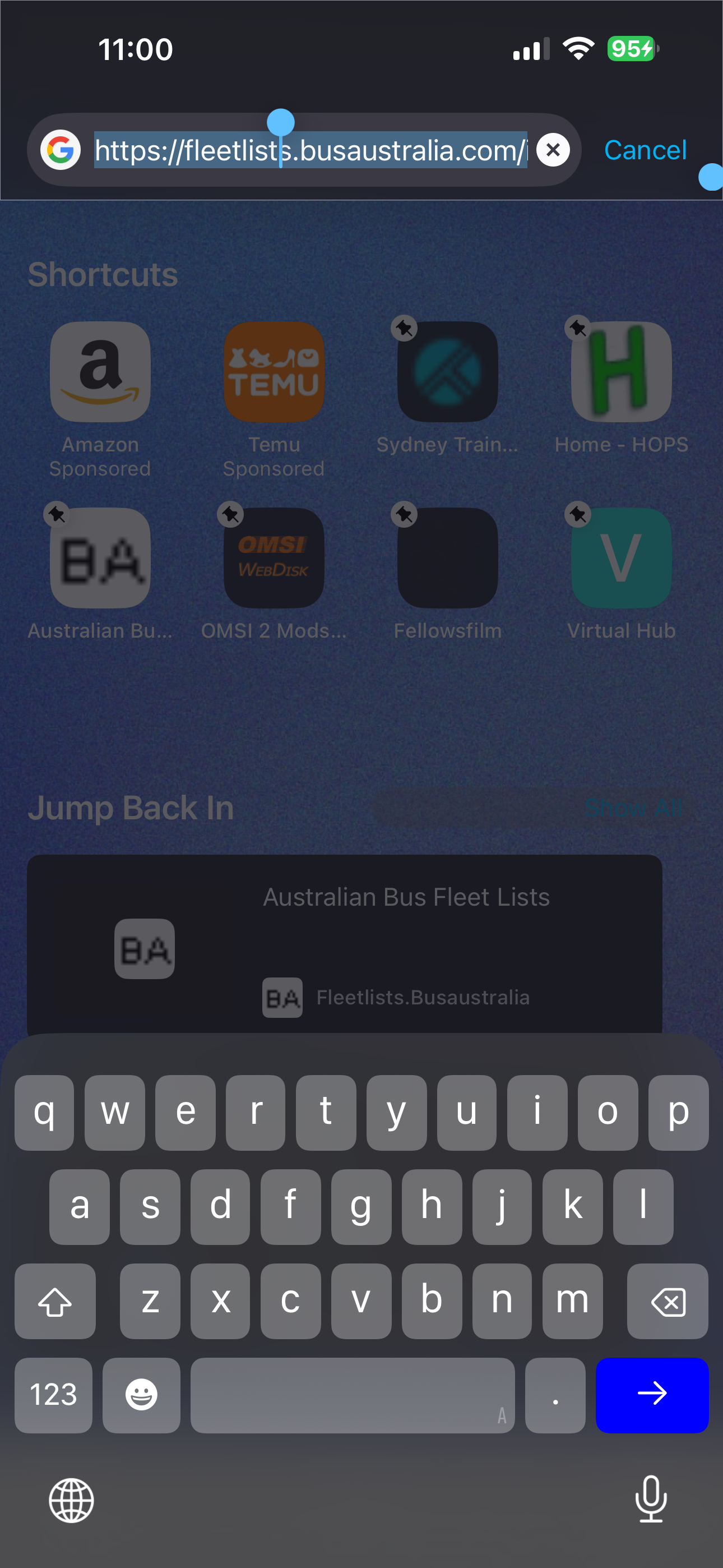
With a browser tab open to any website, I’m no longer able to use a saved shortcut upon tapping into the web address bar.
Tapping the address bar brings up the keyboard and screen as normal, except with a faded background. As soon as you try selecting a saved item it sends you back to the existing open web page.
All Replies (2)

I have found this exact problem also. related trouble report
Diubah oleh Firefox_Fan
In case you have any "custom URL" set as your new tab, there was a bug for such setup preventing tapping the icons, that should have been fixed in this week's v150.1 — if you wanna try updating, to see if it resolves for you?
For some subset of users there was also a feature being rolled out last year that briefly resulted in this overlay causing the icons not being active — but that got resolved hopefully promptly back then, before shipping to more folks, however please do feel free to report back if this issue still persists for you. Thanks!