


Windows 10 reached EOS (end of support) on October 14, 2025. If you are on Windows 10, see this article.

Search Support

Avoid support scams. We will never ask you to call or text a phone number or share personal information. Please report suspicious activity using the “Report Abuse” option.

Learn More
Diarkib

Today Pane makes Thunderbird mail window Status bar disappear + can't scroll fully to the bottom

haituva

I noticed that I can't see the end of any longer email messages and realized that the Status bar is missing in the email window, too. Changing the relevant setting in the menu didn't do anything. The Status bar is visible in other tabs. When I hid the Today Pane (Events & Tasks), the status bar came back. When I displayed it, Status bar disappeared again. With longer email messages, it is impossible to view the complete message, because the message window seems to extend below the screen bottom. Hiding Windows task bar doesn't help.

Help, how can I have my status bar and read the messages without opening them in a new window, without having to hide the Today pane?
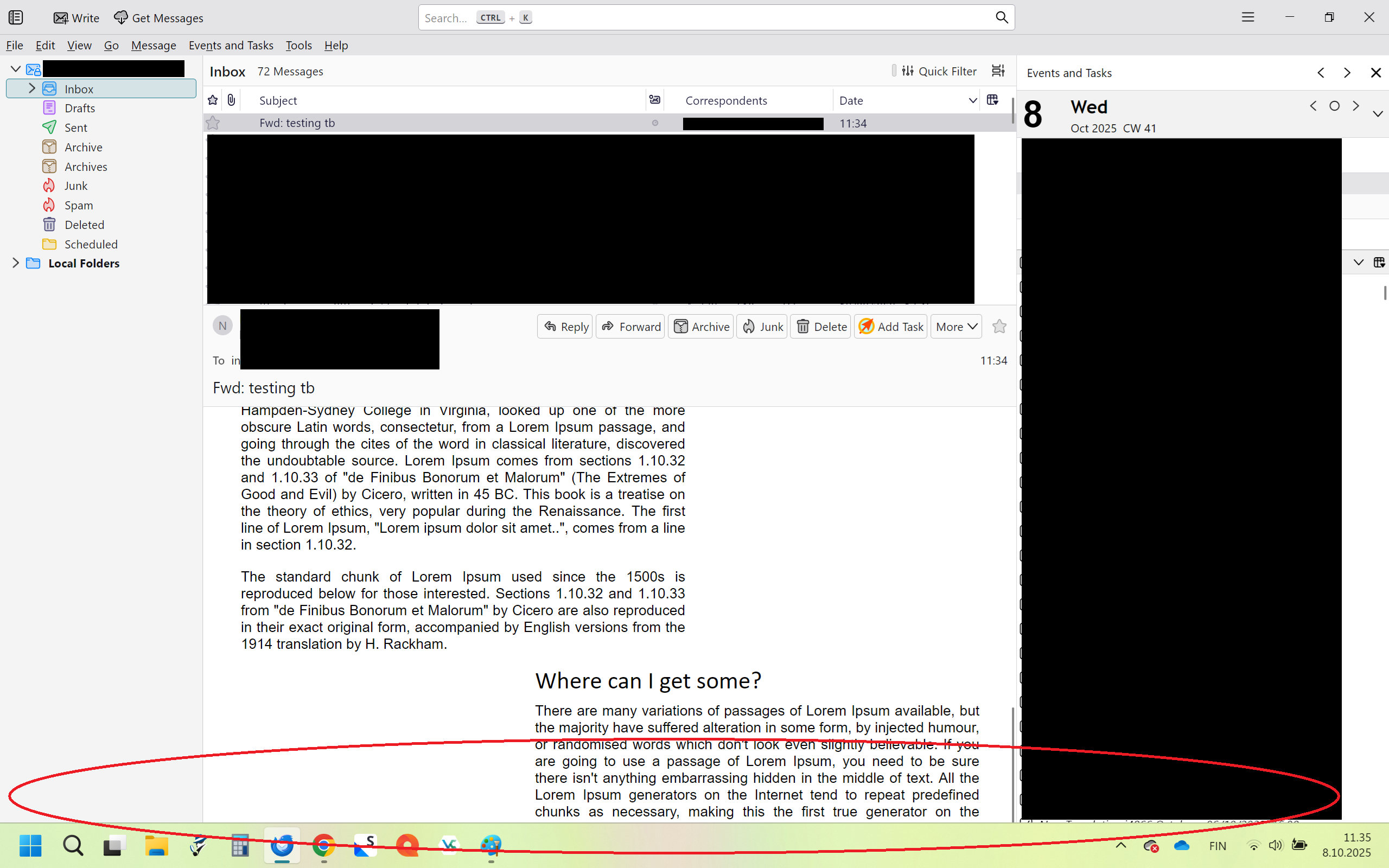
I noticed that I can't see the end of any longer email messages and realized that the Status bar is missing in the email window, too. Changing the relevant setting in the menu didn't do anything. The Status bar is visible in other tabs. When I hid the Today Pane (Events & Tasks), the status bar came back. When I displayed it, Status bar disappeared again. With longer email messages, it is impossible to view the complete message, because the message window seems to extend below the screen bottom. Hiding Windows task bar doesn't help. Help, how can I have my status bar and read the messages without opening them in a new window, without having to hide the Today pane?
Lampirkan skrinsyot

All Replies (2)

The attachment bar isn't visible either.

OK, found the culprit. The bottom bar disappears when I have "Tasks and events" selected in the Today pane. In Tasks only view, the bottom bar displays correctly.