


How to change profile photo on Thunderbird?
Hello everyone.
I just started using Thunderbird and one think I noticed is that I can’t find where to set a profile photo.
I want to upload my logo image so when the people receive my email they see my logo.
I’m sending attached what I mean. Thank you!
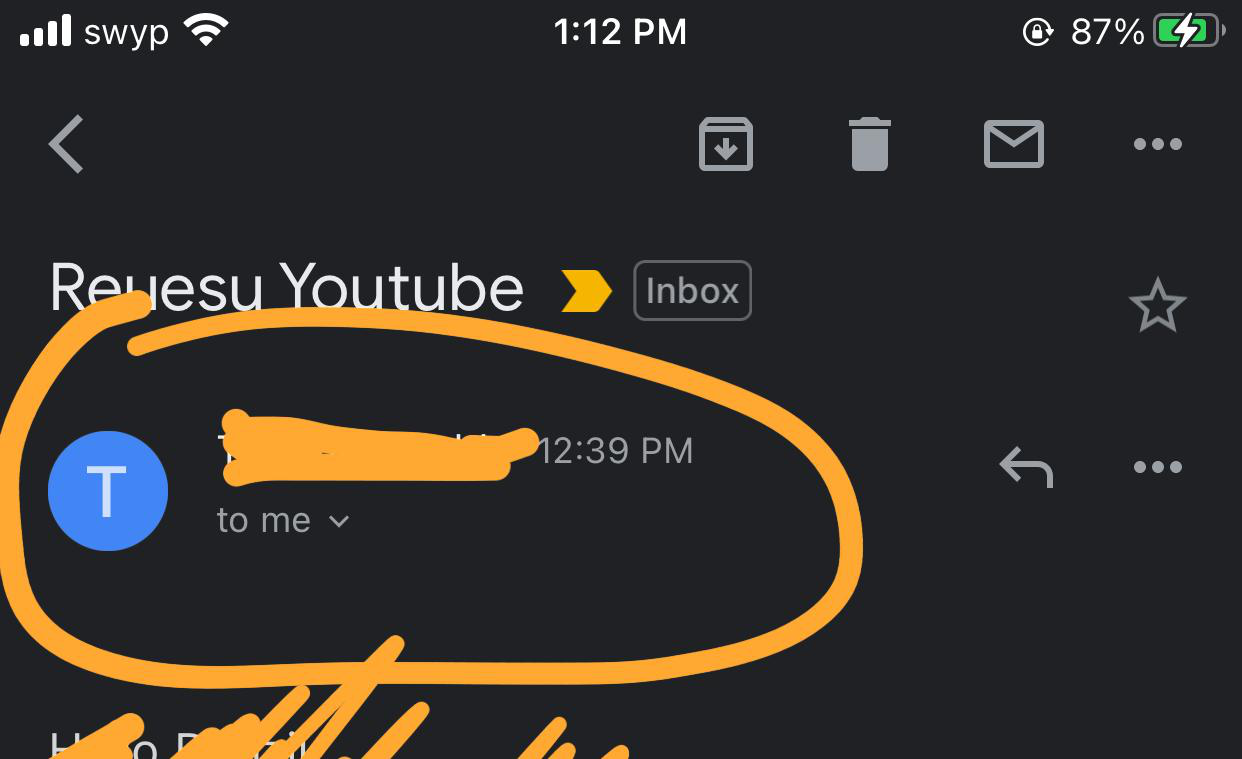
All Replies (4)
That image does not look like Thunderbird.
Do you mean you want to automatically include a signature at the bottom of your email? If yes, then please read info here: https://support.mozilla.org/en-US/kb/signatures#w_signatures-stored-in-files
Hey! No, that’s on Gmail. That’s what my email looks like if I send it to gmail. What I mean is when I send an email to people they see that icon. I would like them to see my Logo.
I’m not talking about the signature. Just a profile photo
Thunderbird is not reponsibile for gmail webmail account profile image or any other forum which you logon to and can opt to use a specific image or avatar. But here is where you locate it in gmail webmail account. In gmail, access 'Account, then 'Personal info'. Under 'Basic Info' click on 'add photo to personalise your account' and upload image.
When you are talking about emails, you can only add images to the email itself eg: as a signature or embedded image in content or add as an attachment.
hope this info helps.
Diubah oleh Toad-Hall
Just so you understand that gmail account profile image will only be seen by others viewing an email from you via the gmail webmail account assuming they have a gmail account or if they are viewing a gmail forum or group etc which you posted a comment. If they read emails in an email client eg: Thunderbird or Outlook etc or via their webmail account which is not gmail, then they will not see that image because the image has not been sent in the email.