


Printing Entire Menu of Drop Down Selections

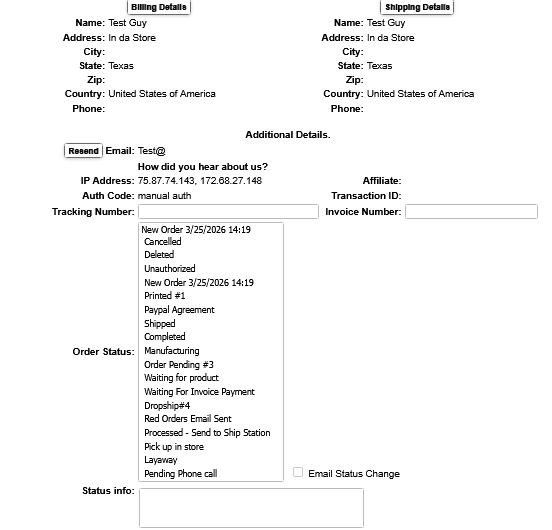
After today's update, March 25, 2026. I cannot print correctly. When printing from a page with drop down menu's, Firefox is printing every option on the menu. I have tried Refreshing Firefox, Clearing Saved Print Settings and rebooting. Anyone know how to fix this?
Chosen solution
Hi there,
This issue has been resolved in v149.0.2. Please update your Firefox to get the fix!
Read this answer in context 👍 0All Replies (4)
I cannot reproduce it, but please report it on bugzilla, hopefully with better steps to reproduce it.
Hi,
Thank you for reporting. This issue is tracked under bug 2026109 and is already being fixed. Sorry for the inconvenience!
Please note that there's /questions/1572581 regarding the same issue. Let's stick to that thread to keep the discussion in one place. As a moderator, I’ll go ahead and lock this one. Thanks for your understanding!
Chosen Solution
Hi there,
This issue has been resolved in v149.0.2. Please update your Firefox to get the fix!