


How do I switch off Thunderbird Calendar, so I can use Apple iCal instead?
I don't wish to use the calendar that comes with Thunderbird, but instead continuing with my Macintosh iCal.
1) How do I switch off the Thunderbird calendar function? 2) How do I get the calendar invitations sent to me as an ICS file attachments, that I can open in Mac iCal. Just like in Airmail and in Microsoft Outlook.
Jonas Möller Nielsen Sweden
All Replies (20)
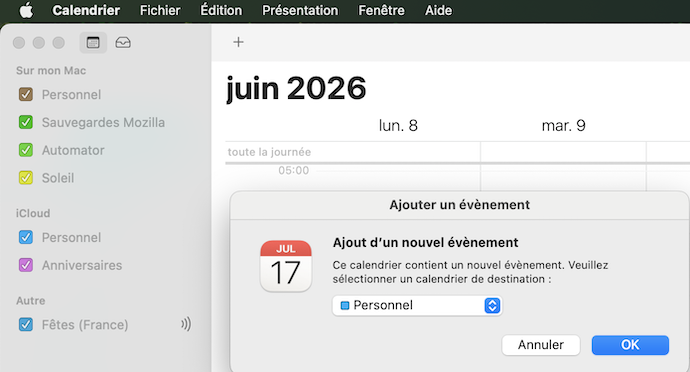
You are not obliged to use the Thunderbird calendar. If you've already opened the Calendar tab just close it. In France I get many "event" invitations as .ics files attached to emails. When I double-click the .ics file my Mac opens the 'Calendar' app (formerly 'iCal') and shows a popup box which asks me to which of my different calendars I want to add this event.
Novain'i Mapenzi t@
Mapenzi said
You are not obliged to use the Thunderbird calendar. If you've already opened the Calendar tab just close it. In France I get many "event" invitations as .ics files attached to emails. When I double-click the .ics file my Mac opens the 'Calendar' app (formerly 'iCal') and shows a popup box which asks me to which of my different calendars I want to add this event.
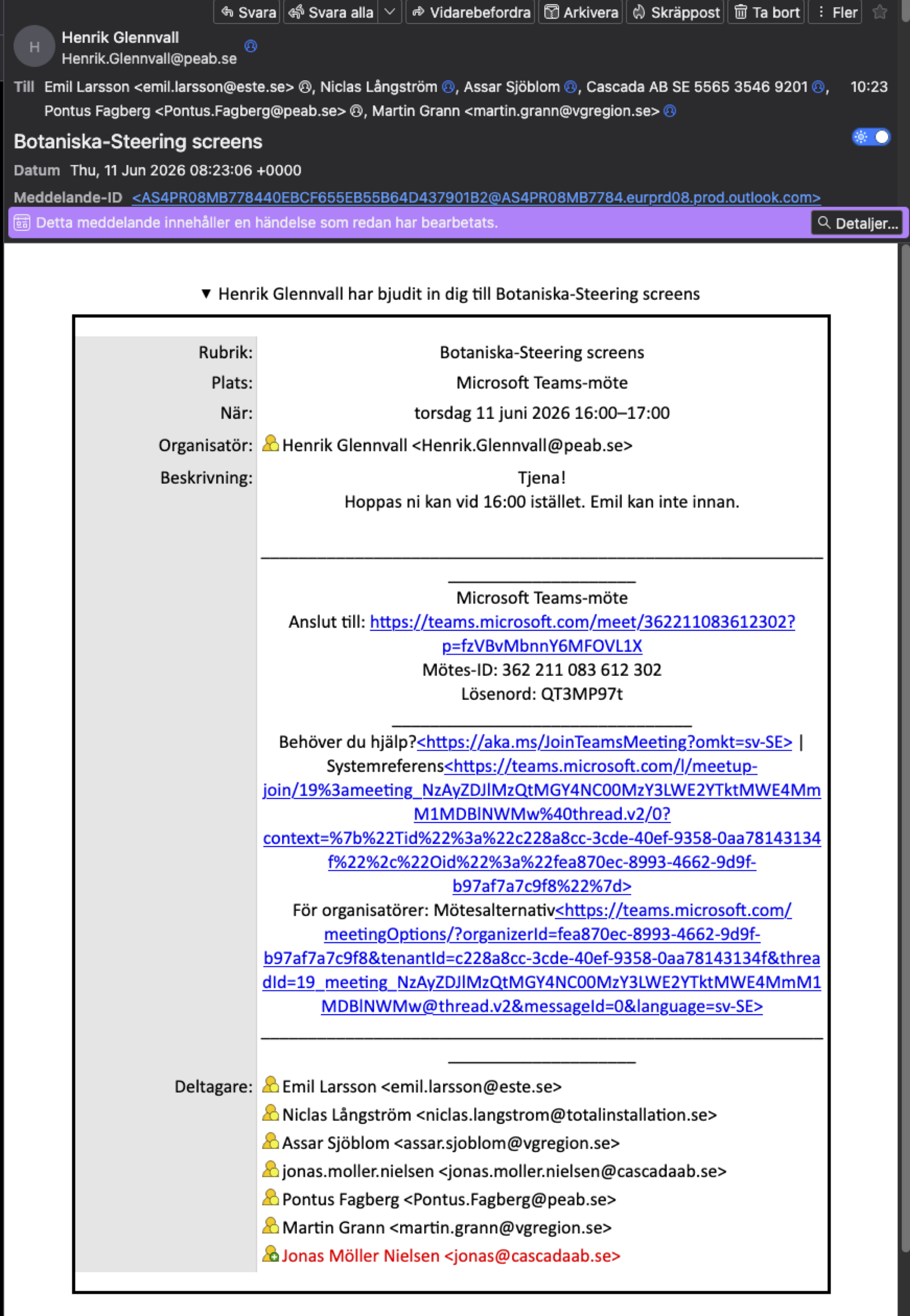
How do you do to get the .ics file? I do not get any .ics file with the invitation when I open the e-mail in Thunderbird. This is what it looks like:
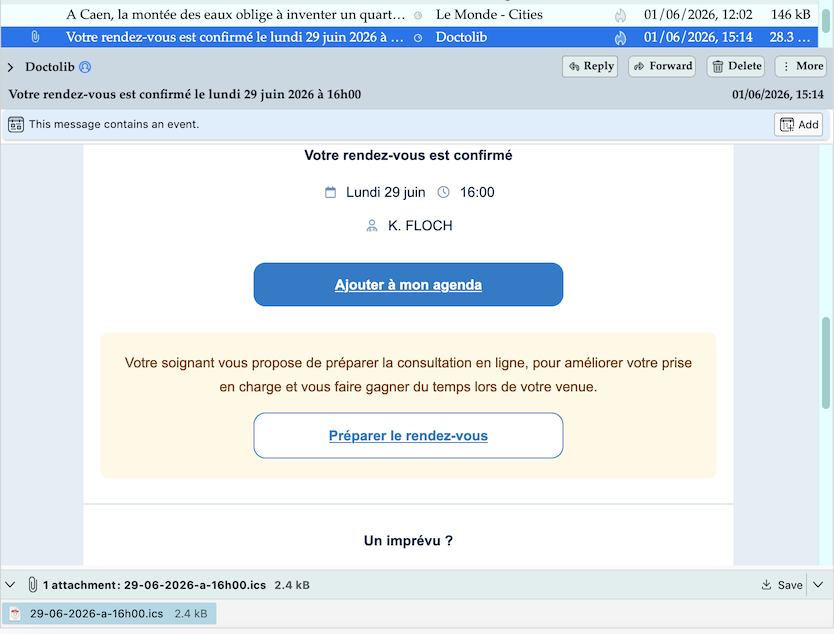
My professional activity is behind me and I mainly get emails with .ics files for appointments with administration or my physiotherapist (image)
Mapenzi said
My professional activity is behind me and I mainly get emails with .ics files for appointments with administration or my physiotherapist (image)
That is what I would like to get, the .ics file as an attachment. Well, I guess I just have to continue using several different e-mail clients, just as I have before. Thunderbird seems to behave differently on different computers apparently.
Thanks for trying to help. Jonas
jonas.moller.nielsen said
That is what I would like to get, the .ics file as an attachment.
I think that cannot get it as an .ics file attachment if people don't join the file to their emails. You may try the following: go to View and enable ✓"Display Attachments Inline", but I' afraid that this won't change anything. In my Thunderbird installation the .ics files are always shown in the attachment pane, whether I enable or disable "Display Attachments Inline"
<p>jonas.moller.nielsen saidWell, I guess I just have to continue using several different e-mail clients, just as I have before.
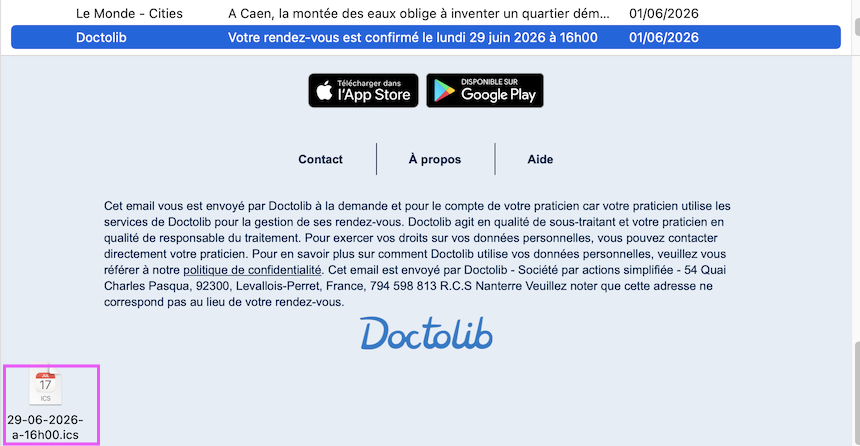
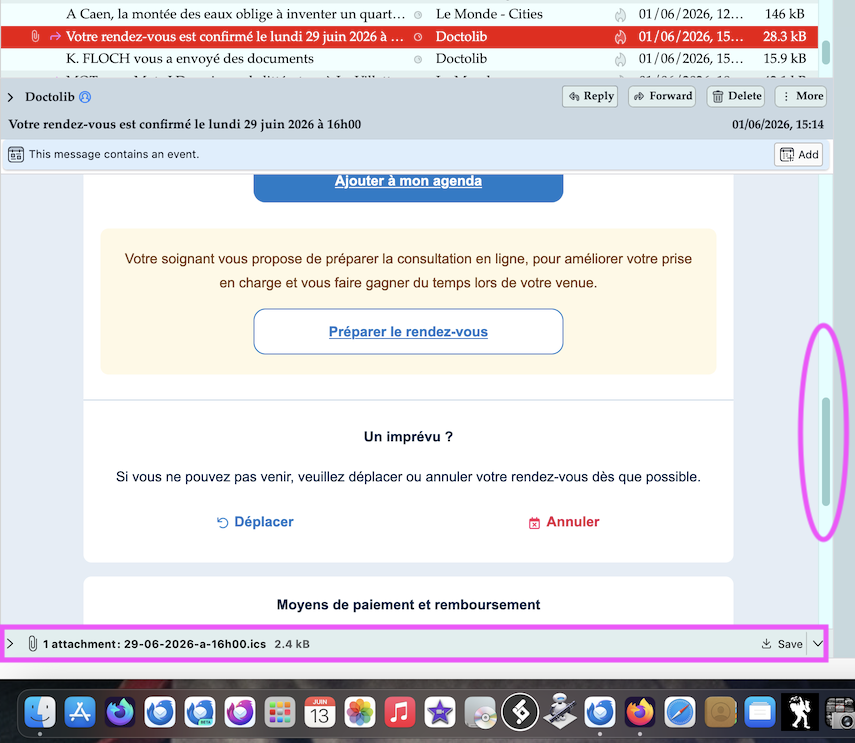
I opened again the same email with the .ics file I'd shown in my previous answer, but this time in Apple Mail. Same result: the .ics file is present and can be saved (see new image)
Mapenzi said
jonas.moller.nielsen said
That is what I would like to get, the .ics file as an attachment.
I think that cannot get it as an .ics file attachment if people don't join the file to their emails. You may try the following: go to View and enable ✓"Display Attachments Inline", but I' afraid that this won't change anything. In my Thunderbird installation the .ics files are always shown in the attachment pane, whether I enable or disable "Display Attachments Inline"
<p>jonas.moller.nielsen saidI just tried that, and restarted Thunderbird, but it only affected image attachments, not .ics files.
Not an extremely big problem at the moment, I just open Apple Mail when I se an invitation, and open the .ics file from there to get it into Apple Calendar. When I switch to Linux I will see how I will solve it, but that is not a problem for some time to come.
Jonas
I think that cannot get it as an .ics file attachment if people don't join the file to their emails. That's what I said before: if people don't attach .ics files to the messages they send, you won't find any .ics files in the email you download. And this is true for any email client you may use.
I just open Apple Mail when I se an invitation, and open the .ics file from there to get it into Apple Calendar. If you see the .ics attachment in Apple Mail why wouldn't you see it in Thunderbird, too? That's how it works for me and as it is shown in my images.
I see it as an .ics file attachment in all other e-mail clients but not in Thunderbird. So when I get a calender invitation in Thunderbird, I have to open Apple Mail (or some other e-mail client) and open the .ics attachment there. Not a gigantic problem, but annoying.
I can see the .ics files in the attachment pane in all Thunderbird versions I'm using for work or testing: release, esr beta and Daily Does the same happen if you (re-)start Thunderbird in Troubleshoot mode? Help > Troubleshoot Mode ....
Mapenzi said
I can see the .ics files in the attachment pane in all Thunderbird versions I'm using for work or testing: release, esr beta and Daily Does the same happen if you (re-)start Thunderbird in Troubleshoot mode? Help > Troubleshoot Mode ....
Switching to Troubleshoot Mode... did not help.
I have no explanation, it works for me but not for you. My Mac is running Monterey and I have Thunderbird 151.0.1, Thunderbird 140.11.1esr, Thunderbird Beta 152.0b2 and Thunderbird Daily 153.0a1 ....
Mapenzi said
I have no explanation, it works for me but not for you. My Mac is running Monterey and I have Thunderbird 151.0.1, Thunderbird 140.11.1esr, Thunderbird Beta 152.0b2 and Thunderbird Daily 153.0a1 ....
I run macOS 26.5.1 (sucks) on an M2 machine and Thunderbird 151.0.1 (aarch64). Maybe it is something to do with M2 and macOS 26. I will see what happens on my laptop, and my Linux Ubuntu machine.
Sadly, my iMac is very old (late 2015) and unfortunately I'm stuck with macOS 12.7.6. Yet it has a tiger under the hood, is still very fast and never ever had a problem!
re :How do you do to get the .ics file? I do not get any .ics file with the invitation when I open the e-mail in Thunderbird. This is what it looks like:
The attachment would be at the bottom, but your image does not show what is at the bottom - I can see the scroll bar indicates there is more below. There is a known bug which is experienced by some people. What happens is this, the bottom of the email that contains the attachments gets hidden and so does the Status bar. It's worth checking if this is effecting you. Especially as you say that attachment is seen in other clients. If you have the 'Today Pane' enabled, please disable it and increase the height of the Thunderbird window if you can. Disabling the Today Pane may reveal the bottom of the email and show the 'Attachment' section.
It effects people who have smaller screens and they have enabled the Today Pane.
Jonas, I think that your screen shot has been taken in your actual Thunderbird installation. So be both use the same Thunderbird version on a Mac. In my first screen shot and in my new screen shot you can see that even if you don't the scroll the message text down to the bottom of the message pane you should see the attachment pane with the attachment displayed in it. Maybe for an unknown reason your attachment pane is hidden but I've never seen this unless you would use a certain CSS code in a userChrome.css file. Please verify other messages with different attachment formats, e.g. *.pdf, whether your Thunderbird displays them or not.
Problem found, but not solved! Invitations sent from Microsoft Outlook are not shown with the .ics attachment, but when I send an invitation to myself from Apple Calendar the .ics file is shown as an attachment. This regardless if the Today panel is shown or not.
This is nothing I can do anything about, so I will just have to switch between Apple Mail and Thunderbird.
I presume you can Right click on email in list and select 'Convert to' and select 'Event' and all the links in the email itself still work ?
I've just noticed the invitation is to do with MS Teams.
I did find another person who mentions specific issues with MS Teams invites. https://learn.microsoft.com/en-us/answers/questions/5238556/recieve-teams-meeting-invitations-as-ics-within-or
Now I know it's specifically a 'MS Teams' issue, I did find the following addon. Worth a try to see if it still works in a current version. https://services.addons.thunderbird.net/en-US/thunderbird/addon/outlook-teams-appointments/
I've been reading around the issue and locating various info which seems to be not amused with Microsoft. There's quite a few complaints, but are we surprised. It seems some people are getting useless "not supported calendar message.ics" attachment." https://mimecastsupport.zendesk.com/hc/en-us/articles/43382552280083-URL-Protect-Microsoft-Teams-Update-Action-Required-Jul-2025#h_01K6G8X2KBJKKYWSXNXW5R00BY
Toad-Hall said
I presume you can Right click on email in list and select 'Convert to' and select 'Event' and all the links in the email itself still work ? I've just noticed the invitation is to do with MS Teams. I did find another person who mentions specific issues with MS Teams invites. https://learn.microsoft.com/en-us/answers/questions/5238556/recieve-teams-meeting-invitations-as-ics-within-or Now I know it's specifically a 'MS Teams' issue, I did find the following addon. Worth a try to see if it still works in a current version. https://services.addons.thunderbird.net/en-US/thunderbird/addon/outlook-teams-appointments/ I've been reading around the issue and locating various info which seems to be not amused with Microsoft. There's quite a few complaints, but are we surprised. It seems some people are getting useless "not supported calendar message.ics" attachment." https://mimecastsupport.zendesk.com/hc/en-us/articles/43382552280083-URL-Protect-Microsoft-Teams-Update-Action-Required-Jul-2025#h_01K6G8X2KBJKKYWSXNXW5R00BY
Right clicking and selecting convert to... does not change anything at all.
The add-on you mention is outdated and does no longer support Teams invitations.
I find it strange that some other e-mail clients can display the .ics file (Apple Mail, Airmail).

Jonas, I have not received an invitation in this way for a long time and have not had a chance to test it, but doesn’t the invitation appear in the in-tray in Apple Calendar? So you can accept it there and not deal with an e-mail attachment at all?
Unless you are receiving them at an e-mail address that is different from the one that you use in your Apple Calendar account?
Rick said
Jonas, I have not received an invitation in this way for a long time and have not had a chance to test it, but doesn’t the invitation appear in the in-tray in Apple Calendar? So you can accept it there and not deal with an e-mail attachment at all? Unless you are receiving them at an e-mail address that is different from the one that you use in your Apple Calendar account?
That would have been the best solution, but I have my own domain and host my own e-mail server, to that option is not possible unfortunately.
Why I think it's working in Apple Mail and Airmail, is that I suspect that these two programs creates an .ics file from the incoming e-mail when such an attachment is missing from Teams.