


送信できません - Unable to send

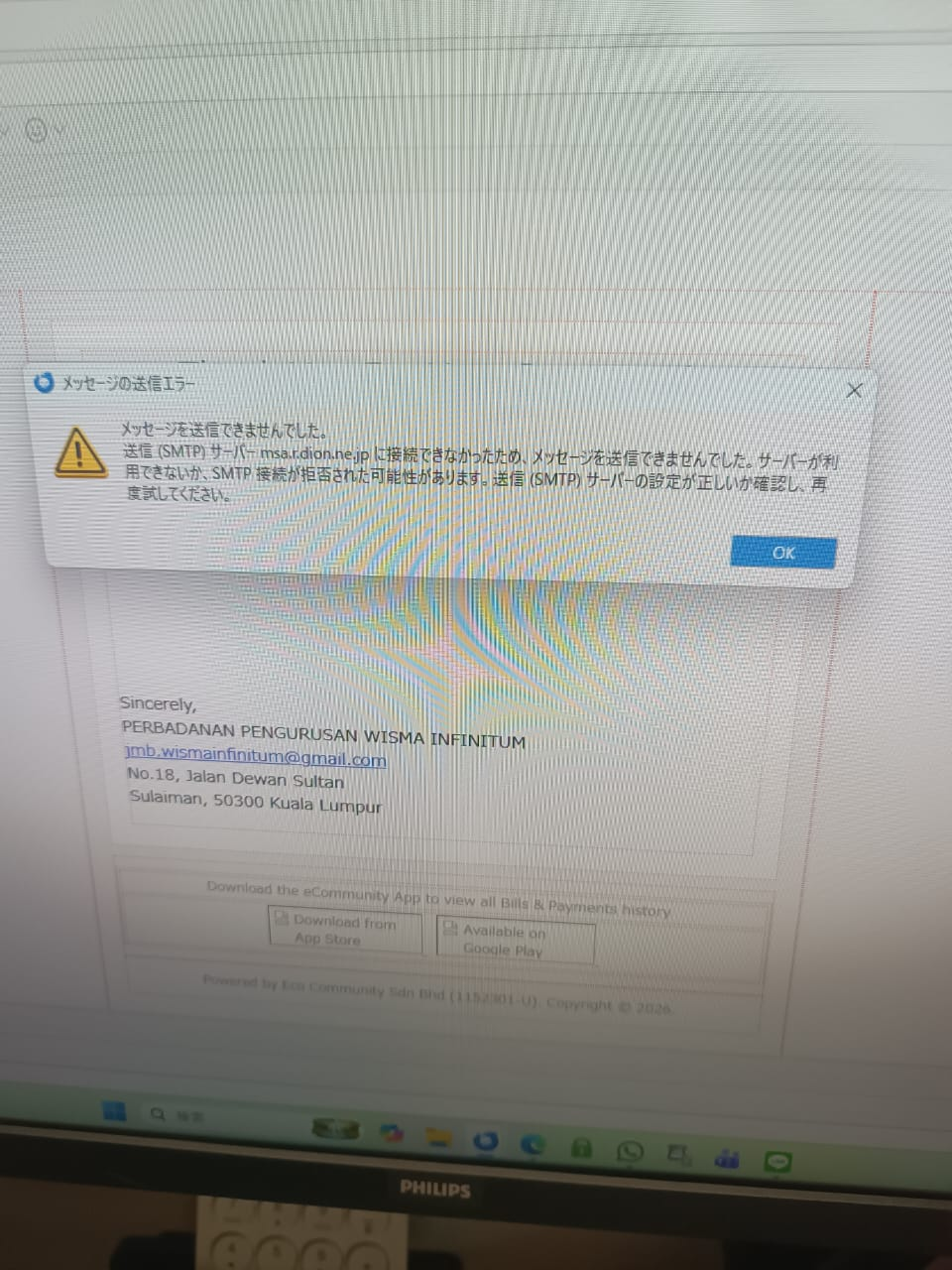
突然、どこにもメールの送信ができなくなってしまいました。 受信はできます。 KDDIを使っていますが、問い合わせしましたが、サーバーに問題ありません。 Webメールでは送信できます。 Thunderbird側の問題のようです。 添付のようなメッセージが表示されエラーになってしまいます。 解決策を教えてください。
Suddenly, I can no longer send emails anywhere. I can still receive emails. I use KDDI, and I contacted them, but they said there are no issues with their servers. I can send emails using webmail. It seems to be an issue with Thunderbird. The message shown in the attachment appears, and I get an error. Please let me know how to fix this.
Novain'i christ1 t@
All Replies (4)
hiro.iwashima0309 said
突然、どこにもメールの送信ができなくなってしまいました。 受信はできます。 KDDIを使っていますが、問い合わせしましたが、サーバーに問題ありません。 Webメールでは送信できます。 Thunderbird側の問題のようです。 添付のようなメッセージが表示されエラーになってしまいます。 解決策を教えてください。
Suddenly, I can no longer send emails anywhere. I can still receive emails. I use KDDI, and I contacted them, but they said there are no issues with their servers. I can send emails using webmail. It seems to be an issue with Thunderbird. The message shown in the attachment appears, and I get an error. Please let me know how to fix this.
Novain'i hiro.iwashima0309 t@

Message Sending Error The message could not be sent. The message could not be sent because the connection to the Outgoing (SMTP) server msa.r.dion.ne.jp failed. The server may be unavailable or the SMTP connection may have been refused. Please verify that your Outgoing (SMTP) server settings are correct and try again.
See https://support.mozilla.org/kb/cannot-send-messages
Also, what is your anti-virus software?
Dear christ1 san,
Thank you for your message. I already checked the server with KDDI(provider), there is no problem at their server. I can send the e-mail thru their web mail. So, the problem due to thunderbird software.
I used Windows Defender for anti-virus.
Hi Iwashima san,
I can send the e-mail thru their web mail.
Webmail infrastructure is entirely different from POP/IMAP servers, so there could still be something wrong with the latter.
Did you follow the troubleshooting steps as per the support article posted above? What are your results?
I used Windows Defender for anti-virus.
In general, antivirus software can be problematic in connection with Thunderbird. Try to create an exemption in Defender for the Thunderbird profile folder, so that it's real-time scanner will not scan it. https://support.mozilla.org/en-US/kb/profiles-where-thunderbird-stores-user-data#w_how-to-find-your-profile