


it appears that creating a mailing list is no longer supported, why, or how do I do it now?

it appears that creating a mailing list is no longer supported, why, or how do I do it now?
All Replies (9)

Open Address Book > click the button.
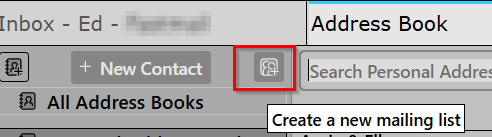
that did not help What button?? left side or right side.?? initially I pressed the button on the right side and it did nothing. Okay its the right side/ but doesn't always work. I had mailing lists and TB deleted them
I've finally after two hours of trying , got it to work Don't know why it has to be this difficult. WEnt to help file and that was totally useless as it was posted in 2015
had to get into the forum to find out how to do it.....2 hours duration!!! .

I have the same problem. If you've figured out how to fix it, please post it here for others.
TimEarl said
I have the same problem. If you've figured out how to fix it, please post it here for others.
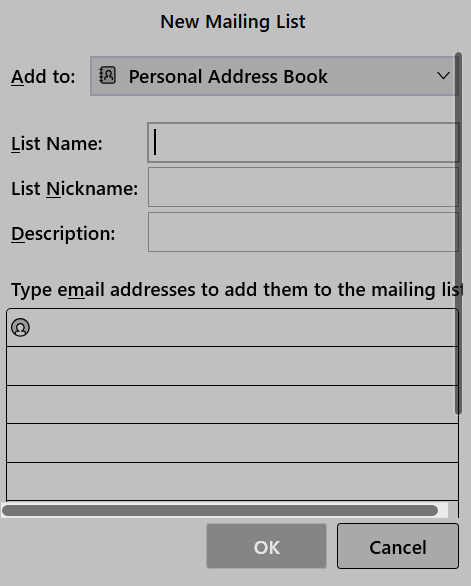
Please be more specific. Look at the screenshot I posted in my comment above. What happens when you click the 'Create a new mailing list' button? You should be presented with the 'New Mailing List' screen. Does that happen?

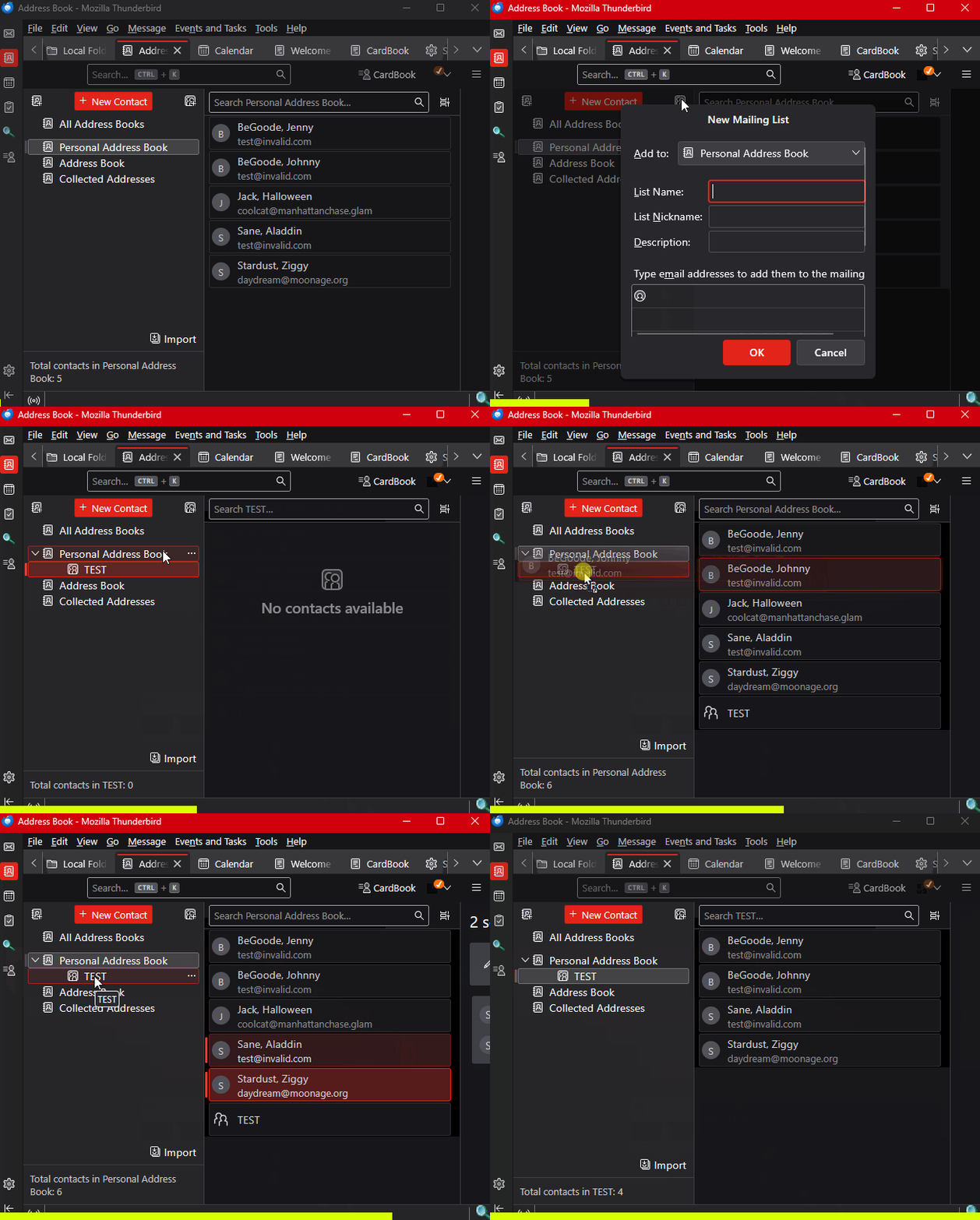
Here's an animation showing the creation and population of a mailing list...
Novain'i Lin t@
Like the OP, the option didn't appear in the sub-menu, and the icon/button next to "new message" was greyed out. Since I posted my comment I have been able to do it as the button started working, but I didn't know why.
On further investigation it depends which address book is highlighted in the list of address books (All address books, Personal address books etc.) Sorry, I should have come back and posted that. As ever, much appreciation for all developers and troubleshooters.
TimEarl said
On further investigation it depends which address book is highlighted in the list of address books (All address books, Personal address books etc.)
Interesting. What is different about the address book for which creating a list didn't work?
I have five entries in the address book side pane. Four top level: All Address Books, Personal Address Book, Address Book, and Collected Addresses. These were all present after installation, I didn't create any of them. There's also a mailing list shown as indented under Personal Address Book.
The Create a New Mailing List button works when all of these are highlighted except Address Book, when it is greyed out. As they're all system-generated I don't know what the difference is.
If it's still a problem, please file a bug report.